How to Create a Feeld Account
Learn how to create a Feeld account step by step, from registration and verification to setting up your profile
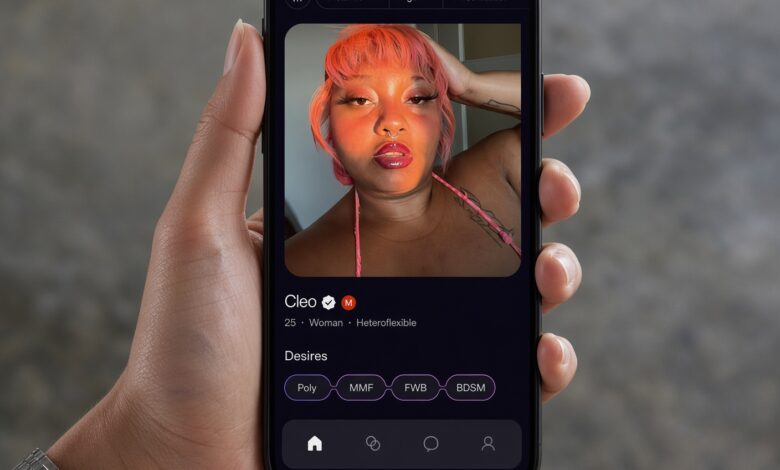
Feeld is an inclusive, open-minded online dating application designed for singles and couples. Unlike traditional dating platforms that focus solely on standard single-to-single matching, Feeld provides a safe space for people to explore alternative relationship structures. These include ethical non-monogamy (ENM), polyamory, kink, and diverse gender identities.
The core framework of Feeld rests on complete self-expression and mutual consent. When you set up your profile, the application lets you define your identity beyond binary choices. You can choose from dozens of precise options for sexual orientation, gender identity, and personal desires.
Understanding how Feeld works helps you make the most of the application:
- Inclusive Matching: You can join as an individual or link your profile with a partner to explore as a couple.
- Privacy Controls: You do not need to use your legal name on your public profile. You can choose a pseudonym or nickname to maintain discretion.
- Desire-Based Discovery: Filters allow you to browse profiles based on specific interests, relationship goals, or boundary preferences.
By fostering an environment built on transparent communication, Feeld eliminates much of the guesswork found in traditional dating apps.
Step-by-Step Guide on How to Create a Feeld Account
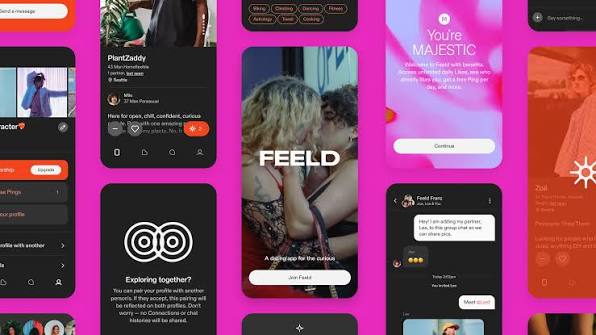
Creating an account on Feeld is a straightforward process that takes just a few minutes. To ensure a smooth registration, follow these detailed steps on your mobile device.
Step 1: Download the Feeld App
Feeld operates exclusively as a mobile application.
- Open the Apple App Store (for iOS users) or the Google Play Store (for Android users) on your smartphone.
- Type Feeld into the search bar.
- Tap Install or Get to download the official application onto your device.
Step 2: Open the App and Select Your Login Method
Once the app is installed, launch it from your home screen.
- Tap the Join Feeld button on the main launch screen.
- Choose one of the available sign-in options:
- Sign in with Email
- Sign in with Phone Number (SMS)
- Sign in with Apple
- Sign in with Google
- Sign in with Facebook
Security Tip: Signing up via email or phone number offers high privacy, as it does not cross-link your active social media connections or friend lists.
Step 3: Enter Your Date of Birth
Enter your true date of birth.
- Age Requirement: You must be at least 18 years old to access Feeld.
- Permanent Setting: Make sure your birth date is correct before proceeding. Feeld locks this detail upon account creation to maintain safety and age verification standards across the platform.
Step 4: Pick a Display Name
Choose the name that other members will see on your profile.
- You can use your real first name or an alias if you prefer extra privacy.
- Avoid using your full legal name, last name, or social media handles for safety reasons.
Step 5: Define Your Gender and Sexual Identity
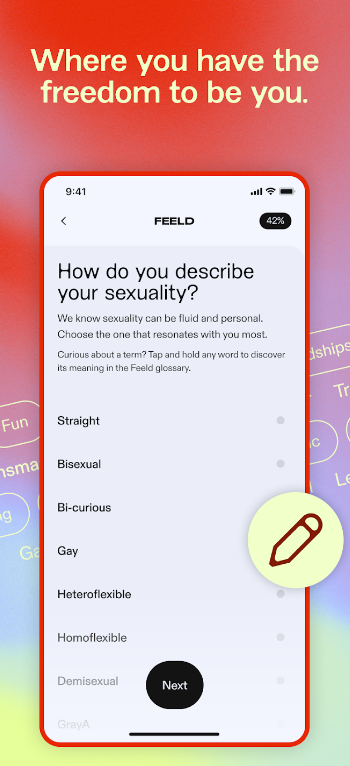
Select the terms that best describe your identity and sexual orientation. Feeld offers an extensive list of gender options (such as Non-binary, Agender, Transgender, and Cisgender) and sexualities (such as Bisexual, Pansexual, Queer, and Demisexual). If you are unfamiliar with a term while browsing the list, press and hold it inside the app to see its exact definition.
Step 6: Set Your Discovery and Location Permissions
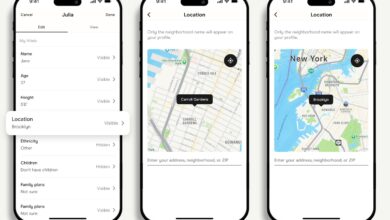
Allow Feeld to access your location. The app uses location data to show you nearby members within your selected search radius. You will also be asked to set up notification permissions so you receive real-time alerts when you match or get a message.
Setting Up Your Feeld Profile for Maximum Engagement


A well-crafted profile acts as a beacon for like-minded connections. Skipping details or rushing through setup often leads to fewer matches. Follow these best practices to stand out in the community.
Crafting a Compelling Bio
Your written description is your chance to showcase your personality and articulate your expectations clearly.
- Be Specific: Instead of saying you like “travel and fun,” specify the exact experiences, hobbies, or dynamics you enjoy.
- State Your Intentions: Express whether you are looking for long-term polyamorous arrangements, casual dating, or specific community experiences.
- Utilize Desires and Interests Tags: Feeld allows you to select pre-made tags that appear on your profile. Selecting relevant tags helps the search algorithm match you with members seeking similar experiences.
Choosing the Right Profile Photos
Photos make an immediate first impression. To comply with app policies and attract genuine connections, follow these gallery standards:
- Use High-Quality, Recent Shots: Choose well-lit photos that show your face clearly. Profiles with clear facial photos receive significantly higher engagement than faceless or blurry shots.
- Include Activity Photos: Showcase your interests by including photos of you engaged in outdoor activities, creative projects, or favorite hobbies.
- Follow Photo Rules: Do not upload explicit nudity, photos containing minors, copyrighted imagery, or celebrity pictures. Feeld strictly moderates profile media to keep the community safe.
How to Link Accounts on Feeld for Couples
One of Feeld’s defining features is its seamless account-linking mechanism. If you are in a relationship and wish to explore the app together with a partner, you can pair your accounts into a connected profile group.
How to Link Your Feeld Account with a Partner
- Both you and your partner must create separate individual Feeld accounts first.
- Go to your Profile Settings within the app.
- Scroll to the Partner or Edit Profile section and select Link Partner.
- Feeld will generate a unique link or invite code. Send this link directly to your partner via text message or messaging apps.
- Once your partner opens the link and accepts the pairing request, your profiles will appear linked together when other members browse.
Benefits of Account Linking
- Shared Transparency: Members browsing your profile can easily tap on your partner’s linked profile to learn about both of you simultaneously.
- Clear Expectations: Linking profiles signals to the community that both partners are fully aware, consenting, and aligned in their dating goals.
- Individual Control: Even when linked, both partners maintain independent control over their individual account settings and personal messages.
Feeld Free vs. Majestic Membership Comparison
Feeld is entirely free to download and use. You can set up a profile, search for members, send connections, and chat without spending money. However, the app offers an optional paid tier called Majestic Membership for users who want premium tools.
The main differences between the free and paid versions include:
| Feature | Free Feeld Account | Majestic Membership |
|---|---|---|
| Profile Creation & Customization | Full Access | Full Access |
| Messaging & Matching | Basic Connections & Messaging | Basic Connections & Messaging |
| See Who Liked You | Hidden / Blurred | Fully Unlocked |
| Incognito Browsing Mode | Not Included | Included (Browse privately) |
| Free Daily Pings | Not Included | Included (Direct priority interest alerts) |
| Private Photo Sharing | Basic Options | Enhanced Privacy Controls |
| Search Filter Customization | Standard Location & Desire Filters | Advanced Filter Preferences |
Upgrading to Majestic Membership is completely optional. You can easily build genuine connections and navigate the application on the free plan.
Essential Privacy and Security Settings on Feeld

Online safety and privacy protection are paramount when using social and dating applications. Feeld incorporates several built-in security features designed to protect your identity and personal data.
Key Privacy Features
- Incognito Mode: Available to Majestic members, Incognito Mode allows you to browse profiles without showing your account to members unless you explicitly like or ping them.
- Screenshot Prevention: Feeld implements technical measures to prevent members from taking screenshots of your private photos or conversation windows inside the application.
- Photo Verification: You can verify your profile photo using a quick camera check. Verification adds a checkmark to your profile, proving to other members that you match your pictures.
- Nudity Protection: Automatic image blurring helps protect users from receiving unsolicited explicit pictures in direct messages.
Essential Safety Checklist
To safeguard your personal information while interacting with new connections, keep these rules in mind:
- Keep Initial Chats in the App: Avoid giving out your mobile phone number, home address, or social media handles right away. Use Feeld’s built-in chat until you build mutual trust.
- Schedule a Video Call First: Before meeting a new connection in person, request a brief video chat to confirm their identity.
- Never Share Financial Information: Be cautious of anyone who asks for money, gift cards, or investment opportunities. Legitimate connections will never demand financial assistance.
- Use the Block and Report Tools: If a member displays aggressive behavior, sends inappropriate material, or breaks community guidelines, tap the option at the bottom of their profile to block and report them immediately.
Common Registration Issues and How to Solve Them
Occasionally, you might run into technical hiccups while creating or logging into your Feeld account. Here are solutions to common sign-up issues:
Verification Email or SMS Code Not Arriving
- Check Spam Folders: If registering via email, check your junk or spam folders for the confirmation link.
- Verify Number Formatting: If signing up via SMS, make sure you selected the correct country code before entering your mobile number.
- Restart the Request: Wait 60 seconds and request a new verification code.
Location Services Error
- Go to your phone’s system settings (Settings > Privacy > Location Services).
- Ensure location access is set to “While Using the App” for Feeld.
- Toggle Airplane Mode on and off to reset your GPS connection.
Facebook or Google Login Connection Failures
- Ensure that the Facebook or Google app on your phone is updated to the latest version.
- If log in fails, try signing up directly using your phone number or email address instead.