How to Use Wapa to Meet Other Women
Learn how to create a profile, explore features, and connect with women on Wapa
Navigating the world of modern dating apps can feel overwhelming, especially when you are looking for a dedicated space tailored specifically to lesbian, bisexual, queer, and bicurious women. Mainstream dating platforms often clutter your feed with irrelevant profiles, complicated algorithms, and paywalls that block basic communication. That is where Wapa stands out. Designed exclusively for women seeking women, Wapa offers a straightforward, location-based grid interface that lets you browse, connect, and chat without jumping through endless hoops.
Whether you are brand new to online dating, recently out, traveling to a new city, or simply tired of swiping endlessly without getting a single reply, learning how to use Wapa effectively can completely transform your experience. In this comprehensive guide, we will walk through everything from setting up a standout profile and mastering the app’s unique features to crafting great opening messages, protecting your privacy, and transitioning from online chats to safe, memorable in-person dates.
What Is Wapa and How Does This Lesbian Dating App Work?
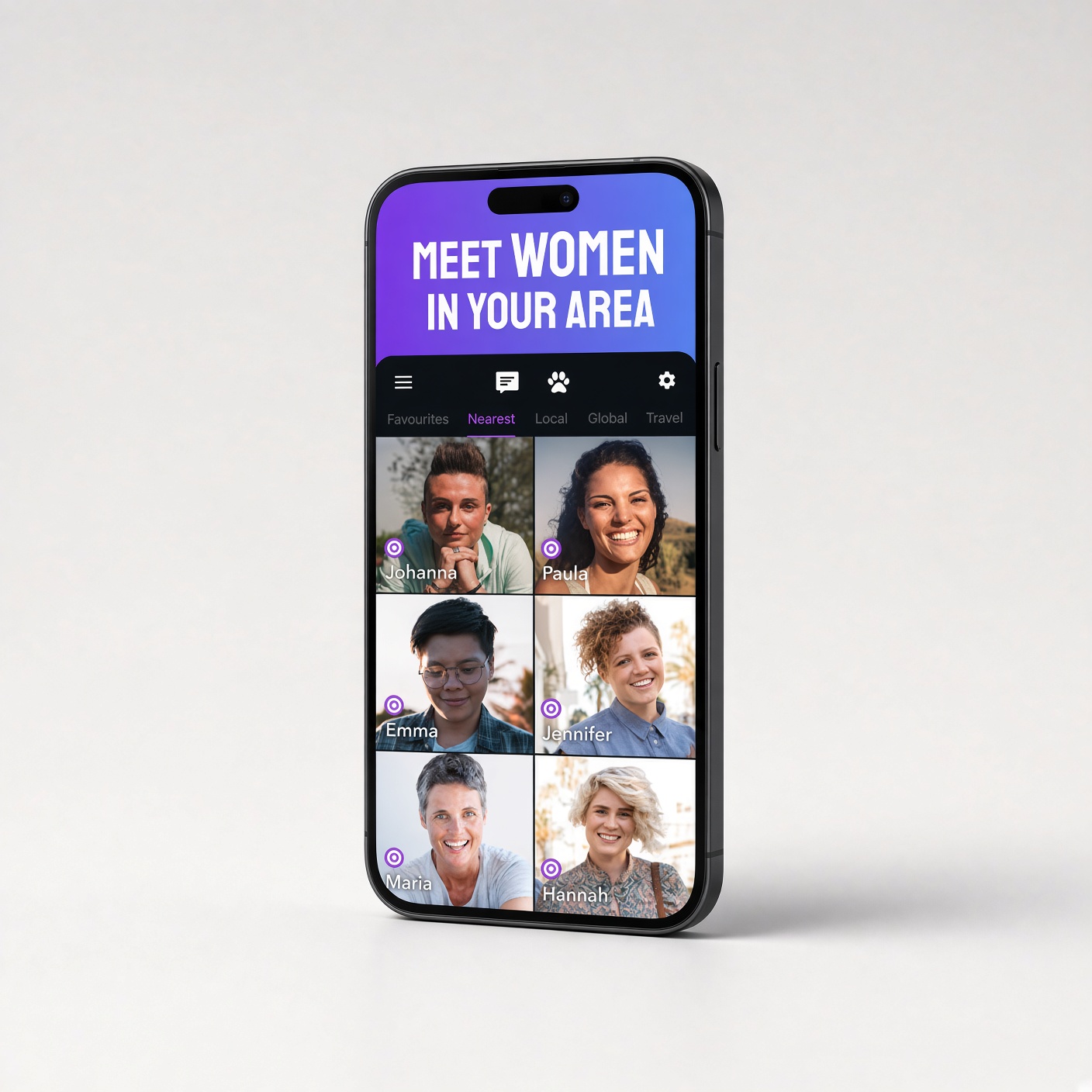
Before diving into the buttons and menus, it helps to understand what makes Wapa different from swipe-based platforms like Tinder or Hinge. Originally derived from the Spanish word guapa (meaning beautiful or attractive), Wapa was built specifically as a safe, welcoming digital community for LBTQ+ women. Instead of forcing you to swipe left or right one card at a time and waiting for a mutual match before you can say hello, Wapa displays nearby profiles in a clean, scrollable grid.
When you open the app, you immediately see women in your vicinity sorted by distance, along with indicators showing who is currently online or recently active. Because you do not need a mutual match to initiate a conversation, you have the freedom to reach out directly to someone whose vibe catches your eye. Additionally, Wapa combines traditional dating tools with community discovery features—such as built-in chat translation and an integrated LGBTQ+ venue map—making it useful whether you are looking for a serious relationship, casual dating, or platonic queer friendships.
Step-by-Step: How to Download Wapa and Create Your Account
Getting started on Wapa takes less than five minutes, and the core app is completely free to download and use on both iOS and Android devices. Follow these simple steps to get your account up and running smoothly:
- Download the Official App: Open the Apple App Store on your iPhone or the Google Play Store on your Android device. Search for “Wapa: Lesbian Dating & Chat” and install the official application. Note that Wapa is a mobile-first platform and does not offer a full desktop web version.
- Register Your Credentials: Launch the app and select the option to create a new account. You can register using a valid email address or link an existing social media login for quicker access.
- Complete Basic Demographic Details: Enter your first name (or a preferred nickname), date of birth, gender identity, and sexual orientation (such as lesbian, bisexual, queer, or exploring). Wapa is strictly for adults aged 18 and older.
- Enable Location Permissions: When prompted, allow Wapa to access your device’s location. Because the platform relies on proximity to show nearby women, location access is essential for seeing local profiles. (If you prefer extra privacy, you can select “Approximate Location” in your phone settings so your exact street corner is never pinpointed.)
- Submit Your Profile Photo for Moderation: Upload at least one clear photo of yourself. Unlike apps flooded with bots, Wapa moderates uploaded photos to ensure every user is a real woman. Approval usually takes just a few minutes.
How to Set Up an Attractive Wapa Profile That Gets Noticed
Because Wapa uses a visual grid layout, your main profile picture and bio do the heavy lifting. You do not need professional modeling shots to stand out; authenticity, warmth, and clear personality signals perform far better than heavily filtered selfies.
Choosing the Best Profile Photos
Free Wapa users can upload up to five profile photos, while Premium subscribers can showcase up to ten. Make every slot count by building a balanced visual story:
- Lead with a Clear, Smiling Headshot: Make your primary photo a well-lit picture of your face without sunglasses, heavy shadows, or group clutter. Eye contact and a genuine smile immediately build trust.
- Include a Full-Body or Lifestyle Shot: Add a photo that shows your personal style, whether you lean femme, masc, stem, androgynous, or somewhere uniquely your own.
- Highlight Your Hobbies and Passions: A picture of you hiking, playing guitar, cooking, painting, or hanging out with your dog gives other women an effortless conversation starter.
- Avoid Identifiable Background Clues: For your own safety, never post photos showing your home street sign, license plate, work badge, or recognizable neighborhood landmarks.
Writing a Bio That Sparks Real Conversations
Many users leave their bio blank, which makes it tough for others to know what to say beyond “Hey.” Even three or four thoughtful sentences can double your response rate. Keep your bio upbeat, specific, and clear about what you are seeking:
- State Your Intentions Clearly: Let women know if you are looking for a long-term partner, casual dates, travel buddies, or local queer friends.
- Share Two or Three Specific Interests: Instead of writing “I love music and food,” try “Obsessed with indie vinyl records, spicy ramen spots, and Sunday morning farmers’ markets.”
- Add a Low-Pressure Prompt: End your bio with an easy question, such as “Tell me your go-to karaoke song” or “Recommend a good sci-fi book.”
Using Wapa’s Photo Verification Feature
One of Wapa’s most reassuring features is its Verified Photos badge. You can verify your profile directly inside the app by taking a quick, real-time selfie matching a requested pose—no government ID required. Completing verification adds a trusted badge to your profile, signaling to other women that you are 100% genuine and increasing your visibility in search results.
Mastering Wapa’s Core Features to Connect With Women
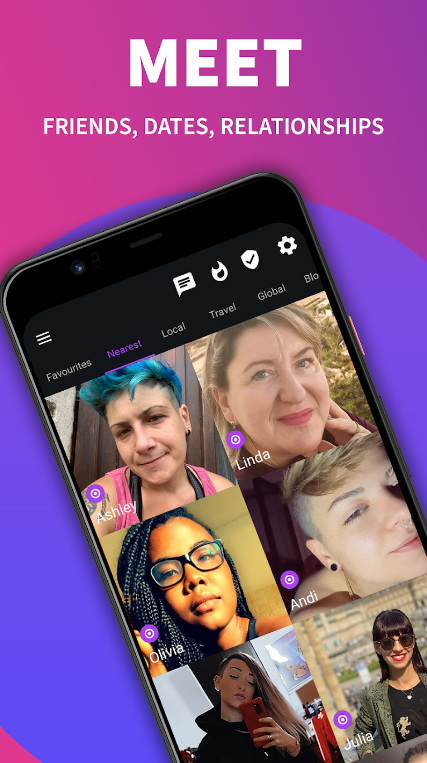
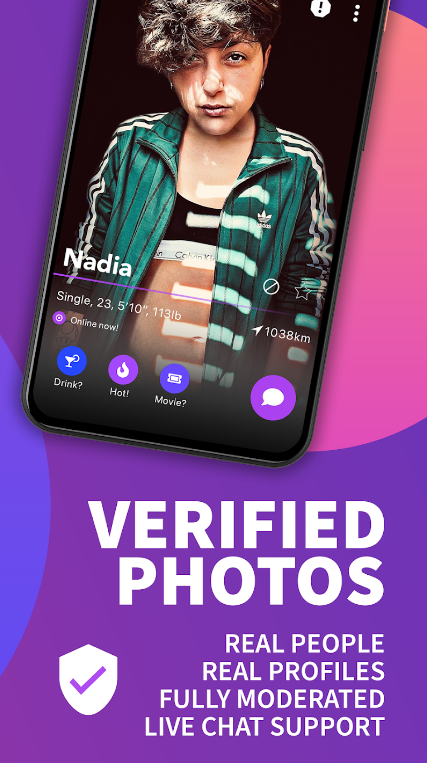
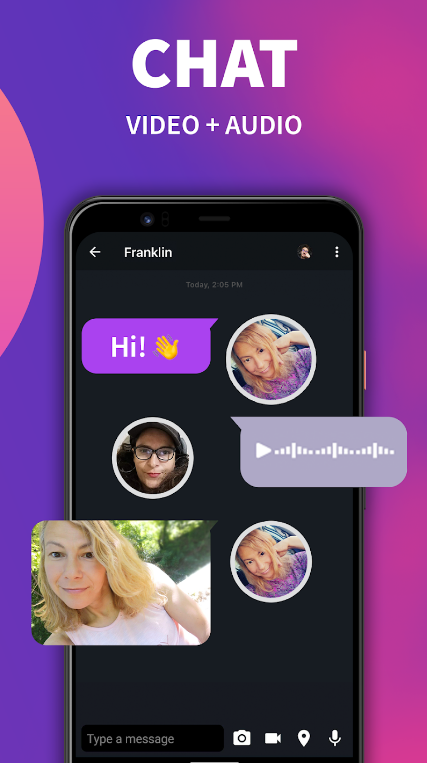
Once your profile is live, knowing how to navigate Wapa’s toolbar and interactive tools will help you find compatible women much faster than random browsing.
Browsing the Nearby Grid and Applying Search Filters
Your home screen displays a grid of women near your current location. Tap the filter icon at the top of the screen to narrow down your feed based on age range, distance radius, relationship goals, and online status. Free accounts can view up to 100 nearby profiles, while Premium members unlock up to 500 nearby matches. If you live in a smaller town, widening your distance filter by 15 or 25 miles can reveal a much larger pool of active members.
Checking “Tracks” to See Who Viewed Your Profile
Wapa includes a popular feature called Tracks (sometimes labeled “Who’s Interested”), which acts like a visitor log for your profile. Whenever someone taps on your profile to check out your photos or read your bio, their profile appears in your Tracks tab. Checking your Tracks regularly is one of the easiest ways to find women who are already curious about you—sending a message to someone who just viewed your profile has a dramatically higher reply rate than cold messaging.
Sending Unlimited Messages, Voice Notes, and Videos
Unlike many dating apps that restrict messaging until both users swipe right, Wapa allows free users to send unlimited text messages, audio voice notes, and short video clips to anyone on the platform. Voice notes are especially effective on Wapa because hearing someone’s tone of voice and laugh instantly builds warmth and proves you are a real person.
Using Favorites and Global Search
If you come across someone interesting but aren’t ready to message her right away, tap the star or heart icon to save her to your Favorites list so she does not get lost when the local grid refreshes. Planning a vacation or relocating soon? Use Wapa’s global location search to browse women in another city before you arrive. If you connect with someone who speaks another language, Wapa’s built-in instant chat translator lets you converse seamlessly in your own language.
Exploring Local LGBTQ+ Venues With “Places”
Wapa also integrates an interactive LGBTQ+ directory called Places (powered by QLIST), featuring over 5,000 to 6,000 queer-friendly bars, cafés, bookstores, clubs, and inclusive hotels across more than 300 cities worldwide. Even if you are not actively messaging someone on the app, you can use this map to discover welcoming community hangouts in your neighborhood or while traveling.
Free vs. Wapa Premium: Is Upgrading Worth It?
You can genuinely meet, chat with, and date women on Wapa without ever spending a dime. However, if you use the app frequently or want stricter privacy controls, Wapa Premium unlocks several convenient upgrades. Here is a clear side-by-side breakdown so you can decide what fits your needs:
| Feature | Wapa Free | Wapa Premium |
|---|---|---|
| Profile Creation & Moderation | Included (Fully moderated) | Included + Priority photo approval |
| Profile Photo Limit | Up to 5 photos | Up to 10 photos |
| Nearby Grid Visibility | Up to 100 nearby profiles | Up to 500 nearby profiles |
| Text, Audio & Video Chat | Unlimited messaging | Unlimited + Longer video messages |
| Advertisements | Includes banner/interstitial ads | 100% Ad-free experience |
| Incognito Browsing & Track Deletion | Not available | Browse offline & erase profile visits |
| Private Photo Locking & Screenshot Block | Not available | Lock private photos & block screenshots |
Our Verdict: Start with the free version for at least two weeks. If you find an active community in your city and feel annoyed by ads or want incognito browsing so you can view profiles discreetly, upgrading for a month is an affordable way to enhance your privacy.
Proven Tips to Start Great Conversations on Wapa
Because anyone can send a message on Wapa without matching first, women receive plenty of generic one-word openers like “Hey,” “Hi,” or “What’s up?” Standing out in someone’s inbox requires just a tiny bit of personalization.
- Reference Something Specific in Her Profile: Look at her photos or bio and comment on a shared interest. For example: “That trail in your third photo looks amazing—is that up near Blue Ridge?”
- Use Friendly Humor or Curiosity: Lighthearted questions invite playful answers. Try: “Important compatibility question: pineapple on pizza—yes or absolute dealbreaker?”
- Send a Quick Voice Note: A 10-second audio greeting saying, “Hey! Loved your bio—hope your week is going great!” feels warm, confident, and memorable.
- Keep Early Messages Balanced: Avoid sending walls of text right away, and steer clear of overly explicit remarks unless her profile explicitly invites that vibe. Match her energy and pacing.
Essential Privacy and Online Safety Tips for Wapa Users
While Wapa’s moderation team works hard to remove fake accounts, catfishes, and male profiles that violate platform rules, practicing smart digital safety puts you firmly in control of your experience.
Use Wapa’s Built-In Privacy Controls
- Set a 4-Digit App Passcode: Inside Wapa’s security settings, you can lock the app with a four-digit PIN code. Even if someone borrows your unlocked phone, they cannot open your chats.
- Customize the App Icon and Notifications: If you value discretion at work or around family, Wapa lets you disguise its home-screen icon, customize notification sounds, and hide message previews on your lock screen.
- Use Block and Report Tools Without Hesitation: If you spot a suspicious account, a spammer, or a profile that clearly does not belong in a women’s space, tap the report button immediately.
Watch Out for Common Dating App Red Flags
Stay alert if a new match pushes to move off Wapa onto WhatsApp or Telegram within the first three messages, refuses to ever do a quick voice or video call, claims to be stuck overseas needing financial help, or tells stories that constantly contradict themselves. Genuine local women will happily chat inside the app until both of you feel comfortable.
Moving From Online Chat to a Safe, Fun First Date
Once you have built a solid rapport over text or voice notes—usually after a few days of engaging conversation—it is time to suggest meeting in person. Keep the first meetup casual, low-pressure, and focused on safety.
- Choose a Busy, Well-Lit Public Spot: A cozy neighborhood coffee shop, daytime bakery, casual lunch spot, or vibrant queer-friendly café (which you can find right inside Wapa’s Places map) is ideal. Avoid inviting someone to your home—or going to theirs—on a first date.
- Arrange Your Own Transportation: Drive yourself, take public transit, or use your own rideshare so you can arrive and leave on your own schedule.
- Share Your Date Details With a Friend: Before heading out, text a trusted friend your date’s first name, a screenshot of her Wapa profile, the exact café or restaurant address, and a scheduled check-in time.
- Keep Sensitive Personal Info Private: On a first date, hold off on sharing your exact home address, workplace building, or daily gym schedule until trust has naturally grown over multiple dates.
Frequently Asked Questions About Using Wapa
Is Wapa completely free to use?
Yes. Creating a profile, uploading up to five photos, browsing up to 100 nearby women, viewing your profile visitors, and sending unlimited text, voice, and video messages are all completely free. Wapa Premium is an optional subscription that removes ads and adds extra privacy and browsing perks.
Who is allowed to join Wapa?
Wapa is exclusively designed for adult women (18+) who identify as lesbian, bisexual, queer, trans, or bicurious. Profiles belonging to cisgender men or couples looking for a unicorn violate Wapa’s community guidelines and can be reported and removed.
How do I know if a profile on Wapa is real?
Look for the Verified Photos badge on a user’s profile, which confirms she passed Wapa’s live selfie check. You can also exchange short in-app audio or video messages before meeting up to confirm her identity effortlessly.
Can I use Wapa just to make queer friends?
Absolutely. Many women use Wapa specifically to expand their LGBTQ+ social circle, find workout or hiking partners, or meet locals when moving to a new city. Simply mention in your bio that you are open to friendship so others know what you are looking for.
Meeting wonderful women online does not have to feel like a second full-time job. By building a genuine, verified profile, taking advantage of Wapa’s direct messaging and Tracks features, and keeping smart safety habits in mind, you can turn casual scrolling into meaningful connections—both on your screen and in real life.