Online Safety
Best Tools for Checking Wi-Fi Security
Discover the best tools for checking Wi-Fi security and identifying potential risks on your network
In today’s hyper-connected world, our lives revolve around wireless networks. From streaming 4K movies and managing smart home devices to handling sensitive banking apps and remote work, your Wi-Fi router is the invisible backbone of your digital life. But have you ever stopped to wonder who might be sharing your connection? Or whether your personal data is truly safe from cybercriminals lurking in your neighborhood?
Securing your wireless network doesn’t require a degree in cybersecurity. With the right tools and a little guidance, anyone can evaluate, test, and fortify their home network against unauthorized access. Whether you want to scan for unknown devices, audit your encryption protocols, or test your router’s defenses, this comprehensive guide will walk you through the absolute best tools for checking Wi-Fi security.
Why Wi-Fi Security Auditing Matters for Everyday Users
Many internet users assume that simply setting up a password provided by their internet service provider (ISP) is enough to keep them safe. Unfortunately, default router configurations are frequently vulnerable, and older encryption standards can be cracked in minutes by motivated intruders.
When your Wi-Fi network lacks robust security, you face several hidden risks:
-
Bandwidth Theft: Neighbors or unauthorized users piggybacking on your connection, slowing down your internet speeds for gaming, video calls, and browsing.
-
Data Interception: Cybercriminals capturing unencrypted data packets to steal personal passwords, private messages, and financial details.
-
Malware Injection: Attackers redirecting your web traffic to malicious websites or altering your router’s Domain Name System (DNS) settings to distribute malware.
-
Network Liability: If someone uses your IP address to engage in illegal online activities, tracing the activity back to your home router can land you in legal trouble.
Running regular checks using dedicated security tools helps you identify these vulnerabilities before they turn into full-scale security breaches.
1. Fing: The Best Mobile and Desktop App for Home Network Mapping
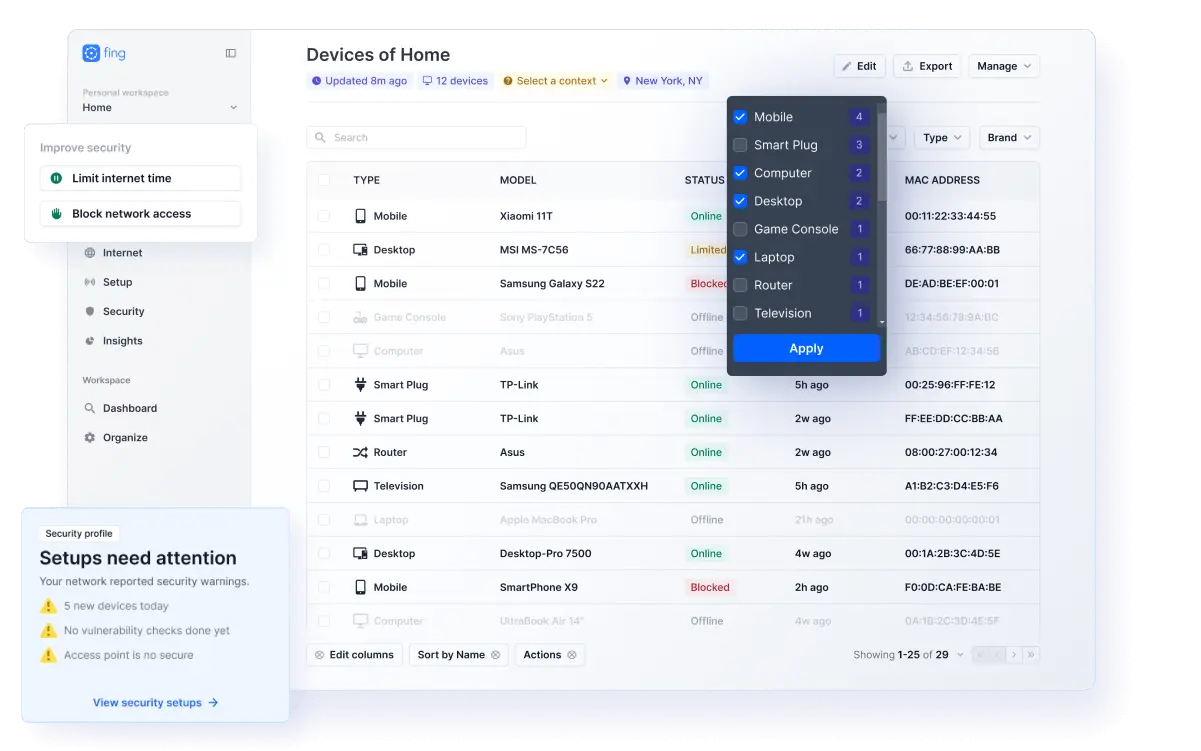
If you are looking for an intuitive, beginner-friendly way to see exactly what is happening on your network, Fing is the gold standard. Available as a mobile app for iOS and Android, as well as a desktop application, Fing provides instant visibility into everything connected to your Wi-Fi.
Key Features and Benefits
-
Instant Device Discovery: Within seconds of launching a scan, Fing lists every single device connected to your router—from smartphones and laptops to smart TVs, security cameras, and gaming consoles.
-
Intruder Alerts: The app sends instant notifications whenever an unrecognized or new device attempts to join your Wi-Fi network.
-
Wi-Fi Security Checks: Fing runs automatic vulnerability assessments on your router, checking for weak passwords, open ports, and outdated firmware.
-
Internet Speed Tests: You can monitor your broadband performance and verify whether your ISP is delivering the speeds you pay for.
Why It Is Great for Beginners
Fing strips away complicated technical jargon, translating complex network data into clear, plain-English summaries. If an unknown device appears on your list, Fing helps you identify its manufacturer and type, making it simple to decide whether to block it from your router.
2. Wireshark: The Advanced Packet Analyzer for Deep Network Inspection
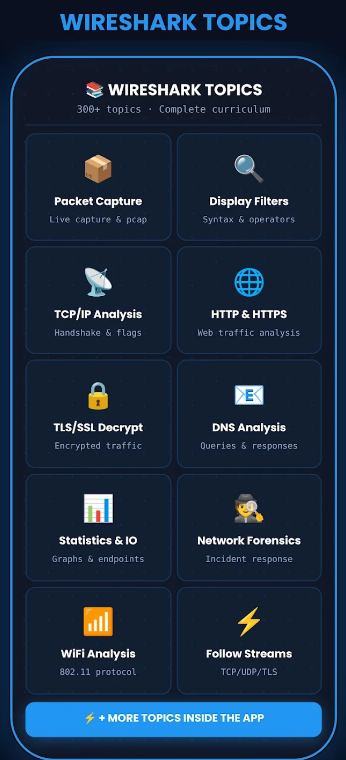
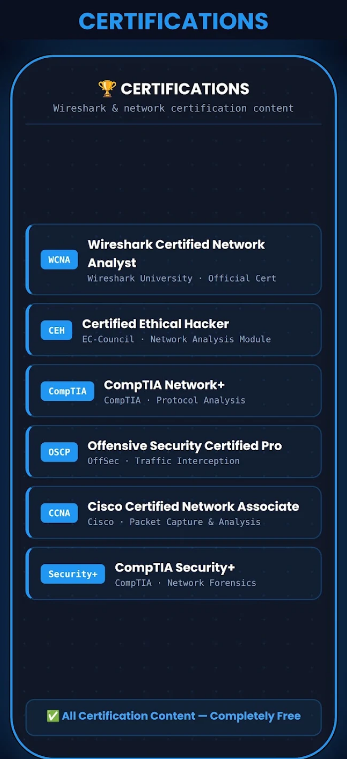
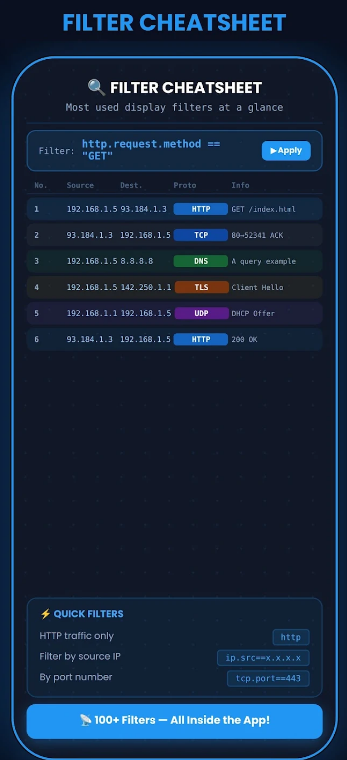
For users who want to graduate from basic device scanning to professional-grade network analysis, Wireshark is the world’s foremost network protocol analyzer. While it has a steeper learning curve, it remains an indispensable tool for understanding how data flows across a wireless network.
How Wireshark Works
Wireshark captures data packets moving across your network in real time. Think of it as a microscopic lens for your internet traffic. It lets you inspect the exact contents of network packets, isolate specific protocols, and identify suspicious data transmissions.
Key Use Cases
-
Detecting Unencrypted Traffic: You can use Wireshark to check if your apps or smart home gadgets are transmitting sensitive login credentials in plain text rather than using secure HTTPS encryption.
-
Troubleshooting Performance Bottlenecks: It helps pinpoint abnormal traffic spikes or unauthorized data exfiltration caused by background malware.
-
Advanced Forensics: Security professionals rely on Wireshark to perform deep-dive post-incident analyses after suspecting a network compromise.
While Wireshark is certainly powerful, everyday users can use simpler companion tools first, saving Wireshark for when they need granular, technical confirmation of how their devices communicate.
3. Router Manufacturer Apps and Admin Panels: The Direct Defense
Often, the most effective tool for checking your Wi-Fi security is already sitting inside your home. Modern mesh systems and smart routers (from brands like Google, Eero, ASUS, and TP-Link) come with dedicated smartphone companion apps that manage security directly from the source.
What You Can Check and Fix
-
Firmware Update Status: Routers require regular software updates to patch newly discovered security flaws. Manufacturer apps notify you immediately when a patch is ready.
-
Guest Network Isolation: You can quickly toggle on a separate guest network for visitors. This keeps smart TVs, IoT bulbs, and guests isolated from your primary computers and private network storage drives.
-
WPA3 Encryption Settings: Through your router’s admin panel or app, you can verify whether your wireless security protocol is set to WPA3 (the most secure standard) or WPA2, ensuring older, vulnerable standards like WEP or WPA-TKIP are permanently disabled.
Checking your router’s dashboard or app once a month ensures that your hardware frontline defense remains active and updated against emerging threats.
4. Aircrack-ng and Wifite2: Advanced Wireless Auditing Suites
If you want to understand how hackers attempt to break into Wi-Fi networks so you can better protect yourself, security professionals turn to tool suites like Aircrack-ng and Wifite2. These are specialized penetration testing tools designed primarily for Linux environments.
Understanding Their Role in Security
-
Aircrack-ng: A complete suite of tools to assess Wi-Fi network security, focusing on packet capture, analyzing WPA/WPA2-PSK handshakes, and testing the strength of your wireless passphrases.
-
Wifite2: An automated wireless auditing tool built to streamline the process of testing Wi-Fi encryption strength with minimal manual input.
Why Ethical Testing Matters
While these tools can be used maliciously by bad actors, ethical hackers and cybersecurity experts use them to test whether a home or enterprise Wi-Fi password is strong enough to withstand brute-force attacks. If a weak password can be cracked within minutes during an audit, it serves as an urgent wake-up call to switch to a long, complex passphrase.
Best Practices to Keep Your Wi-Fi Bulletproof
Running security scanning tools is only half the battle. To maintain a secure digital environment, combine these software solutions with foundational network hygiene habits:
-
Ditch Default Passwords: Change both your Wi-Fi network password and your router admin panel login credentials immediately upon setup. Use a long, randomized passphrase combining uppercase letters, lowercase letters, numbers, and symbols.
-
Upgrade Your Encryption: Ensure your router is configured to use WPA3 or at minimum WPA2-AES encryption. Never use legacy WEP protocols.
-
Hide or Update SSID Names: Avoid using personal information (like your home address, last name, or phone number) in your Wi-Fi network name (SSID).
-
Enable Automatic Updates: Set your router to automatically download and install firmware updates during nighttime hours so vulnerabilities are patched without manual intervention.
By utilizing user-friendly tools like Fing alongside routine checks of your router’s configuration, you can completely secure your wireless airspace, protect your family’s personal data, and enjoy high-speed internet with total peace of mind.