Online Safety
5 Best Secure File Deletion Tools for Windows
Learn how secure file deletion works and which tools can help prevent deleted files from being recovered
When you delete a file on Windows by pressing the Delete key or emptying the Recycle Bin, you might think it is gone forever. However, standard deletion only removes the pointer to the file, leaving the actual data intact on your hard drive. Anyone using basic data recovery software can easily retrieve your personal photos, tax documents, and confidential passwords.
To ensure your sensitive information is truly unrecoverable, you need a dedicated file shredder. These utilities use advanced overwriting algorithms to replace your data with random characters multiple times. Below, we explore the five best secure file deletion tools for Windows that combine powerful security with beginner-friendly designs.
Why Standard Windows Deletion Leaves Your Data Vulnerable
Understanding how Windows handles file deletion is the first step toward securing your digital footprint. When you drop a file into the Recycle Bin and clear it, the operating system simply marks that sector of the storage drive as “available space.” The underlying binary code remains physically intact until new data happens to overwrite it weeks or months later.
Data recovery software can easily scan these vacant sectors and reconstruct deleted files down to the last byte. This vulnerability poses serious privacy risks, especially if you are recycling an old computer, selling a secondary laptop, or sharing a home PC. Relying on specialized secure file deletion tools ensures that confidential files are completely sanitized beyond the reach of forensic recovery tools.
1. Eraser: The Veteran Open-Source File Shredder
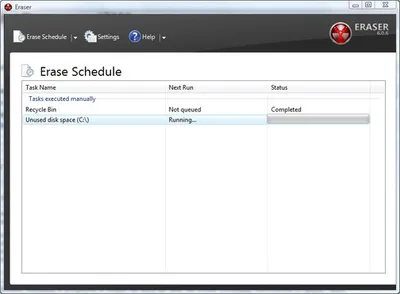
Eraser is widely considered a staple in digital privacy software. As a free, open-source utility designed specifically for Windows, it has built a stellar reputation over decades of continuous development.
What makes Eraser ideal for beginners and advanced users alike is its seamless integration with the Windows File Explorer context menu. Once installed, you can simply right-click any file or folder, select Eraser, and click “Erase” without even opening the main application window.
-
Key Security Features: Supports up to 13 distinct sanitization standards, including Department of Defense (DoD) 5220.22-M and the Gutmann method.
-
Automation: Includes a robust task scheduler that lets you automatically clean up temporary directories or designated folders at recurring times.
-
Pros: Completely free with no hidden subscription walls; highly flexible scheduling options.
-
Cons: The user interface looks dated and takes a bit of exploration to navigate advanced settings.
2. File Shredder: Lightweight and Beginner-Friendly
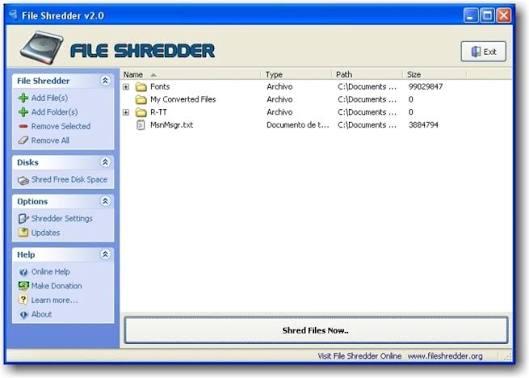
If you prefer a clean, uncluttered interface that gets straight to the point, File Shredder is an exceptional choice. Developed as a free application under the GNU general public license, this tool focuses on making secure deletion accessible to everyday computer users.
The application window features a straightforward drag-and-drop workspace. You can drag files directly from your desktop into the program queue, select your preferred shredding intensity, and execute the deletion with a single click.
-
Key Security Features: Offers five progressively stronger shredding algorithms, allowing you to balance deletion speed with absolute cryptographic security.
-
Free Space Wiping: Includes an integrated disk wipe feature to sanitize previously deleted files lingering in the free space of your hard drive.
-
Pros: Extremely lightweight footprint; does not bog down system RAM or CPU resources.
-
Cons: Lacks advanced enterprise features like cloud audit logging or multi-user centralization.
3. BleachBit: Privacy Cleaner and File Shredder Combined
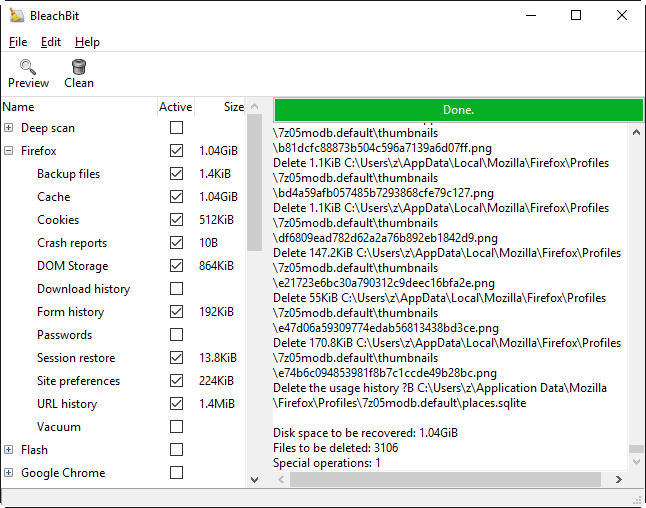
BleachBit is often described as an open-source alternative to CCleaner, but with a much heavier emphasis on deep privacy and secure shredding. Beyond acting as an on-demand file shredder, BleachBit excels at wiping system junk, application caches, and web browser histories.
For users looking to maintain overall digital hygiene while keeping specific file deletion bulletproof, BleachBit covers all bases. It thoroughly cleans traces left behind by hundreds of popular third-party applications.
-
Key Security Features: Multi-pass file shredding alongside specialized options to shred clipboard contents and free disk space.
-
Cross-Platform DNA: While fully optimized for Windows 10 and Windows 11, its architecture stems from reliable open-source frameworks.
-
Pros: Free and open-source with zero telemetry, adware, or aggressive upsells.
-
Cons: Interface is functional rather than flashy; aggressive cleaning settings can occasionally log you out of active browser sessions if not configured carefully.
4. Stellar File Eraser: Comprehensive DIY Data Sanitization
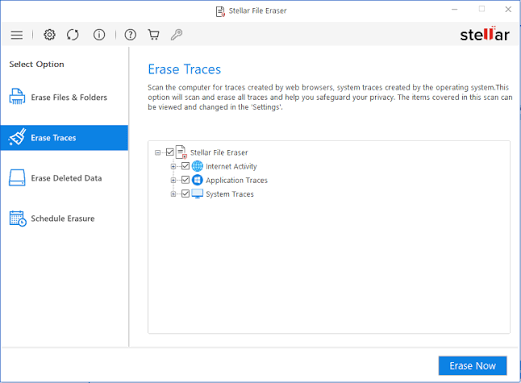
Stellar File Eraser caters to users who want commercial-grade reliability backed by structured customer support. It is a robust DIY software solution designed to target individual files, complete folders, system traces, and internet activity footprints.
The software stands out for its batch processing capabilities, allowing users to queue up massive directories containing thousands of disparate files and shred them in a single automated sequence.
-
Key Security Features: Utilizes military-grade wiping standards including Pseudo-random data injection and DoD 5220.22-M.
-
Trace Elimination: Automatically targets residual internet cookies, chat logs, and temporary OS cache files that track user behavior.
-
Pros: Clean, modern user interface; highly efficient search tools to locate specific file types for deletion.
-
Cons: Advanced features require a paid license after the trial period.
5. Wise Force Deleter: Solving Stubborn “Access Denied” Errors
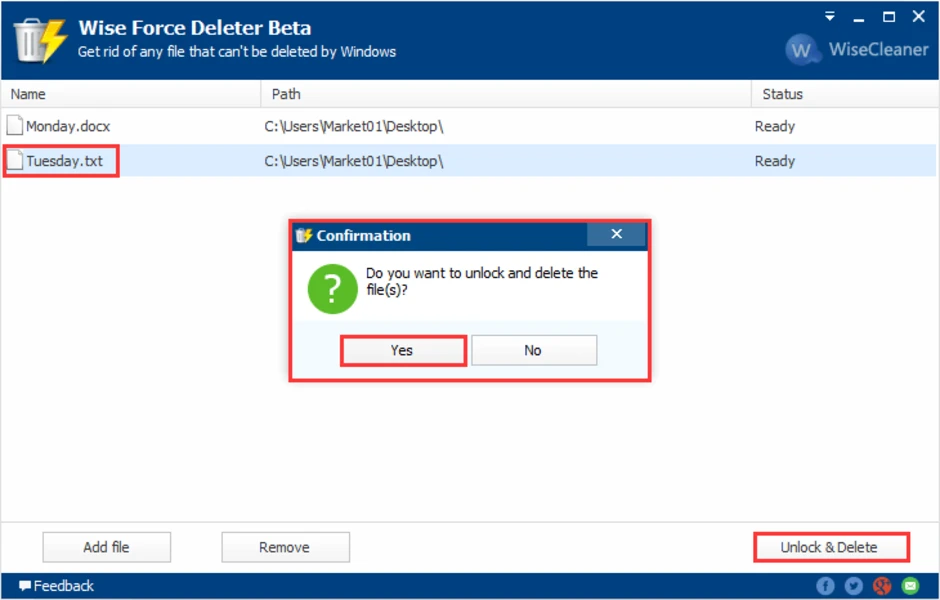
Have you ever tried to delete a file on Windows only to be blocked by an annoying error message stating that the file is “open in another program” or “access is denied”? Wise Force Deleter was built specifically to solve this frustrating problem.
The tool bypasses active system locks by terminating the background processes holding onto the file, allowing you to unlock and permanently shred stubborn files instantly.
-
Key Security Features: Combines process unlocking capabilities with secure permanent file deletion.
-
Context Integration: Integrates directly into the Windows right-click shell menu for fast, frictionless operation.
-
Pros: Solves deletion roadblocks that standard Windows tools cannot handle; highly intuitive drag-and-drop design.
-
Cons: Focused primarily on unlocking and deleting rather than complex multi-algorithm customization.
Choosing the Right Tool for Your Security Needs
Selecting the best secure deletion software depends heavily on your specific workflow. If you want a zero-cost, open-source utility that lives quietly in your right-click menu, Eraser or File Shredder will serve you exceptionally well. If you frequently encounter locked files that refuse to delete, Wise Force Deleter is an essential addition to your utility belt.
Regardless of which software you choose, incorporating regular secure file deletion into your digital routine ensures that your private life remains private. Always double-check your selections before hitting “shred”—because once a file goes through a secure deletion tool, it is gone for good.