Online Safety
5 Best Apps for Checking If Your Data Was Leaked
Explore 5 tools for monitoring data leaks and finding out if your email or personal information has been compromised
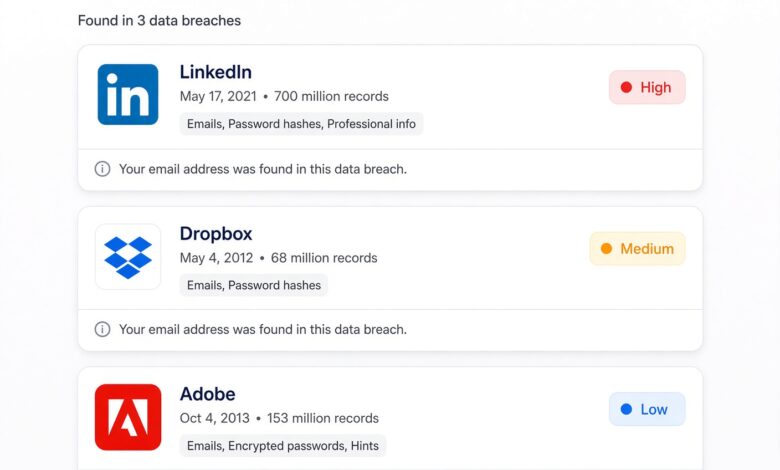
In today’s hyper-connected digital landscape, data breaches have become an unfortunate part of modern life. Every single day, massive databases containing usernames, encrypted passwords, phone numbers, home addresses, and financial details are compromised by cybercriminals. Whether you are shopping online, managing your banking accounts, or simply logging into your favorite social media platforms, your personal information is constantly being processed and stored across hundreds of third-party servers.
When one of those servers suffers a security vulnerability, your information can end up exposed on the dark web, traded freely among malicious actors, or used in targeted phishing campaigns and identity theft schemes.
Fortunately, you do not have to remain defenseless. Cybersecurity tools and monitoring platforms have evolved significantly, making it easier than ever for everyday users to check if their data has been leaked. In this comprehensive guide, we will explore the 5 best apps and platforms designed to monitor, detect, and protect your digital identity against data breaches.
Understanding Data Leaks: Why Your Personal Information is at Risk
Before diving into the best apps available for checking data leaks, it is crucial to understand how your data ends up exposed in the first place. A data leak occurs when secure, private data is accidentally or intentionally released into an insecure, public environment. This can happen due to weak cloud server configurations, sophisticated malware infections, insider threats, or brute-force cyberattacks targeting major corporations.
When a company experiences a breach, hacker forums and dark web marketplaces often receive massive dumps of user credentials. Cybercriminals then utilize automated scripts to test these leaked username and password combinations across thousands of other popular websites—a technique known as credential stuffing. If you reuse the same password across multiple accounts, a single leak at a minor e-commerce store could compromise your primary email, cloud storage, and financial accounts.
Using a dedicated data leak checker app allows you to stay proactive, alerting you the moment your email address or phone number appears in a known security breach.
1. Have I Been Pwned: The Gold Standard for Breach Detection
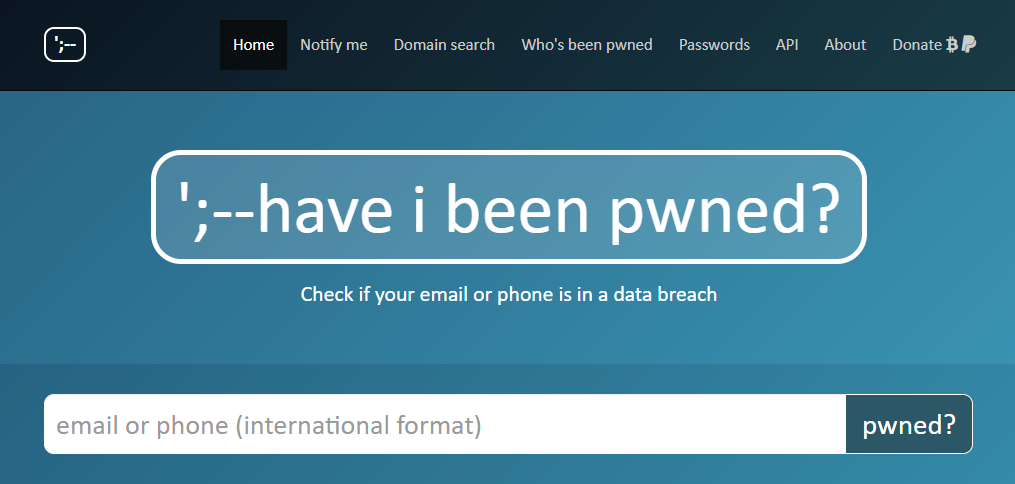
When it comes to checking whether your email address or phone number has been compromised, Have I Been Pwned is universally recognized as the gold standard in the cybersecurity community. Created by renowned security researcher Troy Hunt, HIBP is a completely free, highly trusted platform that indexes hundreds of public data breaches dating back decades.
How It Works
The core functionality of HIBP is refreshingly straightforward. You visit the platform or use its integrated monitoring features, enter your primary email address or phone number, and instantly search a massive database of compromised accounts. Within seconds, the system cross-references your input against billions of leaked records to show you exactly which companies suffered breaches that exposed your information.
Key Features for Everyday Users
-
Free Domain Search: You can verify whether your entire custom domain or corporate email domain has been affected by past security incidents.
-
Proactive Subscriptions: Users can sign up for free email notifications, ensuring that you receive an immediate alert if your credentials ever appear in a newly discovered breach database.
-
Pwned Passwords API: A privacy-focused tool that allows you to check if a specific password has appeared in previous data dumps without actually exposing your raw password to the system.
Why It Excels in Readability and Trust
HIBP avoids overly complex technical jargon, making it exceptionally friendly for non-technical users. The interface is clean, ad-free, and focused entirely on empowering individuals with accurate security intelligence.
2. Bitwarden Data Breach Scanner: Integrated Security and Vault Protection
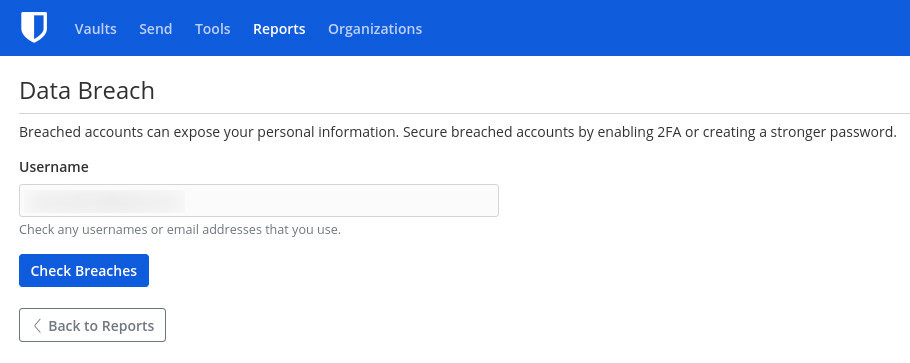
Password managers have transformed from simple credential storage tools into comprehensive digital security suites. Bitwarden, one of the most popular open-source password managers available today, includes a powerful built-in data leak checker that scans your stored credentials against known breach databases.
How It Works
Bitwarden integrates closely with the Have I Been Pwned database through secure APIs. As you save and manage your login credentials within your encrypted vault, the application continuously and automatically monitors those accounts against newly reported data breaches.
Key Features for Everyday Users
-
Vault Health Reports: Bitwarden provides a holistic overview of your digital security posture, flagging weak, reused, or compromised passwords stored in your vault.
-
Real-Time Breach Alerts: If an account managed by Bitwarden appears in a public data leak, the app immediately notifies you, prompting you to update your credentials before malicious actors can exploit them.
-
Open-Source Transparency: Because Bitwarden operates on an open-source model, security experts worldwide regularly audit its codebase, ensuring maximum privacy and trust.
Why It Excels in Readability and Trust
By combining password management with automated leak detection, Bitwarden eliminates the need for manual checks. It guides everyday users step-by-step through the process of securing vulnerable accounts with minimal effort.
3. Dashlane Security Dashboard: Comprehensive Identity Monitoring
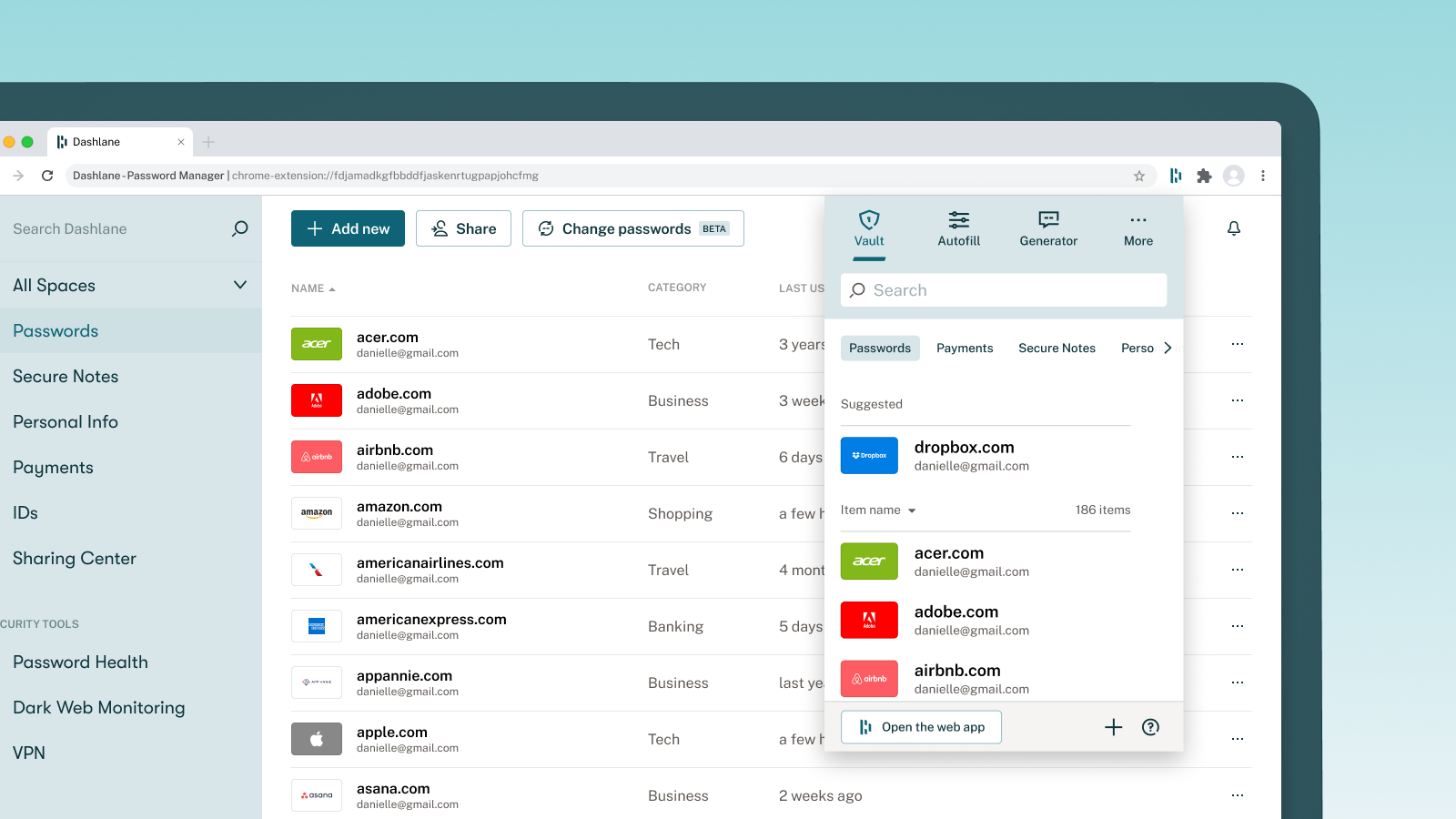
Another industry titan in the password management and digital safety space is Dashlane. Known for its polished user experience and robust security features, Dashlane offers an advanced Security Dashboard that evaluates your digital hygiene and monitors the web for leaked personal data.
How It Works
Dashlane continuously analyzes the credentials stored in your secure vault while offering dedicated dark web monitoring capabilities. By scanning hidden forums, paste sites, and illicit data markets, Dashlane identifies whether your personal identifiers have been compromised.
Key Features for Everyday Users
-
Dark Web Monitoring: Actively scans the dark web for your specific email addresses, social security numbers, credit card details, and phone numbers.
-
Password Health Score: Translates complex security metrics into an easy-to-understand score from 0 to 100, motivating you to improve your digital defenses.
-
One-Tap Password Changer: For supported websites, Dashlane allows you to update compromised or weak passwords automatically with a single click.
Why It Excels in Readability and Trust
Dashlane excels at turning intimidating cybersecurity concepts into clear, actionable advice. Its visual indicators use intuitive color coding (green for secure, red for vulnerable) to help everyday users instantly identify which accounts require immediate attention.
4. Google One Dark Web Report: Built-In Protection for Android and Google Users
If you use an Android smartphone or rely heavily on Google ecosystem services, you likely already have access to a powerful data leak checker without needing to download a separate standalone application: the Google One Dark Web Report.
How It Works
Originally restricted to premium Google One cloud storage subscribers, Google has rolled out dark web monitoring features to standard Google account holders. The tool monitors the dark web for your monitored information, including your name, address, email, phone number, and date of birth.
Key Features for Everyday Users
-
Automatic Profile Setup: You can easily set up a monitoring profile directly through your Google Account settings, selecting which personal details you want the system to track.
-
Actionable Remediation Steps: When a leak is detected, Google provides clear guidance on how to secure the affected accounts, freeze credit reports, or update login credentials.
-
Seamless Ecosystem Integration: Accessible across desktop browsers and mobile devices without requiring complex configuration or paid subscriptions for basic tracking.
Why It Excels in Readability and Trust
Google’s interface is designed for mass consumer adoption. It eliminates technical barriers, presenting security alerts in a clean notification format that anyone can understand and act upon immediately.
5. Lookout Security & Identity: Mobile-First Threat and Breach Detection
Mobile devices are prime targets for cybercriminals, holding everything from personal messages to banking apps. Lookout Security & Identity is a specialized mobile security application designed to protect smartphones and tablets while offering robust identity theft and data leak monitoring features.
How It Works
Lookout combines device-level security (scanning for malicious apps, unsafe Wi-Fi networks, and phishing links) with comprehensive identity and data breach monitoring services.
Key Features for Everyday Users
-
Identity Theft Protection & Insurance: Offers features that monitor financial records, social security numbers, and public records, often backing services with insurance assistance in case of identity fraud.
-
Breach Notifications: Sends instant push notifications to your mobile device the moment your personal information is identified in a newly reported data leak.
-
Safe Browsing Tools: Actively blocks malicious URLs and phishing attempts sent via SMS, email, or social media apps.
Why It Excels in Readability and Trust
For users who manage their entire digital lives from their smartphones, Lookout provides a centralized mobile hub that makes monitoring data leaks as simple as checking text messages.
Best Practices to Protect Your Data Beyond Breach Checkers
While using data leak checking apps is a vital component of digital hygiene, checking for leaks is ultimately a reactive measure. To truly safeguard your personal information against modern cyber threats, you should combine these monitoring tools with proactive security habits:
-
Use Unique Passwords Everywhere: Never reuse passwords across multiple accounts. If a minor website suffers a breach, a reused password could compromise your primary email or bank account. A reliable password manager makes managing unique passwords effortless.
-
Enable Multi-Factor Authentication (MFA): Adding an extra layer of verification—such as an authenticator app (like Google Authenticator or Authy) or a physical security key—drastically reduces the risk of unauthorized access, even if your password leaks.
-
Be Skeptical of Unsolicited Communications: Cybercriminals often leverage information found in data leaks to craft convincing phishing emails and SMS messages. Always verify the sender before clicking links or downloading attachments.
-
Regularly Review App Permissions: Periodically audit the third-party applications and browser extensions connected to your social media and email accounts, revoking access for services you no longer use.
Conclusion
Data leaks and security breaches are an ongoing reality of the modern digital era, but they do not have to result in compromised identities or stolen funds. By utilizing powerful, user-friendly tools like Have I Been Pwned, Bitwarden, Dashlane, Google One Dark Web Report, and Lookout, you can take immediate control of your digital footprint.
Stay proactive, monitor your accounts regularly, and adopt strong authentication habits to ensure your personal information remains safe, secure, and out of the hands of cybercriminals.