The Most Common Weak Passwords People Still Use
See which passwords people still use despite security risks
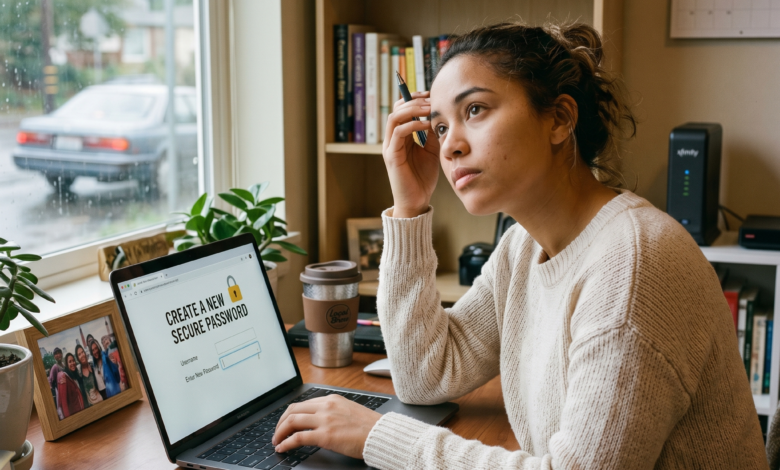
We live in an age of architectural wonders in the digital world—blockchain, quantum computing, and hyper-intelligent AI. Yet, for all our technological progress in 2026, the gatekeeper to our most sensitive data remains a relic of the past: the password. Despite decades of warnings from cybersecurity experts, the “keys” we use to lock our digital lives are often about as secure as a screen door in a hurricane.
The irony of the modern internet is that while hackers have traded their basic scripts for sophisticated neural networks, the average user is still using “123456” to protect their bank accounts, medical records, and private messages. In this deep dive, we explore the psychology behind our poor security choices, the “Hall of Shame” of the most common weak passwords, and the mechanical reality of how these choices put your entire digital identity on the line.
The Hall of Shame: Top Weak Passwords That Still Dominate the Charts

Every year, security researchers analyze millions of leaked credentials from data breaches to compile a list of the most frequently used passwords. Year after year, the results are both predictable and terrifying. If your password appears on this list, a modern hacking tool can crack it in less time than it took you to read this sentence.
The Numeric Classics: “123456” and its Cousins
The reigning champion of weak passwords remains the simple numeric sequence. Whether it is 123456, 123456789, or even the “upgraded” 12345678, these are the first combinations any brute-force script tries. In 2026, these passwords are cracked in under one millisecond.
The Literal Approach: “Password”
It seems counterintuitive, but many users believe that using the word “password” is a clever way to remember their login. In reality, it is the second most common entry in global databases. Variations like “p@ssword” or “Password123” are equally ineffective because modern “Dictionary Attacks” include all common substitutions (like ‘@’ for ‘a’ or ‘1’ for ‘i’).
The Keyboard Patterns: “Qwerty” and “Asdfgh”
Humans are creatures of convenience. We often choose passwords based on the physical layout of the keyboard. Sequences like “qwerty”, “qazwsx” (the first two vertical columns), and “asdfgh” are extremely common. While they might feel “random” to the person typing them, they are top priorities for automated cracking software.
The “I Love You” Syndrome
Affectionate terms like “iloveyou”, “princess”, and “sunshine” are perennial favorites. While they evoke positive emotions, they provide zero protection against a cold, calculating algorithm.
Why “123456” Still Dominates: The Psychology of Password Fatigue
To fix a problem, we must understand why it exists. Why do intelligent people continue to use passwords that a toddler could guess? The answer lies in a phenomenon called Password Fatigue.
In 2026, the average person manages over 100 digital accounts. From streaming services and professional tools to local grocery store loyalty programs, we are constantly asked to create new credentials. Our brains are not evolved to remember 100 unique, 16-character strings of random gibberish.
The Cognitive Load of Security
When faced with a complex task, the human brain seeks the “path of least resistance.” We want to get to our destination (checking an email or ordering food) as quickly as possible. A complex password is seen as a barrier rather than a benefit. This leads users to:
-
Use short, simple words.
-
Recycle the same password across multiple sites.
-
Use easily guessable personal information.
The “It Won’t Happen to Me” Bias
Many users suffer from an optimism bias, believing that hackers only target large corporations or wealthy individuals. They feel their personal data is “boring” or “valuable to no one.” However, hackers don’t usually target you specifically; they target everyone simultaneously using automated bots. To a bot, every account is a potential win.
The Danger of Using Personal Information in Your Security Strategy
One of the most common mistakes people make is trying to make a password “memorable” by using personal milestones. This is a goldmine for Social Engineering and OSINT (Open Source Intelligence) gathering.
The Birthday and Anniversary Trap
Using your birth year (e.g., “John1985”) or a wedding anniversary is a massive risk. This information is often publicly available on your social media profiles, LinkedIn, or public records. A hacker doesn’t need to “crack” your password if they can just guess it based on your Facebook “About” section.
Pet Names and Children’s Names
We love our pets and our kids, but using “Bella2022” or “Oliver01” is asking for trouble. In the age of oversharing on Instagram, a quick scroll through your feed provides a list of every name and date an attacker needs to build a custom dictionary to attack your accounts.
Your Hometown and Sports Teams
“LakersFan1” or “NewYork2026” are incredibly popular choices. Again, these are easily discoverable traits. If your profile picture shows you at a stadium, a hacker already has the first half of your password guessed.
How Hackers Crack Weak Passwords: The Tools of the Trade
To understand why a long password is better than a complex one, you need to understand the three primary ways your credentials are stolen.
1. Brute-Force Attacks
A brute-force attack is the digital equivalent of trying every possible key on a ring until one works. In the past, this was slow. Today, with cloud computing and GPU-accelerated cracking, a basic PC can try billions of combinations per second. A 6-character password, regardless of how “complex” it is, can be cracked almost instantly.
2. Dictionary Attacks
Hackers don’t just guess random letters. They use “dictionaries”—massive lists containing every word in the English language, common names, sports teams, and every password leaked in previous data breaches. If your password is a single word found in a dictionary, it doesn’t matter if it’s 20 characters long; it will be found.
3. Credential Stuffing
This is the most dangerous tactic in 2026. If you use the same “weak” password for your local pizza shop and your primary Gmail account, you are in trouble. When the pizza shop’s poorly secured database is leaked, hackers take your email and password and “stuff” them into the login pages of banks, social media, and Amazon. They rely on the fact that you have recycled your password.
The Password Reuse Trap: Why One Weak Link Breaks the Chain
The biggest security risk isn’t just a weak password—it’s a reused one. Security experts often say that “the strength of your security is determined by your weakest account.”
Imagine you have a very strong, unique password for your bank. But you use “Fluffy123” for a small forum dedicated to your favorite hobby. If that hobby forum gets hacked (and small sites are hacked constantly), the attackers now have your “Fluffy123” password.
Because most people use the same email address for everything, the hacker now has a potential key to your entire life. They will systematically test that password on every major platform. This is why uniqueness is just as important as complexity.
Moving Toward a Better Standard: The Power of the Passphrase
If common passwords like “123456” and “Password” are the problem, what is the solution? In 2026, the industry has moved away from “Passwords” and toward “Passphrases.”
A passphrase is a string of random words joined together. For example: “Correct-Horse-Battery-Staple”.
Why Passphrases Win:
-
Length beats Complexity: A 20-character passphrase made of simple words is mathematically much harder to crack than an 8-character password with symbols (like “P@ssw0rd!”).
-
Memorable: It is much easier to remember a weird mental image (a horse eating a battery) than a string like “Xj9!kL#2”.
-
Resistance to Brute Force: Every character you add to a password increases the time to crack it exponentially. A four-word passphrase could take a supercomputer centuries to crack through brute force.
The Essential Role of Password Managers in 2026
If we’ve established that humans are bad at creating and remembering passwords, the logical solution is to outsource the job to a machine. This is where a Password Manager becomes your most important security tool.
A password manager is an encrypted digital vault that:
-
Generates truly random, long passwords (e.g.,
^7jRk#9mP!2sL*q). -
Remembers them for you.
-
Auto-fills them on the correct websites.
-
Alerts you if one of your passwords has been involved in a data breach.
By using a password manager, you only need to remember one strong master passphrase. The manager handles the other 100+ accounts. This completely eliminates “Password Fatigue” and the temptation to use “123456.”
Beyond Passwords: The Rise of MFA and Passkeys
Even a strong password can be stolen through phishing (as we covered in our guide on [Malicious Links]). To be truly secure in 2026, you must look beyond the password.
Multi-Factor Authentication (MFA)
MFA is your “second lock.” Even if a hacker guesses your password, they still need a second piece of evidence to get in—usually a code sent to your phone or generated by an app like Google Authenticator. Never use SMS for MFA if you can avoid it; hackers can “SIM swap” your phone number. Use an authenticator app or a physical security key (like a YubiKey).
The “Passkey” Revolution
The tech industry is currently transitioning to Passkeys. A passkey replaces the password entirely with biometric data (like your fingerprint or FaceID) or a hardware key. Because there is no “word” to steal or guess, passkeys are essentially immune to phishing and brute-force attacks. Whenever a site offers you the option to “Sign in with a Passkey,” take it.
Case Study: The Cost of a Simple Mistake
In late 2025, a major regional utility company suffered a massive data breach that left thousands without power for several hours. The cause? An employee had used the password “Winter2025” for their VPN access.
This password met the “complexity” requirements (an uppercase letter, a lowercase letter, and numbers), but it was predictable. It was part of a “seasonal” dictionary that hackers use. This single weak password allowed an attacker to bypass millions of dollars in cybersecurity infrastructure. It serves as a stark reminder: Security is only as strong as its weakest point.
Summary: Your 2026 Password Security Checklist
To ensure you aren’t a statistic in the next big data breach, follow these non-negotiable rules for password health:
-
Check the “Hall of Shame”: If you use any variation of “123456,” “Password,” or your pet’s name, change it immediately.
-
Length over Complexity: Aim for at least 14–16 characters. Use passphrases instead of single words.
-
Never Recycle: Every account must have a unique password. No exceptions.
-
Use a Manager: Download a reputable password manager (like Bitwarden, 1Password, or Dashlane) and let it do the heavy lifting.
-
Turn on MFA: Enable Two-Factor Authentication on every account that supports it, especially your email and banking apps.
-
Audit Your Accounts: Once a year, go through your password manager and delete accounts you no longer use.
Reclaiming Your Digital Sovereignty
The persistence of weak passwords is a testament to our desire for convenience. But in the hyper-connected world of 2026, the price of that convenience is our privacy. Hackers are getting smarter, their tools are getting faster, and their methods are getting more personal.
By moving away from the “Hall of Shame” passwords and embracing tools like password managers and MFA, you aren’t just protecting a login; you are protecting your identity, your finances, and your peace of mind. Security isn’t a one-time event; it’s a habit. Start building that habit today by changing that “123456” password to something truly unbreakable.
Frequently Asked Questions (FAQ)
Q: Is “P@ssw0rd1!” a strong password?
A: No. It uses common substitutions that every hacking tool is programmed to recognize. It is almost as weak as the word “password” itself.
Q: How often should I change my passwords?
A: You don’t need to change them on a schedule unless you suspect a breach. If you use unique, strong passwords and MFA, changing them every 90 days can actually lead to using weaker, more memorable patterns.
Q: Can I trust Google or Apple to save my passwords?
A: Yes. The built-in password managers in iOS and Chrome are significantly better than not using a manager at all. They are encrypted and highly secure for the average user.
Q: What is the most secure way to receive an MFA code?
A: A physical security key (YubiKey) is the most secure. An authenticator app (TOTP) is the second best. SMS/Text message is the least secure but still better than nothing.
Found this article helpful? Your security is our mission. Share this guide with your friends and family to help them lock down their digital lives.