Apps
How Grindr Profiles Work
Learn how Grindr profiles work, including photos, profile details, preferences, and visibility

In the modern digital dating landscape, location-based applications have completely transformed how people connect. Among these, Grindr stands out as one of the most prominent platforms specifically designed for the LGBTQ+ community. If you are new to the app or simply curious about the mechanics behind building an effective online presence, understanding the core features of a profile is essential.
Creating a compelling digital identity on a proximity-based platform involves much more than simply uploading a picture. This comprehensive guide explores every facet of how profiles function, how algorithms prioritize visibility, and how users craft authentic and engaging representations of themselves.
What Is a Grindr Profile and Why Does It Matter?
At its core, a Grindr profile serves as your digital business card within a localized network. When you open the application, you are greeted by a grid of squares showcasing users who are physically closest to you. Your profile is your primary tool for communication, self-expression, and personal safety.
Unlike traditional platforms that rely heavily on mutual swiping mechanisms, this application organizes users dynamically based on geographical distance. Consequently, your profile acts as an immediate signal to those nearby. It communicates who you are, what you are looking for, and your current availability.
An optimized presence ensures that you attract compatible connections while maintaining clear personal boundaries. Because first impressions happen in a fraction of a second, understanding the structural elements of your digital profile is the first step toward successful navigation.
The Anatomy of a Grindr Profile: Key Components Explained
Every standard account consists of several customizable modules. Mastering each element allows you to present a balanced and accurate depiction of your personality.
Profile Photographs and Visual Elements
Visual media forms the foundation of any online interaction. The platform allows users to upload a primary public photograph, alongside private albums for trusted connections.
-
The Main Picture: This image represents your primary visual introduction on the grid. Clear, well-lit photos naturally generate higher engagement.
-
Album Management: Users can grant or revoke access to private photo albums, offering a layer of privacy control before sharing more intimate pictures.
Display Names and Personal Monikers
Your display name is the text that appears directly beneath your grid icon. Many users opt for first names, initials, or creative pseudonyms. Keeping this concise helps other users identify you quickly while scrolling through busy grids.
Age, Pronouns, and Basic Demographics
Transparency regarding age is a fundamental aspect of the platform’s community standards. Users can display their exact age or hide it through premium subscription tiers. Including personal pronouns has also become a standard practice, fostering respectful and inclusive communication.
Exploring the “Looking For” and Tribe Tags
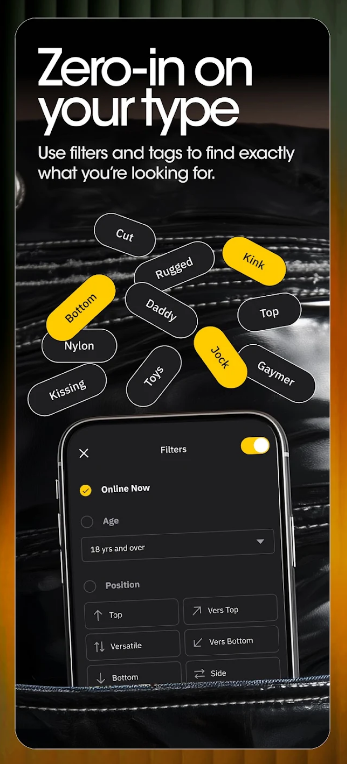
One of the unique features that sets proximity apps apart from standard dating sites is the inclusion of specific categorization tags, commonly known as “Tribes” and “Looking For” options.
Understanding Tribes
Tribes are categorical tags that allow individuals to self-identify with specific subcultures within the community—ranging from “Bear” and “Twink” to “Jock,” “Leather,” and “Clean-Cut.” While these labels are broad generalizations, they help streamline the discovery process for individuals looking for specific shared aesthetics or lifestyles.
Setting Your “Looking For” Preferences
The application allows you to broadcast your immediate intentions. Whether someone is seeking chat, dates, networking, friendship, or long-term relationships, setting these tags reduces ambiguity. It ensures that mutual interactions are built on aligned expectations from the very first message.
The Role of Location and Distance in Profile Visibility
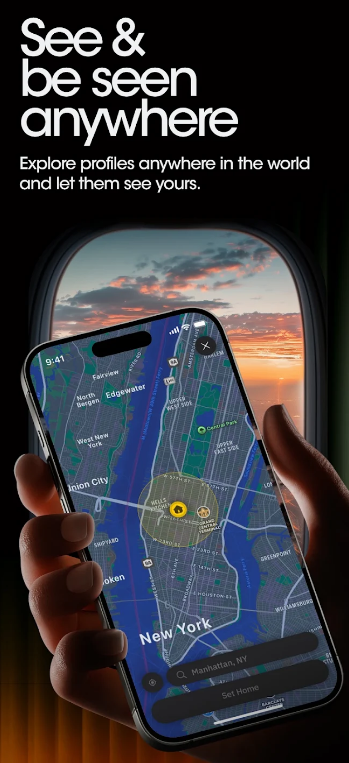
The backbone of the application’s infrastructure is geolocation technology. Understanding how distance affects your profile’s placement on the grid is crucial for optimizing your online experience.
Grid Positioning and Proximity Mechanics
The main grid arranges profiles in a descending order of physical proximity—starting with the user closest to your GPS coordinates and moving outward. If you move to a new neighborhood, your grid position dynamically updates to reflect your new surroundings.
Privacy and Location Masking
Because real-time tracking can raise safety concerns, the platform incorporates features that allow users to manage their location settings. While exact distance indicators can be turned off or fumed to an approximate radius, maintaining basic location awareness remains vital for the application to function as intended.
Advanced Profile Optimization Strategies for Better Engagement
While the app relies primarily on distance, optimizing your text and visual presentation significantly enhances your interactions.
Writing an Effective “About Me” Section
Your headline or bio section is your opportunity to add narrative depth. Keep these recommendations in mind when crafting your text:
-
Be Concise: Long paragraphs are often overlooked. Bullet points or short sentences work best.
-
State Your Boundaries: Clearly mentioning what you do not want helps filter out incompatible interactions.
-
Add Personality Cues: Mentioning hobbies, favorite music genres, or local spots provides natural conversation starters.
The Importance of Verification Badges
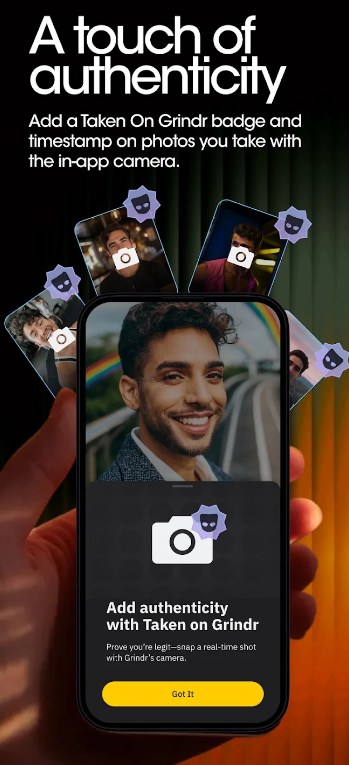
Trust and safety are paramount in digital spaces. Utilizing photo verification features assures other users that your profile is authentic, drastically reducing the likelihood of encountering automated bots or fraudulent accounts.
Safety Guidelines and Privacy Control Features
Navigating digital spaces requires a strong commitment to personal security. The platform provides several built-in mechanisms to protect user data and ensure a secure environment.
Blocking and Reporting Mechanisms
If you encounter inappropriate behavior, harassment, or suspicious accounts, the platform offers immediate reporting and blocking tools. Utilizing these features removes the user from your grid entirely and alerts moderation teams to policy violations.
Controlling Information Sharing
Never share sensitive financial details, home addresses, or workplace information in your public bio. Maintaining a healthy boundary during initial digital conversations ensures a safer transition to meeting in person or moving to alternative messaging platforms.
Subscription Tiers and Their Impact on Profile Features

While basic features are available to all users, premium tiers introduce advanced capabilities that alter how profiles are managed and viewed.
Exploring Incognito Mode
Premium subscriptions often include features like “Incognito Mode,” which allows users to browse grids without appearing on them, giving individuals complete control over who initiates contact.
Unlimited Browsing and Extended Grids
Upgraded accounts remove restrictions on how many profiles can be viewed at once and expand the geographical search radius, enabling users to look ahead at grids in different neighborhoods or cities before traveling.
Mastering the Balance of Authenticity and Privacy
Understanding how Grindr profiles work empowers you to navigate the digital landscape with confidence, clarity, and safety. By balancing an authentic visual presentation with clear textual boundaries, you can cultivate meaningful connections within your local community. Whether you are using the platform for casual networking, friendship, or dating, mastering these structural features ensures a positive and seamless online experience.