Why You Should Only Download Apps from Official Stores
A complete guide to avoiding malicious apps and downloads
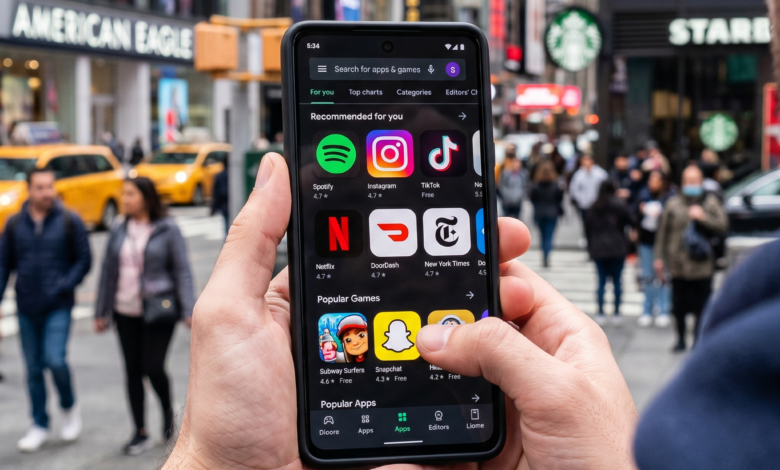
In the modern digital landscape, our smartphones are no longer just communication devices; they are the central hubs of our personal and professional lives. We use them for banking, shopping, navigating, and staying connected with loved ones. Because these devices carry so much sensitive data, they have become the primary targets for cybercriminals worldwide.
One of the most effective ways to protect your digital identity is a simple rule that many users overlook: only download apps from official stores. Whether you use the Apple App Store or the Google Play Store, these ecosystems are designed to provide a “walled garden” that shields you from the chaos of the open internet.
In this comprehensive guide, we will dive deep into why sticking to official marketplaces is the cornerstone of mobile security, the advanced threats lurking in third-party downloads, and how to keep your data safe in an increasingly connected world.
Why Official App Stores are Your First Line of Defense

When you download an app from an official store, you aren’t just getting a piece of software; you are benefiting from a rigorous, multi-layered vetting process that happens behind the scenes.
The Vetting and Review Process
Both Apple and Google employ sophisticated automated scanners and human reviewers to inspect every app before it is allowed onto their platforms. This process checks for:
-
Malware and Spyware: Scanners look for known malicious code signatures.
-
Privacy Violations: Reviewers ensure apps aren’t harvesting data they don’t need (like a calculator app asking for your contact list).
-
Stability and Performance: Apps that crash frequently or drain battery excessively are often rejected.
Developer Accountability
To publish on an official store, developers must provide verified identity information and pay a registration fee. This creates a paper trail. If a developer releases a malicious update, their account can be banned globally, and the app can be remotely disabled on users’ devices. On third-party sites, there is zero accountability; a hacker can disappear and reappear under a new name in minutes.
The Hidden Dangers of Sideloading and Third-Party APKs
“Sideloading” refers to the process of installing an app from a source other than the official store, often through an APK file (on Android) or a third-party installer. While this offers more freedom, it is the digital equivalent of picking up an unmarked pill from the sidewalk and swallowing it.
No Security Gatekeepers
Third-party websites and “unofficial” stores do not have the resources or the incentive to scan for malware. In many cases, these sites exist specifically to distribute infected software. When you bypass your phone’s security settings to “Allow installs from unknown sources,” you are essentially turning off your device’s immune system.
Repackaging Attacks
This is a common tactic where a hacker takes a popular, legitimate app (like a premium game or a productivity tool), injects malicious code into it, and re-uploads it to a third-party site. The app looks and functions exactly like the original, but in the background, it is stealing your passwords or mining cryptocurrency using your phone’s processor.
How Malicious Apps Steal Your Personal Information
If a malicious app makes it onto your phone, the consequences can be devastating. Modern mobile malware is designed to be “silent” so that you never realize your security has been compromised.
1. Keyloggers
A keylogger is a script that records every single stroke you make on your virtual keyboard. This means the moment you type your bank password, your social security number, or a private message, that data is sent directly to a hacker’s server.
2. Overlay Attacks
This is a highly sophisticated technique where a malicious app detects when you have opened a legitimate app, like your banking portal. It then places an invisible, identical “layer” over the screen. You think you are typing your login info into your bank, but you are actually handing it to the attacker.
3. Data Exfiltration
Many unofficial apps request broad permissions to access your photos, messages, and GPS location. They can then “scrape” your private gallery for sensitive documents (like photos of your ID or credit cards) and upload them to the cloud without your consent.
The Truth About “Free” Modified (MOD) Apps and Piracy
One of the biggest draws to third-party stores is the promise of “MOD” apps—modified versions of popular apps that unlock premium features for free or remove advertisements. While tempting, these apps are almost never “free” in the true sense of the word.
If You Aren’t Paying for the Product, You Are the Product
Developers of MOD apps spend hours cracking software. They don’t do this out of the goodness of their hearts. If they aren’t charging you money, they are making a profit through:
-
Injecting Adware: Forcing aggressive, unremovable ads onto your home screen.
-
Botnets: Using your phone’s internet connection to participate in massive cyberattacks on other websites.
-
Ransomware: Locking your files and demanding a Bitcoin payment to release them.
The Lack of Digital Rights Management (DRM)
Official apps are protected by DRM, which ensures that the code you are running hasn’t been tampered with. Pirated apps strip this protection away, leaving the “guts” of the software exposed and easily manipulated by bad actors.
Security Patching: Why Automatic Updates are Critical
Cybersecurity is a game of cat and mouse. When a new vulnerability is discovered in an app, the developers quickly release a “patch” to fix it. This is where official stores shine.
Seamless Security Updates
Official stores manage your updates automatically. When a security hole is plugged, your phone downloads the fix in the background. If you download an app from a third-party site, you will never receive these critical security updates. You are stuck with a “frozen” version of the app that becomes more vulnerable every single day.
Persistence of Threats
Hackers often wait for a vulnerability to be announced and then specifically target users who are running outdated versions of an app. By using official stores, you ensure that you are always running the most secure version of your software.
Understanding Permissions: How Unofficial Apps Spy on You
Permissions are the “contracts” you sign with an app, allowing it to access parts of your phone. Legitimate apps are required by Google and Apple to explain why they need certain permissions. Unofficial apps have no such requirement.
Excessive Permission Requests
If a “Flashlight” app or a “Wallpaper” app asks for permission to:
-
Read your SMS messages
-
Access your Microphone
-
See your precise GPS location
-
View your Call Logs
…it is almost certainly a malicious app. These permissions allow the app to intercept Two-Factor Authentication (2FA) codes from your bank, listen to your private conversations, and track your physical movements. Official stores frequently “purge” apps that violate permission guidelines, a luxury you don’t have on the open web.
How to Spot a Fake App even in Official Marketplaces
While official stores are incredibly safe, they aren’t 100% perfect. Occasionally, a “copycat” app will slip through the cracks. Even when using the Play Store or App Store, you should exercise a healthy amount of skepticism.
1. Check the Developer Name
Hackers often use names that look almost identical to the real ones. For example, instead of “WhatsApp Inc.”, a fake might be “WhatsApp.Inc” or “Whats-App Developer.”
2. Read the Reviews (Carefully)
Look for patterns. If an app has 5,000 five-star reviews but they all say “Great app!” or “Very good,” they might be bot-generated. Look for detailed reviews from real users.
3. Review the Download Count
If you are looking for a world-famous app like Instagram or Spotify, and the listing only shows 10,000 downloads, it is a fake. Popular apps should have millions or even billions of downloads.
The Financial Consequences of Compromised Mobile Security
The ultimate goal for most mobile hackers is financial gain. A single malicious app downloaded from an unofficial source can lead to total financial ruin.
Banking Trojans
Banking Trojans are specialized pieces of malware that stay dormant until you open a financial app. They then spring into action to capture your credentials and can even bypass SMS-based 2-Factor Authentication by intercepting your messages.
Premium Rate SMS Scams
Some malicious apps are designed to silently send messages to “premium rate” numbers. You won’t notice anything until you receive your monthly phone bill and see hundreds of dollars in unauthorized charges.
Protecting Children and Non-Tech Savvy Users

Children and the elderly are often the most vulnerable to the allure of “free games” or “helpful tools” from unofficial sources. To protect your family, consider the following:
-
Enable Parental Controls: Use “Family Link” (Google) or “Screen Time” (Apple) to prevent any app installations without your direct approval.
-
Disable Sideloading: Ensure the “Install Unknown Apps” setting is toggled off on all devices in your household.
-
Education: Explain the “Official Store” rule to your family members. Let them know that even if a friend sends them a link to a “cool new game,” they should only download it if it’s on the official marketplace.
Actionable Checklist for Mobile App Safety
Before you hit “Install” on any app, run through this quick security audit:
-
[ ] Is this the official store? (Google Play, Apple App Store, Amazon Appstore, or Samsung Galaxy Store).
-
[ ] Does the developer name look correct?
-
[ ] Does the app have a high download count and a high rating?
-
[ ] Are the requested permissions reasonable for what the app does?
-
[ ] Did I read at least three user reviews?
The convenience of our smartphones shouldn’t come at the cost of our privacy and security. While the internet offers a vast array of software, the risks associated with third-party app stores and unverified APKs far outweigh the benefits.
By sticking to official stores, you are choosing a path of verified safety, accountability, and continuous protection. Your data is your most valuable digital asset—don’t hand the keys to your digital life to a stranger on an unofficial website. Stay safe, stay updated, and always trust the official source.