How to Protect Your Instagram Account from Hackers
Discover the security settings that can help keep your account safe
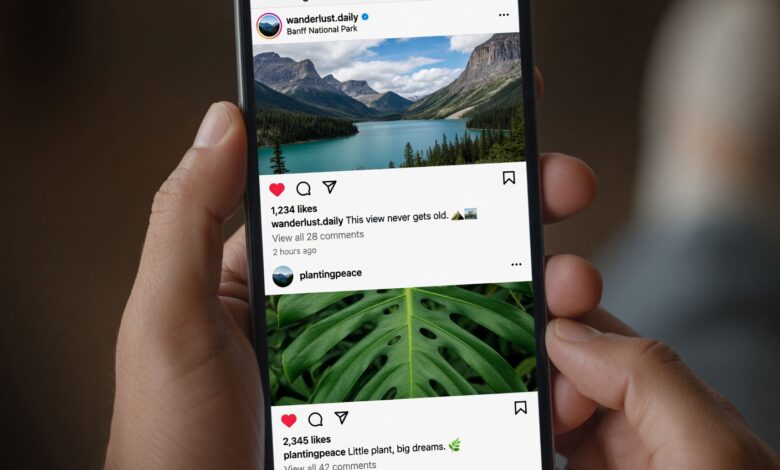
In 2026, your Instagram account is more than just a place to share photos—it is a digital asset. Whether you are a creator, a business owner, or someone keeping in touch with friends, your account holds personal data, professional connections, and social history that hackers are eager to exploit.
As digital threats evolve, so do the methods used to compromise your profile. From AI-generated phishing messages to sophisticated “zero-click” exploits, the landscape of social media security is more complex than ever. This comprehensive guide will walk you through the essential steps to lock down your account and keep malicious actors at bay.
1. The Foundation: Strengthening Your Login Credentials
The most basic entry point for any hacker is a weak or reused password. If a hacker gains access to your credentials through a data breach on another website, they will immediately try those same details on your Instagram.
Creating an Unbreakable Password
-
Length Matters: Aim for at least 12–16 characters. Longer passwords are exponentially harder for automated hacking tools to “guess” or “brute-force.”
-
Complexity: Use a combination of uppercase and lowercase letters, numbers, and symbols. Avoid common words, names, or sequences like “123456” or “password.”
-
Uniqueness: Your Instagram password should be one-of-a-kind. Never recycle passwords across different platforms. If you struggle to remember multiple passwords, use a reputable password manager (such as Bitwarden, 1Password, or LastPass) to generate and store them securely.
2. The Golden Rule: Enable Two-Factor Authentication (2FA)
If you only do one thing after reading this article, make it this: Turn on Two-Factor Authentication (2FA).
Even if a hacker manages to steal your password, 2FA acts as a secondary gatekeeper. It requires a unique code or push notification from your device to verify that it is really you trying to log in.
The Best 2FA Methods:
-
Authenticator Apps (Recommended): Use apps like Google Authenticator, Authy, or Duo. They generate time-sensitive codes directly on your device, making them much safer than SMS-based codes which can be intercepted through “SIM swapping.”
-
Avoid SMS 2FA: While better than nothing, text-based codes are vulnerable. If you must use them, be aware of the risks.
-
Save Your Backup Codes: Instagram provides recovery codes when you set up 2FA. Download or screenshot these and store them in a secure, offline location. They are your “emergency break-glass” option if you ever lose access to your primary authentication device.
3. Recognizing Modern Phishing in 2026
Hackers are getting smarter. In 2026, you shouldn’t just be looking for “bad grammar” or “suspicious links”—scammers are now using AI to create perfectly written, highly personalized messages that mimic the tone and branding of Meta/Instagram support.
Common Red Flags:
-
The “Urgency” Hook: Messages claiming your account has been flagged for copyright infringement, “suspicious activity,” or a verification issue. They want you to panic and click quickly.
-
Fake Support Accounts: Scammers create accounts that look like official “Meta Support” or “Instagram Security.” They may even message you after you publicly complain about a problem elsewhere.
-
The “Vote for Me” Scam: A friend or acquaintance sends you a link asking you to “vote for them” in a contest. Often, the account sending the message has already been hacked, and they are using that friend’s credibility to steal your credentials.
-
Verification Code Requests: Never share a verification code with anyone. If a friend asks you to forward a code they “accidentally sent to your phone,” they are likely trying to hijack your account.
Pro Tip: If you receive an “official” security alert, do not click any links in the message. Close the app or email, open Instagram separately, and check your security settings directly within the app. Legitimate security alerts will appear in your “Security Checkup” or “Login Activity” tab.
4. Audit Your Digital Footprint: Revoke Access
Over the years, you have likely authorized dozens of third-party apps, websites, and services to access your Instagram (e.g., photo editors, giveaway tools, or analytics platforms). Each of these is a potential backdoor for hackers.
How to Clean Up:
-
Go to your Instagram Settings.
-
Navigate to Accounts Center > Password and security.
-
Look for Apps and websites (or “Authorized Apps”).
-
Review the list. If you don’t recognize an app or no longer use it, remove it immediately. This prevents developers (or hackers who have compromised those developers) from accessing your account data.
5. Review Active Logins and Devices
Sometimes, a hacker gets into your account without you noticing. They might be monitoring your messages or quietly lurking in your account history.
-
Check Active Sessions: Navigate to Security > Login activity.
-
Be Skeptical: If you see a login from a city, state, or device you don’t recognize, tap the three dots and select “Log out.”
-
Change Your Password Immediately: If you spot an unrecognized login, do not wait. Change your password right away, as this effectively “kicks out” the intruder.
6. What to Do If Your Account Is Hacked
If the worst happens and you are locked out, don’t panic. Speed is your best friend.
-
Check Your Email for Alerts: Look for emails from
[email protected]. These often contain “secure my account” links that can help you revert unauthorized changes, like an email address swap. -
Use the Official Recovery Flow: Visit the Instagram Hacked Support Page on your browser.
-
Prove Ownership: Instagram may ask you to verify your identity. If your account contains photos of you, be prepared to submit a “video selfie” or other requested proof to regain access.
-
Notify Your Circle: Once you regain control (or if you are permanently locked out), let your friends know that your account was compromised so they don’t fall for scams sent from your profile.
-
Scan Your Devices: If you suspect the hack started through malware on your phone or computer, run a reputable antivirus scan before logging back into your account.
The Mindset of Digital Security
Protecting your Instagram account isn’t a one-time chore; it’s a habit. By combining strong, unique passwords, ironclad two-factor authentication, and a healthy dose of skepticism toward unsolicited links, you can stay ahead of the curve.
Remember: Your digital security is personal. Be the “administrator” of your data, treat every suspicious message with caution, and prioritize your privacy. The effort you put into securing your account today will save you from the immense stress of a breach tomorrow.