7 Tips for Getting More Matches on Tinder
Learn how to choose better photos, write an engaging bio, and optimize your Tinder profile to get more matches
Are you tired of swiping left and right on Tinder without getting any quality matches? You are definitely not alone. Millions of users log into dating apps daily, only to feel like their profiles are lost in a black hole. Standing out in a crowded digital marketplace requires understanding both human psychology and modern app algorithms.
If you want to double or even triple your match rate, you do not need to look like a Hollywood celebrity. You just need a strategic approach to optimizing your profile presentation, timing, and activity.
Below are 7 proven, actionable tips designed to help you transform your Tinder presence and secure more meaningful matches.
1. Master Your First Photo with the Solo Portrait Formula

Your primary photo carries roughly 70% of the weight when someone decides to swipe right or left. People make split-second decisions as they scroll through the swipe stack, spending less than two seconds evaluating your profile before moving on. If your first image fails to capture attention instantly, the rest of your carefully written profile will never be seen.
To maximize your initial impact, your main photo should strictly follow these visual rules:
- Clear Eye Contact: Look directly into the camera lens. Direct eye contact conveys confidence, warmth, and trustworthiness.
- High-Quality Natural Lighting: Avoid harsh indoor flash photography or dim room lighting. Shoot outdoors during the golden hour or near a large window facing natural light.
- No Accessories Blocking Your Face: Ditch the sunglasses, baseball caps, and heavy face filters. Profile viewers want to see your actual facial features clearly.
- Solo Crop: Never use a group photo as your lead picture. Forcing users to play a guessing game about who you are causes immediate left swipes.
| DO THIS | AVOID THIS |
|---|---|
| High-res solo headshot | Group photos as lead picture |
| Genuine smile & natural light | Wearing sunglasses or hats |
| Full-body shot showcasing posture | Bathroom mirror selfies |
| Activity shot showing a real hobby | Overused AI or face filters |
2. Optimize Your Bio Using Specific Conversation Hooks
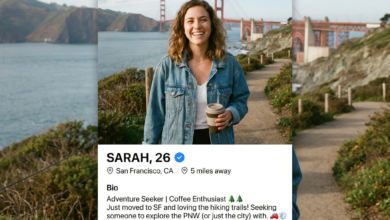
A great bio does not need to read like a long autobiography or a corporate resume. In fact, massive blocks of text often intimidate users and lead to skipped profiles. The primary job of your bio is simple: give potential matches a clear, effortless reason to send you a message.
Generic descriptions like “I love traveling, coffee, and music” fail because everyone likes those things. Instead, leverage hyper-specific details that act as conversation starters.
Effective Bio Blueprint
- The Hook (1-2 Sentences): Share a specific interest, fun story, or unusual skill.
- The Value Proposition: Show your humor or personality without taking yourself too seriously.
- The Call to Action (CTA): End with an open-ended question or light topic debate that makes replying effortless.
Example Bio:
“Recently returned from a 10-day trip tasting street food in Oaxaca. Working on mastering the perfect homemade sourdough, but failing miserably.Tell me: What is your ultimate guilty-pleasure comfort food?”
Keep your bio between 150 and 300 characters. Short, punchy copy projects confidence and keeps the reader intrigued.
3. Work with the Tinder Algorithm Through Selective Swiping
Many users assume that swiping right on every single profile increases their statistical chances of getting a match. In reality, mass right-swiping does the exact opposite: it severely damages your reach on the app.
Tinder uses machine learning algorithms to assess user behavior and quality engagement. When you swipe right indiscriminately, the algorithm categorizes your account as a spam bot or a desperate user, lowering your profile’s visibility in other people’s stacks.
Swiping Guidelines for Maximum Reach
- Maintain a 30% to 50% Right-Swipe Rate: Be genuinely selective about who you like.
- Pace Your Activity: Avoid swiping through hundreds of profiles in seconds. Take time to look at photos and read bios.
- Engage Promptly with Matches: Reply to new matches within 24 hours. The app rewards accounts that create active, reciprocal conversations.
- Review profile carefully (Photos & Bio)
- Swipe right on compatible options (~30-50%)
- Match occurs -> Send message within 24 hours
- Algorithm registers high interaction quality
- Profile receives increased stack visibility
4. Leverage Complete Profile Verification and Account Signal Features
Profile completeness serves as a major trust indicator for modern dating app users. Leaving sections blank signals low effort or creates suspicion about account authenticity.
To score maximum trust points with both users and the recommendation engine, complete the following setup steps:
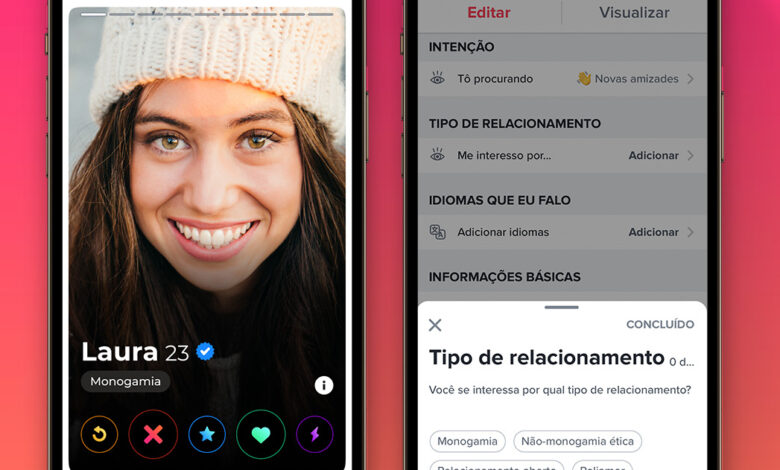
- Get Photo Verified: Take advantage of Tinder’s photo verification process to earn the blue checkmark. Verified accounts receive a significant bump in match velocity because users feel safe swiping right.
- Select Your Passions & Lifestyle Tags: Fill out all interest tags, height options, relationship goals, and habit badges.
- Connect Spotify & Instagram: Linking your top Spotify artists or Instagram feed adds dynamic visual layers to your profile, giving viewers extra touchpoints to connect over shared tastes.
5. Build a Cohesive 5-to-6 Photo Lineup That Tells Your Story
While your lead photo opens the door, your full picture set closes the deal. Relying on just one or two pictures creates hesitation, while uploading more than seven images often introduces weak or redundant shots that dilute your appeal. Aim for 5 to 6 varied, high-quality images.
The Recommended 6-Photo Sequence
| Slot Position | Photo Type | Purpose |
|---|---|---|
| Photo 1 | Clear Headshot | Showcases your face, natural smile, and eye contact. |
| Photo 2 | Full-Body Shot | Establishes your overall style, posture, and build. |
| Photo 3 | Activity / Hobby | Demonstrates what you like to do in your free time (sports, cooking, art). |
| Photo 4 | Social Proof | Shows you in a social setting with friends (make sure you stand out easily). |
| Photo 5 | Travel / Environment | Adds lifestyle context and visual flair. |
| Photo 6 | Candid / Conversation Starter | A pet photo, a funny candid, or a unique setting that invites questions. |
Avoid uploading gym mirror selfies, shirtless bathroom photos, or old pictures where your appearance looks drastically different. Authenticity mixed with good presentation yields the best long-term results.
6. Time Your Swiping Sessions During Peak Usage Hours
When you open Tinder matters almost as much as what your profile looks like. Swiping during dead hours means your profile sits at the bottom of the stack, while active swiping during high-traffic periods boosts your visibility in real time.
Optimal Activity Windows
- Sunday Evenings (7:00 PM – 10:00 PM): Sunday nights consistently generate the highest activity levels on dating platforms across the globe. People are unwinding from the weekend and preparing for the week ahead.
- Weekday Evenings (8:00 PM – 10:00 PM): Prime time after work and dinner hours offers a steady stream of active local users.
If you plan to use features like Boost or Super Likes, align them with these peak timeframes to ensure maximum exposure per feature spent. Additionally, minor profile updates (like swapping a single photo) right before peak hours can trigger a subtle recency boost in your local stack.
7. Test, Measure, and Refresh Your Profile Periodically

Finding the most effective profile combination requires occasional experimentation. If your match rate slows down, avoid deleting and recreating your account repeatedly—this behavior can trigger algorithm penalties or shadowbans.
Instead, adopt an iterative approach:
- Change One Variable at a Time: Replace your lead photo with a new option and monitor your match results over seven days.
- Refresh Your Bio Every Month: Tweak your bio question or add recent adventures to keep your content feeling fresh.
- Turn On “Smart Photos”: Allow Tinder’s built-in feature to continuously test photo ordering and prioritize your most popular lead photo automatically.
Final Thoughts
Gaining traction on Tinder comes down to a clear presentation, consistent activity, and understanding how to highlight your best self. By polishing your lead photo, crafting a specific bio with conversation hooks, and maintaining smart swiping habits, you will notice a steady surge in profile visibility and match quality. Update your setup today and enjoy better conversations on the app!