Should You Cover Your Webcam for Privacy?
Understand the real risks of webcam hacking and spying

In the modern digital era, our devices are essentially extensions of our physical selves. We carry them into our bedrooms, our offices, and our most private conversations. But as we move deeper into 2026, a lingering question remains stuck to the top of our laptop screens: Should you cover your webcam?
For some, a small piece of black tape over the camera lens is a symbol of paranoia. For others, including high-profile tech figures like Mark Zuckerberg and former FBI directors, it is a basic “digital hygiene” necessity. This isn’t just about avoiding an embarrassing moment during a Zoom call; it’s about understanding the sophisticated landscape of “Camfecting” and the vulnerabilities inherent in the hardware we trust.
This comprehensive guide explores the technical, psychological, and practical reasons behind webcam privacy, debunking myths about indicator lights and providing a roadmap for securing every “eye” in your smart home.
What is Camfecting? Understanding Remote Access Trojans (RATs)

To understand why people cover their cameras, we first need to identify the threat. Camfecting is the process of remotely hijacking a person’s webcam without their knowledge. This is typically achieved using a type of malware known as a RAT (Remote Access Trojan).
When a device is infected with a RAT, the attacker gains administrative control over the system. This includes the ability to:
-
Activate the camera and microphone at any time.
-
View the live video feed.
-
Capture screenshots and record audio.
-
Exfiltrate files and monitor keystrokes.
Unlike traditional viruses that might slow down your computer or delete files, a RAT is designed to be a “silent passenger.” The goal of the attacker is often long-term surveillance, which can lead to sextortion, corporate espionage, or the harvesting of personal data to build a profile for identity theft.
Does the Green Light Always Mean the Camera is On?
One of the most common arguments against covering a webcam is the “indicator light” defense. Many users believe that as long as the small LED next to the lens is dark, the camera is physically incapable of recording.
In 2026, we know this is a dangerous misconception.
While many modern laptops (especially MacBooks) are designed with the camera and the LED on the same electrical circuit—meaning the camera cannot receive power without the light turning on—this is not a universal truth.
-
Software Overrides: Skilled hackers have developed methods to modify the firmware of the camera controller. By rewriting a few lines of low-level code, an attacker can decouple the LED from the sensor.
-
Vulnerable Hardware: Many older laptops, external USB webcams, and budget-friendly tablets do not have a hard-wired connection between the light and the sensor. In these cases, the light is controlled by software, which is easily bypassed by malware.
Relying on a light for privacy is like relying on a “Do Not Disturb” sign that the intruder can simply turn around. A physical cover is the only way to ensure 100% “Zero Trust” security.
The Zuckerberg Precedent: Why Tech Giants Tape Their Lenses
In 2016, a photo of Meta CEO Mark Zuckerberg went viral, not because of what he was saying, but because of what was in the background: his MacBook had a piece of tape over both the webcam and the dual-microphone jack.
If one of the most powerful men in tech—someone with access to the highest levels of cybersecurity infrastructure—feels the need to use a low-tech piece of tape, what does that say for the average user?
The “Zuckerberg Precedent” highlights a core truth in cybersecurity: Complexity is the enemy of security. No matter how many firewalls or encryption layers you have, a physical barrier is the only solution that cannot be hacked by code. It is a fail-safe that works even if your operating system is fully compromised.
Privacy vs. Paranoia: Is the Threat Overblown for Average Users?
A frequent rebuttal is: “Why would anyone want to watch me? I’m not a celebrity or a CEO.”
Cybercriminals rarely target individuals based on their status. Instead, they use “spray and pray” tactics. They distribute malware through malicious links (as discussed in our previous guide) and infect thousands of devices simultaneously.
-
Automated Exploitation: Many hackers use automated scripts to “surf” through thousands of hijacked webcams, looking for compromising footage or sensitive information displayed on screens.
-
The “Creep” Factor: There is a subculture on the dark web dedicated to trading access to “slaves” (hijacked computers), where users pay to watch unsuspecting people in their homes.
-
Financial Gain: Even if your life seems “boring,” your camera can see your credit card on your desk, your tax documents, or your face (which can be used to bypass some biometric security systems).
Privacy is not about having something to hide; it is about having something to protect.
Beyond Laptops: The Vulnerability of Smartphones and Tablets
While we focus heavily on laptops, our smartphones are arguably more dangerous. We take them into bathrooms, changing rooms, and private meetings.
However, covering a smartphone camera is much more difficult.
-
FaceID and Biometrics: Many phones rely on the front-facing camera for unlocking. A permanent cover makes the phone nearly unusable.
-
Sensors: The camera cluster often includes ambient light sensors and proximity sensors. Blocking these can interfere with screen brightness and call functionality.
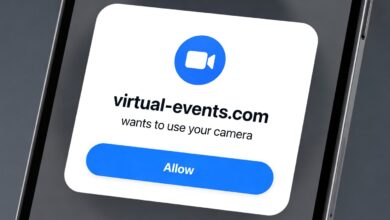
On mobile devices, the solution is often Software Permissions. Both iOS and Android now include privacy indicators (green or orange dots) when the camera or mic is active. For mobile privacy, the best practice is to audit your app permissions regularly and ensure that “Flashlight” or “Calculator” apps don’t have access to your lens.
The Smart Home Paradox: Cams in the Kitchen and the Living Room
As we populate our homes with IoT (Internet of Things) devices, the number of webcams in our lives has exploded. Smart TVs, AI assistants with screens (like the Echo Show), and home security cameras are often the weakest links in our digital defense.
Smart TVs
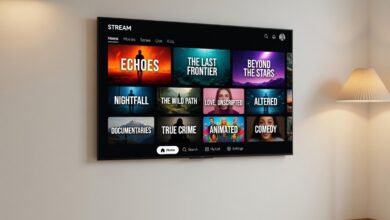
Many high-end TVs now feature cameras for gesture control or video calls. Because smart TV operating systems are rarely updated as frequently as laptops, they are prime targets for exploits. If your TV has a camera and you don’t use it for calls, cover it.
Home Security Cameras
Ironically, the devices we buy for security often create the biggest privacy holes. If you use indoor cameras, ensure they have:
-
Two-Factor Authentication (2FA): This prevents someone from logging into your camera feed even if they have your password.
-
Physical Privacy Shutters: Some modern cameras have a motorized “eyelid” that closes when you are home.
-
Local Storage: Cameras that record to a local SD card are generally safer than those that stream everything to a third-party cloud.
The Invisible Threat: Why You Should Also Worry About the Microphone

A webcam cover protects your image, but what about your voice? Mark Zuckerberg didn’t just tape his camera; he taped his microphone port.
Microphone hijacking is arguably more valuable to an attacker than video. Audio files are smaller, easier to exfiltrate, and can capture passwords being spoken, private business strategies, or intimate details about your family life.
Unfortunately, there is no “tape” for a microphone. Placing tape over a mic hole often doesn’t fully block the sound; it just makes it muffled.
-
The Solution: Use “Microphone Blockers” (often called Mic Locks). These are small “dummy” plugs that fit into your 3.5mm headphone jack, tricking the computer into thinking an external mic is plugged in, which disables the internal one.
Comparing the Best Webcam Covers: Tape vs. Sliders vs. Shutters
If you’ve decided to protect your privacy, what is the best way to do it?
| Type | Pros | Cons |
| Electrical Tape | Free, 100% effective, leaves no residue (if high quality). | Looks unprofessional, can leave sticky residue over time. |
| Plastic Sliders | Professional look, easy to open/close for calls. | Can be too thick for some “Ultrabooks,” causing screen cracks. |
| Post-it Notes | Accessible, no residue. | Falls off easily, looks messy. |
| Built-in Shutters | Most secure, aesthetic, part of the hardware. | Only available on newer, specific laptop models. |
Pro Tip: If you use a thin plastic slider on a modern laptop (like a MacBook Air or Surface Pro), be extremely careful. These laptops have very tight tolerances. Closing the lid with a slider attached can put pressure on the glass and lead to a very expensive screen repair.
Best Practices for Digital Hygiene: More Than Just a Cover
A webcam cover is a “physical firewall,” but it should be part of a larger security strategy. If an attacker can see through your camera, they can probably also see your files.
-
Keep Software Updated: Most camfecting attacks exploit “Zero Day” vulnerabilities in your browser or OS. Updates patch these holes.
-
Use a Dedicated Browser for Video Calls: Consider using one browser for your banking/personal life and another (with fewer extensions) for your Zoom/Teams meetings.
-
Review App Permissions: On Windows 11 and macOS, go to Privacy & Security > Camera and toggle off access for every app that doesn’t strictly need it.
-
Beware of Phishing: Most RATs are delivered via email attachments. Never download a file from an unverified source.
The Future of Privacy: Hardware Kill Switches
In response to consumer demand, several laptop manufacturers (like HP, Lenovo, and System76) are introducing Hardware Kill Switches.
Unlike a software toggle, these are physical switches on the side of the laptop that physically disconnect the power to the camera and microphone. This is the gold standard for privacy in 2026. If you are in the market for a new laptop, look for “Privacy Shutter” or “Hardware Kill Switch” in the specifications.
Step-by-Step: How to Perform a Privacy Audit of Your Devices
Take 15 minutes today to secure your environment:
-
Step 1: Look at every screen in your house. Does it have a lens? If yes, and you don’t use it daily, cover it with a slider or a piece of non-residue tape.
-
Step 2: Go to your smartphone settings. Search for “Permission Manager” and see how many apps have “Always Allow” access to your camera. Change them to “Ask every time” or “Only while using the app.”
-
Step 3: Update your router’s firmware. A hacked router can act as a gateway to your smart home cameras.
-
Step 4: Check your external webcams. If you use a USB camera, unplug it when it’s not in use. It is the most effective “kill switch” available.
A Small Step for Peace of Mind
So, should you cover your webcam? The answer is a resounding yes.
While the odds of being specifically targeted by a hacker may be low, the “cost” of protection is nearly zero, while the “cost” of a privacy breach is immeasurable. A simple cover provides a psychological boundary between your public digital life and your private physical life.
In 2026, we must accept that software is fallible. Code has bugs, and hackers are tireless. By adding a physical layer of security to your devices, you reclaim control over who is allowed in your space. Don’t wait for a “scare” to take action—cover your camera today and breathe a little easier tomorrow.
Webcam Privacy FAQ
Q: Can a hacker see me if my laptop is closed?
A: No. If the lid is closed, the camera is physically blocked. However, the microphone can still record unless the laptop is specifically designed to cut the mic when closed.
Q: Will tape damage my lens?
A: Most lenses are made of glass or hard plastic. Standard scotch tape or electrical tape won’t damage the lens, but the adhesive can be annoying to clean. Avoid “super glue” or duct tape.
Q: Are there apps that detect if my camera is hacked?
A: There are tools like OverSight (for Mac) or Who Stalks My Cam (for Windows) that alert you whenever the camera becomes active. These are great secondary defenses.
Enjoyed this article? Join our newsletter for weekly tips on staying safe in the digital age. Your security is our priority.