Online Safety
How Secure Is 1Password?
Learn how secure 1Password is and which security features protect your digital accounts
In today’s digital landscape, the phrase “cybersecurity” is no longer reserved for large corporations and IT professionals. Every single day, everyday internet users manage dozens of online accounts, ranging from banking portals and personal emails to streaming services and social media profiles. Remembering unique, complex passwords for all of these accounts is humanly impossible. This is where password managers step in, acting as digital vaults for your most sensitive credentials.
Among the leaders in this space, 1Password has built a stellar reputation. But a natural question lingers for anyone looking to protect their digital footprint: How secure is 1Password, really?
This extensive guide dives deep into the architecture, features, and real-world protections that make 1Password one of the most trusted names in online security, written in clear, accessible language for everyone.
Understanding 1Password: The Basics of Modern Password Management
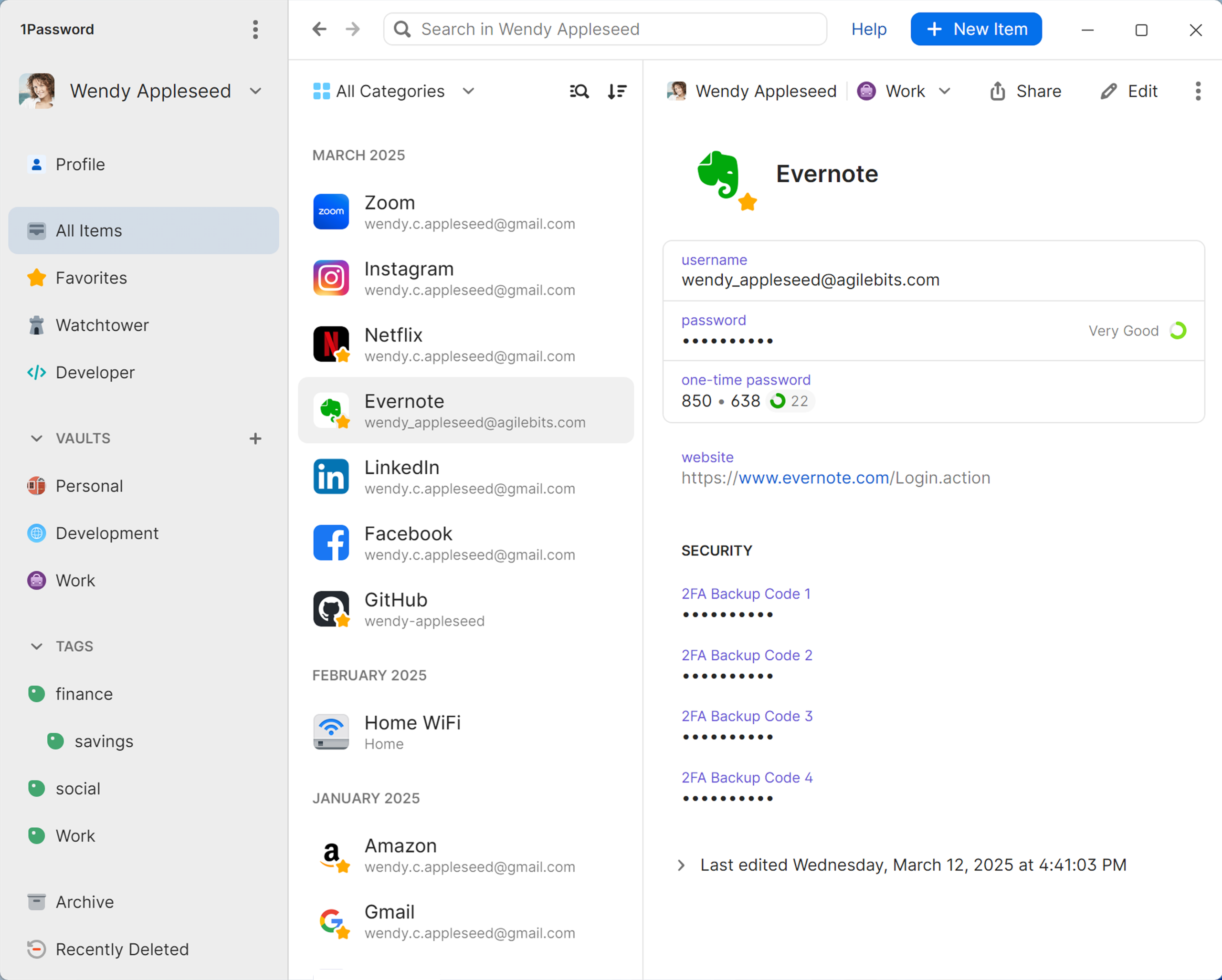
Before analyzing how 1Password safeguards your data, it helps to understand what it actually does. At its core, a password manager is a secure application that stores your login credentials, credit card details, secure notes, and other sensitive information behind a single, highly protected master key.
Instead of writing your passwords down on sticky notes, saving them in vulnerable web browsers, or reusing the same weak password across multiple websites, you rely on a password manager to generate, remember, and autofill complex passwords for you.
However, trusting a third-party application with your digital identity requires absolute confidence in its underlying technology. You need to know that the company holding your encrypted data cannot read it, and that malicious actors cannot steal it. 1Password addresses these concerns through a multi-layered security approach designed from the ground up to prioritize user privacy and impenetrable defense.
The Core Defense: Zero-Knowledge Architecture and End-to-End Encryption
The gold standard of digital security is zero-knowledge architecture. In simple terms, a zero-knowledge system means that the service provider—in this case, 1Password—knows absolutely nothing about the data you store on their servers.
When you save a password or a private note into 1Password, that information is encrypted right on your local device before it ever travels across the internet. It is locked using powerful AES-256-bit encryption, the same cryptographic standard used by governments and financial institutions worldwide to protect classified information.
Because your data is encrypted locally, the information sent to and stored on 1Password’s cloud servers is nothing more than unreadable gibberish. Even if a cybercriminal managed to breach 1Password’s servers, they would find zero usable data. Even the engineers and employees who build and maintain 1Password have no technical way to view your passwords, credit cards, or personal documents.
The Secret Weapon: The Unique 1Password Secret Key
While most online services rely solely on a standard account password to protect your account, 1Password introduces an extra layer of defense known as the Secret Key.
When you create a 1Password account, a 128-bit Secret Key is generated locally on your device. This key is mathematically combined with your master account password to create the encryption key that locks your digital vault.
-
Your Master Password: Something only you know and remember.
-
Your Secret Key: A long, randomly generated string of characters stored safely on your trusted devices.
Why is this combination so revolutionary for security? If a hacker somehow intercepts your master password through a phishing attack or keylogger, they still cannot access your vault. Without your physical Secret Key—which never leaves your device and is never transmitted to 1Password’s servers—the stolen password is completely useless. This dual-key model bridges the gap between human memory and unbreakable cryptographic strength.
Smart Protection Beyond Encryption: Built-In Safety Features
Security isn’t just about how data is scrambled; it is also about how safely you interact with your applications every day. 1Password incorporates several intelligent features designed to minimize risks outside of simple storage:
1. Watchtower Vulnerability Alerts
The digital world moves fast, and data breaches at major websites happen frequently. 1Password includes a built-in monitoring tool called Watchtower. Watchtower alerts you if any of your saved passwords have been compromised in a public data breach, if you are using weak or duplicate passwords, or if a website you use is urging you to upgrade to secure two-factor authentication (2FA). Crucially, Watchtower performs these checks securely without ever revealing the websites you visit or the passwords you use to 1Password.
2. Secure Clipboard Management
When you copy a password to paste it into a login form, that sensitive data usually lingers on your device’s clipboard history, where malicious background apps or tracking tools could potentially snatch it. 1Password solves this by automatically clearing sensitive items from your system clipboard after a short period, preventing accidental exposure.
3. Verified Browser Extension Integration
Cybercriminals sometimes create malicious browser extensions designed to mimic legitimate software and capture data as you type. 1Password only communicates and autofills details on verified web browsers that have been signed by recognized, authentic developers. This stops fake or hijacked browser extensions from tricking the app into handing over your credentials.
Independent Audits and Total Transparency
In the world of cybersecurity, trust should never be accepted blindly; it must be verified. Companies can claim their software is secure, but true validation comes from independent third-party experts who attempt to break the system.
1Password maintains a policy of radical transparency. The company regularly undergoes rigorous independent security assessments, penetration testing, and code audits conducted by world-renowned cybersecurity firms. The findings and assurances from these audits are openly published for the public and industry professionals to review.
Additionally, 1Password adheres to strict compliance frameworks like SOC 2 Type II certification, proving that their internal controls, data handling procedures, and operational safety meet the most stringent enterprise requirements. They also run one of the largest bug bounty programs in the industry, rewarding independent security researchers who manage to find and report potential vulnerabilities so they can be patched immediately.
Is 1Password Right for You? A Practical Perspective
When evaluating online security tools, it is easy to feel overwhelmed by technical jargon like AES-256, zero-knowledge proofs, and cryptographic derivation. However, the ultimate test of a security tool is how seamlessly it protects you without making your digital life frustrating.
1Password achieves a rare balance: it deploys complex, enterprise-grade military defense mechanisms under the hood while maintaining a clean, intuitive interface for everyday users. Whether you are trying to protect your family’s shared digital assets or managing complex corporate developer secrets, the system scales smoothly while keeping your personal data entirely in your hands.
By utilizing local-only encryption, a mandatory Secret Key, proactive breach alerts, and transparent third-party auditing, 1Password removes the burden of digital safety from your shoulders. In an era where online threats are constantly evolving, adopting a robust, zero-knowledge password manager is no longer just an optional luxury—it is an essential line of defense for navigating the modern internet safely.