Business Email Security Best Practices
Learn the most important email security practices every business should follow

Email remains the undisputed backbone of corporate communication. Millions of messages flow through corporate servers every single day, carrying everything from sensitive financial data to proprietary strategic plans. Unfortunately, this absolute reliance makes email the number one target for cybercriminals worldwide.
According to global cybersecurity reports, business email compromise (BEC) and phishing account for billions of dollars in losses annually. For organizations of all sizes, a single compromised inbox can lead to devastating data breaches, financial ruin, and irreparable reputational damage.
Protecting your organization requires moving far beyond simple password updates. Implementing a robust strategy involves advanced technical controls, strict organizational policies, and continuous employee education.
This comprehensive guide breaks down the essential business email security best practices to safeguard your company’s communication network, protect sensitive assets, and ensure operational continuity.
1. What is Business Email Security and Why Does Your Company Need It?

Business email security refers to the collective technologies, policies, and practices designed to protect corporate email accounts, content, and communication channels from unauthorized access, loss, or compromise. Unlike personal email use, corporate email networks handle interconnected systems, operational data, and financial transactions, making them high-value targets.
Cybercriminals rarely attempt to breach sophisticated network firewalls when they can simply trick an employee into opening a malicious doorway. Modern email threats are highly sophisticated, relying heavily on social engineering—the psychological manipulation of human behavior—to bypass traditional security layers.
[Traditional Corporate Network] <--- Hard to penetrate directly via firewalls
             |
             v
   [Employee Inbox] <--- Vulnerable to Social Engineering (Phishing/BEC)
             |
             v
[Full Network Compromise] <--- Unauthorized access granted from within
Implementing a strict email security framework provides your organization with several critical advantages:
-
Financial Protection: Prevents direct monetary losses resulting from fraudulent wire transfers and invoice diversion schemes.
-
Data Integrity and Privacy: Safeguards proprietary intellectual property, employee records, and confidential customer data.
-
Regulatory Compliance: Assures alignment with global data protection standards such as HIPAA, GDPR, and CCPA, preventing costly legal penalties.
-
Brand Reputation Preservation: Maintains client and partner trust by ensuring your corporate domain is never utilized to distribute malware or spam.
2. Advanced Email Authentication Protocols: Implementing SPF, DKIM, and DMARC
The most effective way to secure your corporate email ecosystem is to prevent malicious actors from spoofing your domain name. Domain spoofing occurs when an attacker sends an email that appears to originate from your exact company domain (e.g., [email protected]).
To combat this, your IT department must properly configure three interconnected DNS (Domain Name System) authentication protocols.
Sender Policy Framework (SPF)
SPF functions as a publicly accessible guest list for your email domain. It is a specialized text record added to your DNS settings that explicitly lists every authorized IP address and server allowed to send emails on your company’s behalf.
When a receiving server gets an email claiming to be from your domain, it verifies the sender’s IP against your SPF record. If the IP is not on the approved list, the email is flagged.
DomainKeys Identified Mail (DKIM)
DKIM adds a cryptographic digital signature to the header of every outgoing email. This process uses a public/private key pair. Your sending server signs the email with a private key, and the receiving server utilizes your public DNS key to validate that signature.
DKIM ensures that the message was not altered, tampered with, or intercepted while in transit between servers.
Domain-based Message Authentication, Reporting, and Conformance (DMARC)
DMARC acts as the ultimate enforcement mechanism, binding SPF and DKIM together. A DMARC policy tells receiving mail servers exactly what to do if an incoming email fails SPF or DKIM checks.
DMARC operates under three progressive policies:
-
p=none(Monitoring Mode): Emails are delivered normally, but you receive detailed reports on who is sending mail using your domain. -
p=quarantine(Isolation Mode): Emails failing authentication are automatically directed to the recipient’s spam or junk folder. -
p=reject(Strict Enforcement): Emails failing authentication are completely blocked at the server level, never reaching the recipient.
| Protocol | Technical Mechanism | Primary Benefit |
| SPF | IP Address Whitelisting | Specifies which servers can send mail for your domain. |
| DKIM | Cryptographic Signatures | Verifies that message content was not altered in transit. |
| DMARC | Enforcement & Reporting Policy | Dictates automated actions for failed SPF/DKIM verification. |
3. Defeating Social Engineering: Recognizing Phishing, Spear Phishing, and BEC
Technological defenses are incredibly powerful, but they must be paired with human awareness. Modern threat actors craft highly personalized messages designed to exploit human emotions like urgency, fear, or desire to help. Understanding the nuances of these attacks is crucial for defense.
Traditional Phishing
Traditional phishing campaigns are broad, untargeted, mass-distribution operations. Attackers send identical, generic messages to millions of email addresses simultaneously, hoping a small percentage of recipients will click a malicious link, download a compromised attachment, or enter credentials on a fake login page.
Spear Phishing
Spear phishing is highly targeted and deeply researched. Attackers select a specific individual or department within an organization. They study public social media profiles, corporate websites, and professional networks to craft highly convincing, customized emails containing accurate personal or professional details, making the deception incredibly difficult to spot.
Business Email Compromise (BEC)
BEC represents the most costly category of email fraud. In a BEC attack, a criminal impersonates a high-level executive (such as the CEO or CFO) or an established vendor.
These emails rarely contain malicious links or attachments, easily bypassing standard antivirus filters. Instead, they rely purely on authority and artificial urgency, instructing a subordinate employee to execute an emergency wire transfer, alter official banking routing numbers, or release sensitive tax documents.
[Phishing] --------> Mass blast, generic messaging, broad target pool
[Spear Phishing] --> Targeted research, personalized data, specific employee
[BEC] -------------> Executive impersonation, zero-malware, urgent financial focus
To protect your organization from these sophisticated social engineering tactics, look out for the following common indicators:
-
Inbound messages displaying an extreme sense of artificial urgency demanding immediate action.
-
Requests that actively bypass or ignore established organizational security procedures.
-
Slightly altered or misspelled domain names designed to mimic legitimate partners (lookalike domains).
-
Unusual or uncharacteristic requests originating directly from high-level company executives.
4. Modern Identity Management: Multi-Factor Authentication (MFA) and Strong Password Policies
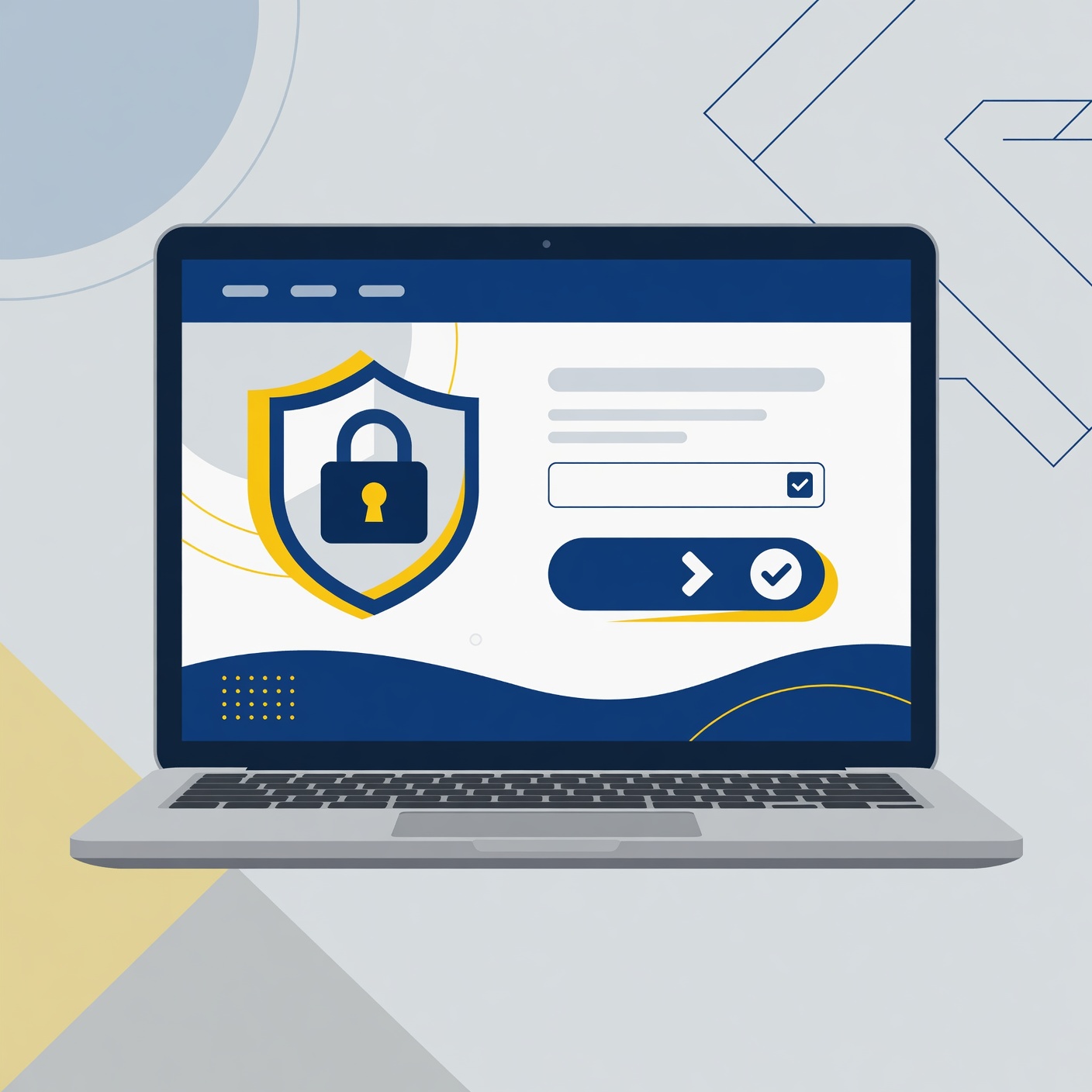
Stolen credentials remain one of the easiest ways for hackers to gain access to corporate systems. If a cybercriminal obtains an employee’s password through a data breach or phishing site, your entire organization is at risk. Establishing robust identity management controls is critical to neutralizing this vulnerability.
Multi-Factor Authentication (MFA)
MFA is the single most effective security control you can implement to protect corporate mailboxes. It requires users to provide two or more verification factors to gain account access. Even if an attacker successfully steals a user’s password, they cannot access the account without the secondary verification factor.
When deploying MFA, it is important to understand that not all authentication methods provide equal security:
-
SMS-Based Verification: Vulnerable to advanced intercept techniques like SIM-swapping. Use this only as a temporary fallback option.
-
Authenticator Apps: Options like Google Authenticator or Microsoft Authenticator provide time-based, one-time passwords (TOTP) that are significantly more secure than SMS.
-
Hardware Security Keys: Physical USB or NFC tokens (such as YubiKeys) utilizing FIDO2 standards offer the highest available protection against sophisticated phishing attacks.
Implementing Modern Password Standards
Traditional password policies that require frequent, mandatory resets every 90 days often backfire, leading employees to create highly predictable variations of existing passwords. Modern security standards focus on password complexity and length rather than forced rotation.
Organizations should enforce the use of long, complex passphrases rather than short passwords with arbitrary character requirements. Additionally, deploying enterprise-grade password managers ensures employees can securely generate, store, and utilize unique credentials across all business platforms without relying on memory or insecure physical notes.
5. End-Point and Network Defenses: Secure Email Gateways and Endpoint Protection
Securing the perimeter of your email system requires deploying layers of specialized software engineered to inspect, filter, and neutralize incoming threats before they ever enter an employee’s inbox.
Secure Email Gateways (SEG)
A Secure Email Gateway operates as an external filter for all inbound and outbound email traffic. Every single message passing through the gateway undergoes comprehensive analysis:
-
Threat Intelligence Scans: Compares sender reputation and IP routing data against live global threat databases.
-
Link Sandboxing: Analyzes URLs inside incoming emails by opening them in an isolated, secure cloud environment to check for malicious behavior before delivering the message.
-
Content and Attachment Disarm: Automatically strips executable files, scripts, or dangerous macros out of standard business attachments like PDFs and Office documents.
[Incoming Email] ---> [Secure Email Gateway (SEG)] ---> [Inbox Delivery]
                             |
                    (Analyses & Filtering)
                             |
                    +-- URL Sandboxing
                    +-- Malware Scanning
                    +-- Threat Intelligence
Endpoint Detection and Response (EDR)
If a sophisticated attack successfully evades your email gateway, your local devices need a way to defend themselves. Modern Endpoint Detection and Response (EDR) tools go far beyond traditional antivirus applications.
EDR software continuously monitors employee laptops, desktops, and mobile devices for unusual behavior. For example, if an employee accidentally opens a malicious email attachment that attempts to run unauthorized background commands or encrypt files, the EDR system detects the anomalous behavior and instantly isolates the machine from the network.
6. Employee Security Awareness Training: Building a Human Firewall
Technology forms the foundation of email defense, but well-trained employees serve as your critical final layer of security. Cultivating a proactive culture of security awareness transforms your workforce from an operational vulnerability into an active asset.
Interactive Training Modules
Security training should never be a tedious, once-a-year lecture. To remain effective, training must be delivered in short, engaging modules spaced throughout the year. These sessions should focus on practical, real-world scenarios, teaching employees how to spot red flags, verify suspicious requests, and report threats through proper channels.
Controlled Phishing Simulations
The best way to gauge the effectiveness of your security training is through regular, controlled phishing simulations. Your IT security team can send safe, simulated phishing emails to staff members to test their vigilance.
[Design Safe Simulation] ---> [Send to Employees] ---> [Analyze Metrics]
                                                             |
                                            +----------------+----------------+
                                            |                                 |
                                    (Employee Reports)                (Employee Clicks)
                                            |                                 |
                                    [Validate & Reward]             [Targeted Retraining]
These simulations should be treated as constructive learning opportunities, not punitive measures. Employees who successfully report the simulated email reinforce good habits, while those who interact with the message are automatically guided to immediate, targeted retraining to help them recognize similar threats in the future.
7. Data Loss Prevention (DLP) and Email Encryption Strategies
Business email security involves protecting data leaving your organization just as much as filtering threats coming in. Accidents happen, and without proper safeguards, employees can easily misdirect highly sensitive corporate records.
Data Loss Prevention (DLP) Policies
DLP software monitors outbound corporate email traffic for specific patterns of sensitive data, such as credit card details, Social Security numbers, healthcare records, or source code.
When a DLP system detects these patterns, it executes automated protection rules based on your company configuration:
-
Block and Notify: Completely blocks the email from leaving the organization and instantly alerts the user to the policy violation.
-
Enforce Encryption: Automatically applies robust encryption layers to the message before it leaves the server.
-
Managerial Review: Holds the outbound email in a secure queue until an administrator manually reviews and approves the communication.
End-to-End Email Encryption
Standard email traffic can potentially be intercepted as it travels across the public internet. For highly sensitive communications, organizations should deploy end-to-end email encryption.
This process ensures that email content is encrypted on the sender’s device and remains entirely unreadable until it is decrypted by the intended recipient using a verified key, ensuring total confidentiality throughout the transmission lifecycle.
8. Incident Response and Email System Auditing

Even with top-tier security tools and extensive employee training, your organization must remain prepared for the possibility of a successful security breach. Having an established, detailed incident response plan allows your team to react instantly, limiting total damage and downtime.
The Email Incident Response Checklist
When an email compromise is suspected or detected, your security team must act immediately according to a structured protocol:
-
Account Isolation: Instantly terminate all active sessions for the compromised email account and temporarily disable account access.
-
Password Reset: Force an immediate password change and revoke any app-specific passwords or active access tokens linked to the account.
-
Audit Connected Devices: Check the account settings for unrecognized devices, unauthorized API integrations, or newly added authentication methods.
-
Malware Scanning: Run a deep system scan on every endpoint device used by the affected employee.
-
Review Mail Forwarding Rules: Look closely for stealthy inbox forwarding rules created by attackers to quietly copy outbound corporate emails to external accounts.
-
Log Analysis: Audit server access logs to pinpoint exactly what data, folders, and interconnected systems the attacker accessed during the compromise.
[Detect Breach]
       |
       v
1. Isolate Account ----> Terminate active sessions immediately
       |
       v
2. Revoke Credentials --> Reset passwords and MFA access tokens
       |
       v
3. Inspect Inbox -------> Audit mail forwarding rules & access logs
       |
       v
4. Remediate & Report --> Clean endpoints, notify affected parties
Regular Infrastructure Security Audits
Do not wait for a security incident to test your infrastructure. Schedule regular, comprehensive audits of your entire email ecosystem. Review administrative access permissions, delete inactive or orphaned mailboxes, check mail routing rules, and ensure your authentication protocols are fully updated and functional.
9. Creating a Comprehensive Corporate Email Defense
Securing corporate email networks requires a multi-layered approach combining technical controls, structured policies, and continuous employee training. No single software solution can completely eliminate risk on its own.
By implementing advanced DNS authentication protocols, deploying secure gateways, requiring multi-factor authentication, and building a strong security culture among employees, your business can significantly reduce its attack surface and protect its most critical communication channels.
Take a proactive approach to your corporate email security today. Assess your current vulnerabilities, update your security configurations, and ensure your workforce has the knowledge and tools required to recognize and neutralize modern cyber threats.