Online Safety
How to Know If an App Is Safe Before Installing It
Find out what to check in an app’s permissions, developer, reviews, and download source
With millions of applications available across the Apple App Store, Google Play, and various web platforms, finding a tool for every need has never been easier. However, convenience often comes with hidden risks. Malicious actors frequently disguise harmful software as useful utilities, games, or productivity tools to steal personal data, drain device battery, or compromise financial security.
Understanding how to evaluate software security before downloading it is essential for protecting your digital footprint. This comprehensive guide walks you through proven, actionable strategies to spot red flags, analyze developer credibility, and ensure that every application you install on your smartphone or computer is completely safe.
Why Pre-Install App Safety Checks Matter for Your Digital Security

Before tapping the install button, it helps to understand what is actually happening behind the scenes. When you add a new program to your device, you are granting it a gateway into your personal space. While official marketplaces like the App Store and Google Play maintain strict screening protocols, thousands of malicious apps slip through the cracks every year.
Cybercriminals use sophisticated social engineering tactics, fake positive reviews, and cloned developer identities to look legitimate. If you skip safety evaluations, you risk exposing sensitive data such as:
-
Personal photographs and private messages.
-
Online banking details and passwords.
-
Real-time location tracking data.
-
Device processing power used covertly for cryptojacking.
Taking two minutes to run a security audit before installation can save you from identity theft, financial loss, and malware infections.
Examine App Permissions: The Ultimate Indicator of Hidden Intentions
One of the most reliable ways to evaluate an application’s trustworthiness is to inspect the permissions it requests. Every app requires certain system accesses to function properly, but malicious software frequently demands privileges that make no logical sense.
Red Flags in Permission Requests
Always ask yourself: Does this application genuinely need this feature to work?
-
A simple offline calculator app does not need access to your contact list, microphone, or GPS location.
-
A photo editor should not request permission to read your incoming text messages or monitor phone calls.
-
A flashlight utility has zero business tracking your precise geographical location.
If an application asks for sweeping, unnecessary system access during or after installation, cancel the download immediately. On modern mobile operating systems, you can audit and restrict permissions at any time through your device’s privacy settings menu.
How to Investigate App Developer Credibility and Background
Evaluating the creator behind the software is a cornerstone of safe downloading. Legitimate publishers are transparent about who they are and maintain a consistent digital footprint.
Steps to Verify Developer Trustworthiness
-
Check the Publisher Profile: Tap on the developer’s name inside the app store. Do they have a portfolio of multiple well-reviewed apps, or is this their very first release with a generic name?
-
Visit Their Official Website: Trustworthy companies provide a functional website link on their store profile. Look for professional design, clear contact details, physical business addresses, and a comprehensive privacy policy.
-
Search Online Forums: Look up the developer name alongside terms like “scam,” “malware,” or “complaints” on independent search engines or tech communities to see if other users have reported suspicious behavior.
Decoding User Reviews and Ratings for Hidden Warning Signs
App ratings can easily be manipulated using automated bot farms, but human reviews tell a much more accurate story if you know how to read between the lines.
Spotting Fake vs. Genuine Feedback
-
Beware of Uniform Perfection: If an application has thousands of 5-star reviews that all use generic, repetitive phrasing (e.g., “Great app best ever wow”), they are likely artificial.
-
Filter by Most Recent: Look at the latest feedback submitted by real users. If a sudden wave of recent reviews complains about unexpected battery drainage, intrusive pop-up ads, locked accounts, or unauthorized charges, treat it as a critical warning sign.
-
Analyze Negative Feedback Details: Pay close attention to low-star reviews that provide specific technical details about how the app behaves after being installed.
The Dangers of Sideloading and Third-Party App Stores
While downloading software exclusively from official marketplaces like Google Play or Apple’s App Store provides a foundational layer of protection, installing applications from third-party websites, unknown links, or modified APK/IPA files introduces exponential security risks.
Why Third-Party Downloads Are High Risk
-
Lack of Automated Screening: Third-party websites rarely scan uploaded files for trojans, spyware, or ransomware.
-
Tampered Code: Many modified (“modded”) games or cracked premium software found on unverified sites have had their core source code rewritten by hackers to steal login credentials.
-
Missing Updates: Sideloaded apps rarely receive automated security patches, leaving your device vulnerable to newly discovered exploits.
Stick strictly to official application stores unless you possess advanced technical expertise and utilize robust endpoint security software.
Leveraging Built-In Security Tools and Mobile Antivirus Scanners
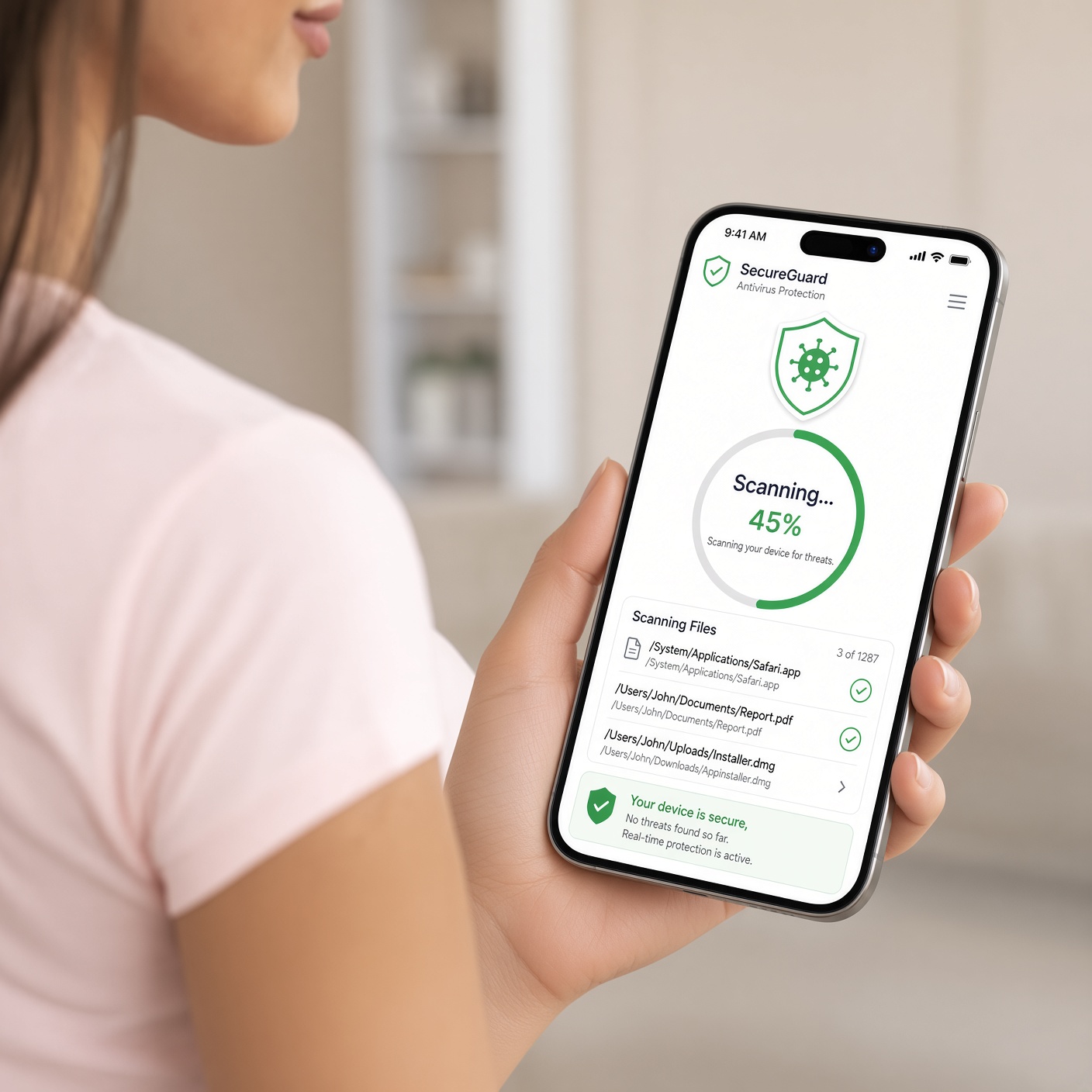
Modern smartphones and operating systems feature powerful built-in shields designed to intercept dangerous software before it can inflict damage. Knowing how to use these tools maximizes your baseline safety.
Essential Security Features to Enable
-
Google Play Protect: For Android users, ensure that Play Protect is active in your settings. It automatically scans apps during installation and continuously monitors your device for harmful background behavior.
-
Apple Lockdown Mode & Privacy Reports: iOS users can utilize built-in App Privacy Reports to see exactly how frequently applications access sensitive data like sensors and network connections.
-
Third-Party Security Suites: Installing reputable mobile security applications (such as Bitdefender, Malwarebytes, or Norton) provides an extra layer of behavioral analysis, flagging anomalies that standard store filters might miss.
Best Practices for Maintaining Long-Term Mobile and Desktop Safety
Evaluating an app before installation is only half the battle. Maintaining a secure digital environment requires ongoing hygiene habits across all your connected devices.
-
Keep Your Operating System Updated: Software updates patch critical security vulnerabilities that hackers actively exploit. Turn on automatic system updates.
-
Audit Your App Library Regularly: Go through your device settings every few months and completely delete applications you no longer use. Dormant apps can still collect background data or become vectors for security breaches if left unmonitored.
-
Monitor Network and Battery Usage: If you notice your device running unusually hot, draining battery at an accelerated rate, or consuming unexpected cellular data shortly after installing a new utility, uninstall it immediately.
By adopting these critical evaluation habits, you transform yourself from a vulnerable target into an empowered digital consumer capable of navigating the modern app ecosystem safely and securely.