What Is SIM Swapping and How Can You Prevent It?
Understand what SIM swapping is and why it has become a growing cybersecurity threat
In an era where our smartphones act as the master keys to our digital lives, the threat of SIM swapping—also known as SIM hijacking or port-out scams—has become one of the most dangerous forms of identity theft. If you’ve ever wondered why your phone suddenly lost signal, or why you’re suddenly locked out of your own bank or social media accounts, you might have been a target of this sophisticated cyberattack.
This comprehensive guide will break down exactly what SIM swapping is, how hackers exploit your identity, and, most importantly, the proactive steps you can take to harden your digital perimeter against these attacks.
What Is a SIM Swap Attack?
At its core, a SIM swap attack is a form of identity theft that targets the relationship between you and your mobile service provider. Every smartphone relies on a Subscriber Identity Module (SIM) card to connect to a cellular network. This card tells the network that your specific phone number belongs to your device.
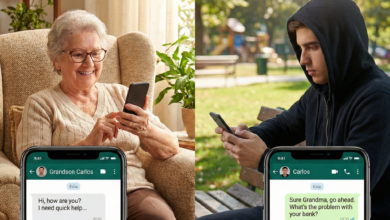
During a SIM swap, a malicious actor convinces your mobile carrier that they are you. They may claim that they lost their phone or that they have purchased a new device and need to transfer your existing phone number to a new SIM card. If the carrier’s customer service representative fails to properly verify the request, they may authorize the transfer.
Once the swap is successful, your SIM card is instantly deactivated. The attacker now receives all your calls, text messages, and one-time verification codes (OTPs) directly on their device. From that moment on, they effectively “become” you in the eyes of any service linked to your phone number.
Why Do Hackers Use SIM Swapping?
The primary motivation behind most SIM swap attacks is account takeover. Because so many services—banks, email providers, cryptocurrency exchanges, and social media platforms—rely on SMS-based two-factor authentication (2FA) for security, your phone number has become the “weakest link” in your security chain.
When a hacker controls your phone number, they can:
-
Bypass Two-Factor Authentication: If you use SMS for 2FA, the hacker can simply request a password reset for your bank or email and receive the verification code on their phone.
-
Gain Total Account Control: Once they have access to your email, they can reset passwords for virtually every other service you use, locking you out permanently.
-
Drain Financial Assets: This is particularly common in cryptocurrency circles, where hackers use SIM swaps to bypass security on exchanges and transfer funds to untraceable wallets.
-
Commit Identity Theft: With access to your personal information and communication history, attackers can escalate their fraud, opening new credit lines or impersonating you to your contacts.
How Do Hackers Gather Your Information?
SIM swappers rarely act randomly. They are often calculated, gathering personal data to impersonate you during the “social engineering” phase of the attack. They collect data from:
-
Social Media: Public posts about your birthday, family names, pets, or travel history provide the answers to common “security questions.”
-
Data Breaches: Your information may have been leaked in past corporate data breaches and sold on the dark web.
-
Phishing Emails/SMS: Attackers send fraudulent messages pretending to be your bank or mobile carrier, tricking you into revealing your PIN, account number, or Social Security number.
-
Insider Threats: In rare instances, rogue employees at mobile carrier stores may be bribed or coerced to perform unauthorized SIM swaps.
Warning Signs That You’ve Been Targeted
Time is of the essence if a SIM swap occurs. You need to be aware of the “red flags” that indicate your number has been compromised:
-
Sudden Loss of Service: If your phone shows “No Service” or “Emergency Calls Only” while others in your area have a signal, something is wrong.
-
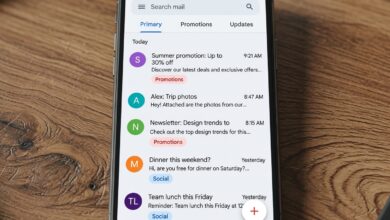
Notification of an Account Change: You receive an email or text from your carrier stating that your SIM has been activated on a new device.
-
Account Lockouts: You receive alerts regarding password resets or login attempts for your primary email, banking apps, or social media accounts that you did not initiate.
-
Strange Connectivity Issues: Your phone periodically disconnects from the network, suggesting a tug-of-war for the SIM activation.
How to Protect Yourself from SIM Swapping
Preventing a SIM swap requires a multi-layered approach to security. While you cannot control how a mobile carrier trains its employees, you can make yourself a “hard target” by following these strategies.
1. Establish a Port-Out PIN or Password
Contact your mobile service provider immediately and ask to set up a Security PIN or passcode for your account. This is a unique code that must be provided every time you want to make changes to your account—such as transferring your number. Ensure this PIN is not something easily guessable (avoid birthdays or common sequences).
2. Move Away from SMS-Based 2FA
This is the most critical step. If you receive your login codes via text message, you are vulnerable to SIM swapping.
-
Use Authenticator Apps: Switch to apps like Google Authenticator, Microsoft Authenticator, or Authy. These apps generate codes locally on your device and do not rely on your mobile phone number.
-
Utilize Hardware Security Keys: For the highest level of security, use physical FIDO2/U2F security keys (like YubiKey). These physical devices must be plugged into your computer or tapped against your phone to verify your login, making them immune to remote SIM swaps.
3. Minimize Your Digital Footprint
The more information a scammer has, the easier it is to impersonate you.
-
Clean Up Social Media: Set your profiles to private and remove sensitive information like your phone number, date of birth, and home address.
-
Avoid Publicizing Security Questions: Be wary of “challenges” on social media that ask for your mother’s maiden name, the name of your first pet, or the street you grew up on—these are common answers to account security questions.
4. Be Skeptical of Phishing Attempts
Never click on links in unsolicited emails or text messages, even if they appear to come from your carrier or bank. If you receive an urgent message about your account, do not click the link. Instead, navigate to the official website yourself or call the company using a verified phone number from the back of your credit card or your official bill.
5. Use Separate Email Addresses for Sensitive Accounts
Try to maintain a “private” email address that is not linked to your public social media profiles. Use this email exclusively for your banking, financial, and government accounts. This makes it harder for hackers to link your public persona to your financial accounts.
What to Do If You Are a Victim

If you suspect you have been a victim of a SIM swap:
-
Act Immediately: Contact your wireless carrier’s fraud department. Tell them your phone number has been hijacked and ask them to deactivate the attacker’s SIM immediately.
-
Secure Your Accounts: Once you regain control of your number, immediately change the passwords for all your high-value accounts—especially your email, which is the “gateway” to all others.
-
Check Financial Statements: Review your bank, credit card, and investment statements for any unauthorized transactions.
-
Report the Fraud: File a report with the Federal Trade Commission (FTC) at IdentityTheft.gov and consider reporting it to your local law enforcement.
-
Place a Fraud Alert: Contact one of the three major credit bureaus (Equifax, Experian, or TransUnion) to place a fraud alert on your credit file.
The Future of Mobile Security
As SIM swapping becomes more prevalent, mobile carriers and technology companies are beginning to adopt more advanced verification methods, such as biometric verification and behavioral analytics, to detect when a request is suspicious. However, the burden of security still rests heavily on the user.
By adopting phishing-resistant authentication (like hardware keys or authenticator apps) and securing your carrier account with a strong PIN, you are taking the necessary steps to defend yourself. Remember, in the digital age, security is not a one-time setup—it is a continuous practice of vigilance.