How Companies Track You Across the Internet
Learn how cookies, trackers, and digital fingerprints collect information about you
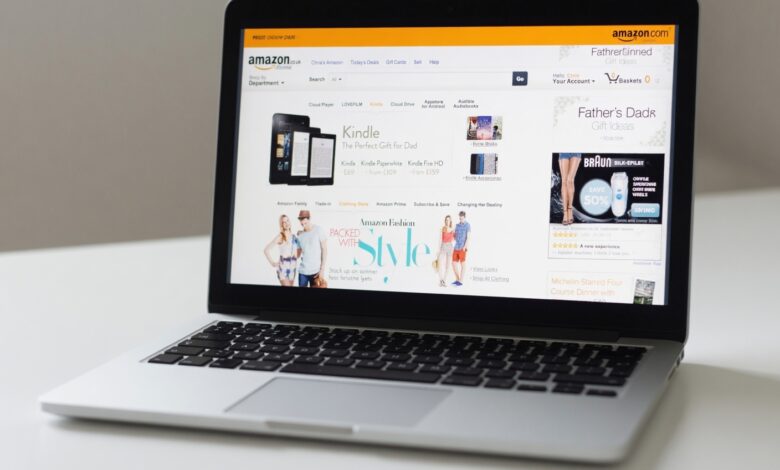
Have you ever searched for a specific product—perhaps a pair of hiking boots or a new laptop—only to find that same product “following” you around the internet for days? You see the ad on your social media feed, in your email inbox, and on unrelated news websites. It feels like a coincidence, but it is actually the result of a highly sophisticated, invisible infrastructure designed to monitor your every move.
In the modern digital economy, data is the most valuable currency. Companies don’t just want to sell you a product; they want to know who you are, where you are, what you like, and when you are most likely to buy. Understanding how this tracking works is the first step toward reclaiming your digital autonomy.
This guide breaks down the complex world of online tracking, exposing the techniques companies use to follow you across the web and providing you with the knowledge to protect your privacy.
What Is Online Tracking?

Online tracking is the process by which companies collect, store, and analyze data about your interactions with websites, apps, and digital services. While some of this tracking is benign—intended to keep you logged into your email or remember your language preferences—the vast majority is aimed at “behavioral profiling.”
The ultimate goal of this profiling is to create a digital version of you. By aggregating the sites you visit, the videos you watch, and the items you click on, advertisers can predict your future behavior with frightening accuracy. This data allows companies to show you highly personalized advertisements, a practice often referred to as targeted advertising or retargeting.
The Primary Tools of the Trade: How They See You
Companies use a variety of technologies to ensure they never lose track of you. Here are the most common methods, ranging from simple files to complex code.
1. Cookies: The Digital Breadcrumbs
Cookies are small text files that websites save to your browser. They serve two main purposes:
-
First-Party Cookies: These are generally helpful. They remember your login credentials, your shopping cart, and your layout preferences.
-
Third-Party Cookies: These are the “trackers.” They are placed by advertisers or marketing networks rather than the website you are currently visiting. Because they are hosted by the ad network, they can “follow” you from one site to another, creating a cross-site history of your browsing behavior.
2. Tracking Pixels (Web Beacons)
A tracking pixel is an invisible, one-pixel-by-one-pixel transparent image embedded in a webpage or an email. When your browser loads the page or you open the email, the image sends a request to the advertiser’s server. This request reveals your IP address, the type of device you are using, the time you accessed the content, and even your approximate location.
3. Browser Fingerprinting: The Unique Identifier
This is one of the most advanced and intrusive methods. Unlike cookies, which you can easily delete, fingerprinting uses the unique configuration of your browser and device. Websites analyze factors like your screen resolution, installed fonts, time zone, battery status, and browser plugins.
Even if you clear your cookies or use a VPN, your “fingerprint”—the combination of these settings—often remains unique enough that companies can reliably identify you among millions of other users.
4. IP Address Tracking
Every device connected to the internet is assigned a unique IP address. Advertisers use this to determine your geographical location and to link different devices—like your phone and your laptop—to the same household or user.
Why Is This Data Collected?
You might wonder why a website cares if you looked at a pair of sneakers. The answer lies in the Digital Advertising Pipeline.
-
Analytics and Optimization: Website owners use tracking to understand which pages are performing best and where visitors are dropping off. This helps them improve their design.
-
Personalization: To make your experience “more relevant,” companies use your history to recommend products you are likely to enjoy.
-
Programmatic Advertising: This is the real “engine” of the web. It is an automated system where ad space is bought and sold in milliseconds. The more a company knows about you, the more valuable your attention is to them, and the more they will pay to show you an ad.
-
Frequency Capping: Advertisers don’t want to show you the same ad 50 times a day—it wastes money and annoys you. Tracking allows them to limit how often you see a specific message.
Are You Being Tracked Right Now?
The short answer is yes. If you are browsing the internet without specific privacy tools, you are almost certainly being tracked by various advertising networks and data-collection services.
Social media platforms are particularly pervasive. If you are logged into a social network, they can track your activity on third-party websites that feature “Like,” “Share,” or “Login with…” buttons, even if you never actually click those buttons.
Proactive Steps to Reclaim Your Privacy
You do not need to abandon the internet to protect yourself. You can significantly reduce the amount of data you leak by adopting a few “cyber hygiene” habits.
1. Use Privacy-Focused Browsers
Standard browsers are often optimized for data collection. Consider switching to browsers like Firefox (with its “Enhanced Tracking Protection” enabled) or Brave, which has built-in ad and tracker blocking. These tools are designed to stop third-party trackers by default.
2. Install Tracker Blockers
Extensions like uBlock Origin or Privacy Badger are essential. These tools operate at the browser level to detect and “kill” tracking scripts before they can ever load, effectively preventing the breadcrumb trail from being created.
3. Clear Cookies and History Regularly
While it won’t stop fingerprinting, clearing your cookies and browsing history regularly prevents long-term tracking files from building up on your device. Most browsers now have an “Auto-Clear” setting for when you close your windows.
4. Use a VPN
A Virtual Private Network (VPN) masks your IP address, making it difficult for websites to track your location or associate your browsing activity with your home network. While a VPN won’t stop cookie-based tracking, it is a crucial layer in your overall privacy defense.
5. Adjust Your Smartphone Settings
On both iOS and Android, you can go into your privacy settings and “Reset Advertising ID” or choose to “Opt-out of Personalized Ads.” This stops the operating system from sharing your behavioral data with ad networks.
The Future of Privacy: Is the “Cookieless” Web Coming?

The landscape is shifting. Due to increasing pressure from regulators and privacy-conscious users, companies like Google and Apple are moving away from third-party cookies. However, this has led to the development of new, often more complex, tracking methods that use “first-party data” and AI to predict your interests without needing to follow you across every site.
Privacy is a moving target. The companies that want your data are constantly inventing new ways to capture it. By staying informed and using the tools available to you, you can significantly tip the scales in your favor.
Take Back Your Data
Online tracking is a reality of the modern web, but it is not a reality you have to accept without a fight. By understanding the tools they use—cookies, pixels, and fingerprinting—and implementing simple technical safeguards, you can browse the internet with more freedom and less surveillance.
Remember: Your data is your property. Every tracker you block and every privacy setting you adjust is a step toward a safer, more private digital life. Start today by reviewing your browser’s security settings and installing a reputable tracker blocker. Your future self will thank you for the extra peace of mind.