What Is a VPN and Should You Use One?
Learn how VPNs protect your privacy and online activity
In the modern digital landscape of 2026, our lives are lived almost entirely online. From the moment we check our phones in the morning to the final scroll through social media at night, we leave behind a massive, invisible trail of data. Every website we visit, every product we buy, and every message we send is part of a digital footprint that is being tracked, logged, and often sold to the highest bidder.
As our reliance on the internet grows, so does the sophistication of those who want to monitor it—be they hackers, internet service providers (ISPs), or even government agencies. This is where the VPN comes in. Once a niche tool for corporate employees to access office networks, the Virtual Private Network has become a household name and an essential piece of the cybersecurity puzzle.
But what exactly is a VPN? Is it a magic shield that makes you invisible, or is it just another subscription service you don’t really need? In this comprehensive guide, we will break down the mechanics of VPN technology, explore its multifaceted benefits, debunk common myths, and help you decide if a VPN is the right choice for your digital lifestyle.
Understanding the Basics: What Is a Virtual Private Network (VPN)?

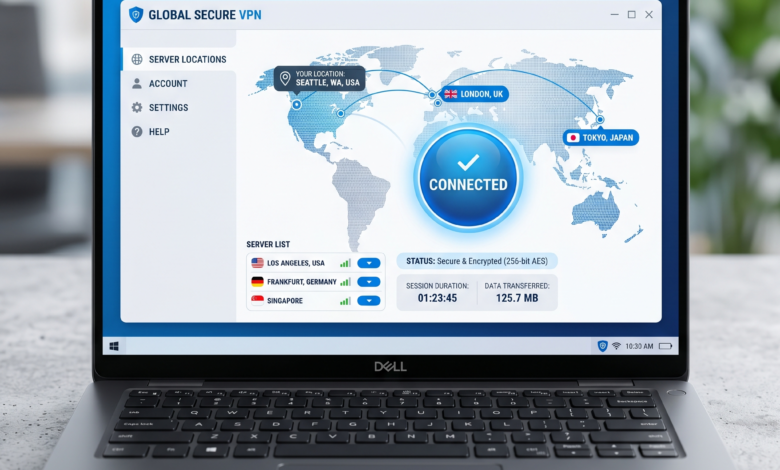
At its most fundamental level, a Virtual Private Network (VPN) is a service that creates a secure, encrypted “tunnel” between your device (computer, smartphone, or tablet) and the internet.
To understand this, imagine your normal internet connection is like sending a postcard through the mail. Anyone who handles that postcard—the mail carrier, the sorting facility, or even a curious neighbor—can see who it’s from, where it’s going, and exactly what is written on the back. This is how a standard, unencrypted connection works; your ISP and the websites you visit can see your IP address (your digital home address) and the data you are transmitting.
Now, imagine putting that postcard inside a reinforced, opaque envelope, which is then placed inside a locked armored truck that travels through a private tunnel directly to its destination. That is what a VPN does. It wraps your data in a layer of encryption and routes it through a private server, hiding your true IP address and making your data unreadable to anyone trying to intercept it.
The Three Pillars of a VPN
-
Encryption: Your data is scrambled into a code that can only be decrypted by your device and the VPN server.
-
Tunneling: Your data is “encapsulated” in a private protocol, separating it from the rest of the public internet traffic.
-
Masking: Your real IP address is replaced with the IP address of the VPN server, making it appear as though you are browsing from a different location.
How Does a VPN Work? The Technical Journey of Your Data
To truly appreciate the value of a VPN, we need to look at the “journey” your data takes when you click a link.
1. The VPN Client Connection
When you turn on your VPN app (the “client”), it establishes a connection with a server owned by the VPN provider. You can usually choose the location of this server—for example, you could be in New York but choose a server in London.
2. Encryption at the Source
Before any data leaves your device, the VPN software encrypts it. Even if a hacker on your local Wi-Fi network manages to intercept this data, they will only see a jumble of random characters.
3. The Encrypted Tunnel
The encrypted data travels to the VPN server. During this trip, your Internet Service Provider (ISP) can see that you are connected to a VPN, but they cannot see what you are doing, which websites you are visiting, or what data you are sending.
4. Decryption and Delivery
Once the data reaches the VPN server, it is decrypted and sent to the final destination (like a website or a streaming service). To that website, the request looks like it came from the VPN server’s IP address, not yours.
5. The Return Trip
The website sends data back to the VPN server, which then encrypts it again and sends it back to you through the secure tunnel. Your VPN client on your device finally decrypts it so you can see the content.
The Top Reasons Why Online Privacy Depends on a VPN in 2026
Why are millions of people paying for VPN subscriptions? In 2026, the reasons have expanded beyond simple security.
A. Securing Public Wi-Fi Networks
Public Wi-Fi—in coffee shops, airports, and hotels—is notoriously insecure. Hackers often set up “Evil Twin” hotspots with names like “Free Airport Wi-Fi” to trick people into connecting. Once connected, the hacker can perform a Man-in-the-Middle (MitM) attack, seeing everything you do on your device. A VPN is non-negotiable if you ever use Wi-Fi outside of your home.
B. Preventing ISP Tracking and Data Throttling
In many countries, ISPs are legally allowed to track your browsing history and sell that data to advertisers. Furthermore, ISPs sometimes engage in “throttling”—intentionally slowing down your connection when they detect you are using a lot of bandwidth, such as for streaming 4K video or gaming. Since a VPN hides your activity, the ISP cannot see what you are doing and is less likely to throttle your specific traffic.
C. Bypassing Geo-Restrictions and Censorship
Ever tried to watch a show on Netflix only to find it’s “not available in your region”? Or perhaps you’ve traveled to a country where social media sites like X (Twitter) or Facebook are blocked? A VPN allows you to “spoof” your location. By connecting to a server in a different country, you can access the global internet as if you were physically there.
D. Safe Remote Working
As the “work from home” culture has become permanent in 2026, VPNs are the backbone of corporate security. They allow employees to access sensitive company files and internal systems without exposing those systems to the open, public internet.
VPN Myths Debunked: What a VPN Can and Cannot Do
Because VPNs are often marketed as “all-in-one” security solutions, many users have misconceptions about their capabilities. Let’s set the record straight.
Myth 1: “A VPN Makes Me 100% Anonymous”
False. A VPN provides privacy, not total anonymity. Your VPN provider can still see your activity (unless they have a strict “no-logs” policy). Furthermore, if you log into your Facebook or Google account while using a VPN, those companies still know who you are. A VPN hides you from the “plumbing” of the internet, but it doesn’t stop you from identifying yourself to the “apps” you use.
Myth 2: “VPNs Are Only for People Doing Illegal Things”
False. This is a common talking point for those who want to limit digital privacy. VPNs are for anyone who values their personal data. Banking, shopping, and private conversations are all things that a “normal” person wants to keep secure. Using a VPN is no more suspicious than putting curtains on your windows at night.
Myth 3: “A VPN Will Make My Internet Much Slower”
Partially False. While the process of encryption and routing through an extra server does add some overhead, top-tier VPNs in 2026 use protocols like WireGuard that make the speed difference virtually unnoticeable. In some cases, if your ISP was throttling your connection, a VPN can actually make your internet faster.
Myth 4: “I Have HTTPS, So I Don’t Need a VPN”
False. HTTPS (the padlock in your browser) encrypts the data between you and a specific website. However, it does not hide the fact that you are visiting that website. Your ISP still knows you are on health-info.com or bank-site.com. A VPN hides the destination as well as the data.
Choosing the Right VPN: Essential Features to Look For
Not all VPNs are created equal. In 2026, the market is flooded with options. To ensure you are getting real protection, look for these features:
1. Strict No-Logs Policy
This is the most important feature. A VPN provider should state explicitly that they do not store any records of your browsing history, IP addresses, or connection timestamps. Ideally, this policy should be independently audited by a third-party security firm.
2. A Kill Switch
If your VPN connection drops for even a second, your device will revert to its normal, unencrypted connection. A Kill Switch automatically cuts your internet connection entirely if the VPN fails, preventing accidental data leaks.
3. High-Speed Protocols (WireGuard)
In the past, OpenVPN was the standard. Today, WireGuard is the preferred protocol. it is faster, more secure, and much more efficient on mobile device batteries.
4. Strong Encryption Standards
Ensure the provider uses AES-256 bit encryption. This is the same standard used by governments and banks worldwide.
5. Large Server Network
The more servers a VPN has, the less likely they are to be overcrowded. Having servers in dozens of countries also gives you more options for bypassing geo-blocks.
The “Free VPN” Warning: Why You Should Be Careful
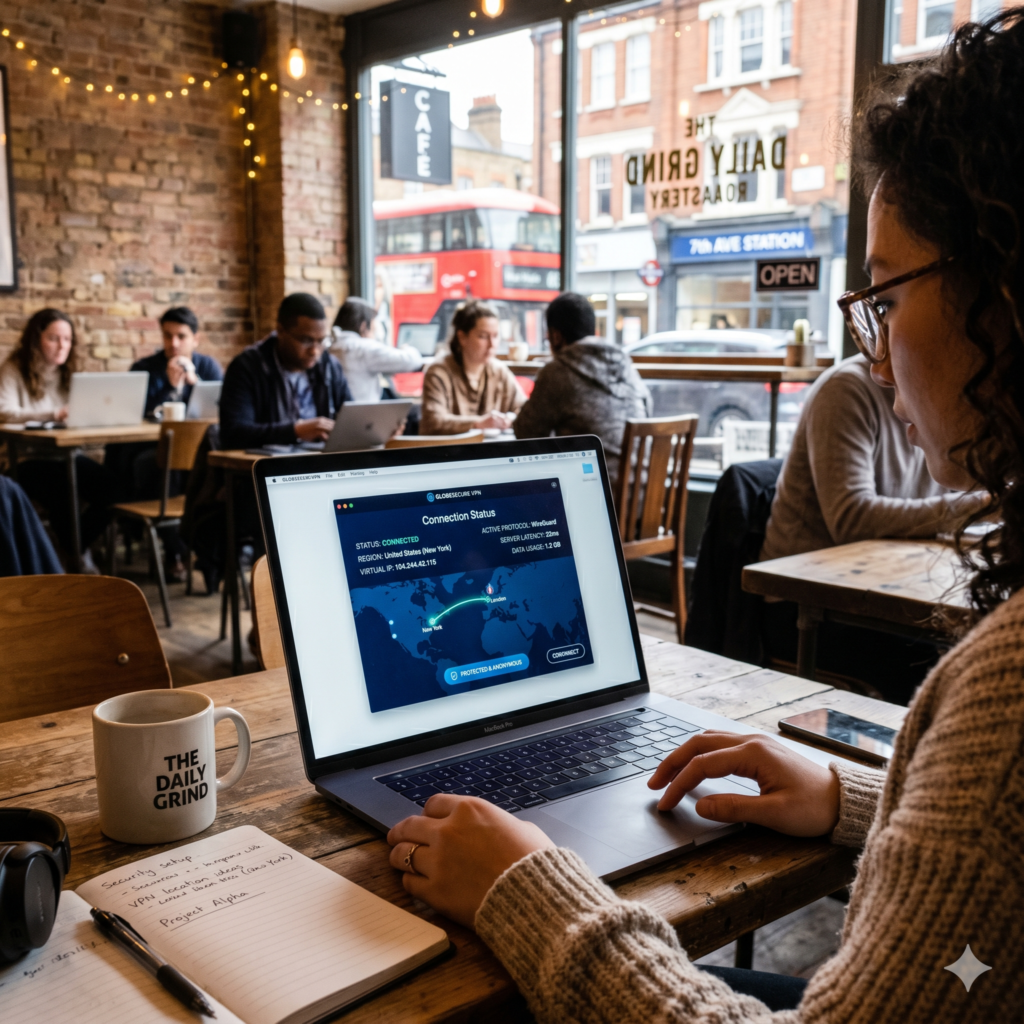
It is tempting to download a “Free VPN” from an app store. However, running a global network of high-speed servers is incredibly expensive. If you aren’t paying for the product with money, you are likely the product.
The Risks of Free VPNs:
-
Data Logging: Many free VPNs have been caught selling user browsing data to advertisers to fund their operations.
-
Malware: Some free VPN apps contain tracking scripts or even malware designed to steal information.
-
Slow Speeds and Data Caps: To push you toward their paid plans, free versions often limit your speed and how much data you can use.
-
Weak Encryption: Many free services use outdated protocols that can be easily cracked by modern hacking tools.
If you are serious about your privacy, a reputable paid VPN (usually costing between $3 and $10 a month) is a worthwhile investment.
VPNs for Specific Use Cases: Gaming, Streaming, and Travel
Different users have different needs. Let’s look at how a VPN serves specific groups in 2026.
For Gamers
-
DDoS Protection: Competitive gamers are sometimes targeted by “Distributed Denial of Service” attacks to kick them out of a match. A VPN hides your IP, making it impossible for someone to target your home network directly.
-
Accessing Regional Games: Some games or “betas” are released in specific regions first. A VPN lets you jump the queue.
-
Reducing Lag: Sometimes, a VPN can provide a more direct route to a game’s server than your ISP’s standard routing.
For International Travelers
When you travel, your banking apps might flag your account as “suspicious” if they see you logging in from a foreign country. By using a VPN and connecting to a server in your home country, you maintain a consistent digital identity and avoid being locked out of your accounts.
For the “Streaming Enthusiast”
Streaming services have become increasingly aggressive at blocking VPNs. Top-tier providers constantly rotate their IP addresses to stay ahead of these blocks, allowing you to access the full global library of content on platforms like Netflix, Hulu, and BBC iPlayer.
Technical Deep Dive: VPN Protocols Explained (WireGuard vs. OpenVPN)
For those who want to understand the engine under the hood, the “Protocol” is the set of rules that governs how the encrypted tunnel is built.
WireGuard
-
Pros: Extremely fast, modern code (only 4,000 lines vs. OpenVPN’s 100,000), great for mobile.
-
Cons: Newer, so some older hardware might not support it perfectly.
OpenVPN
-
Pros: Highly configurable, battle-tested for over 20 years, excellent at bypassing tough firewalls.
-
Cons: Can be slow on high-latency connections and uses more battery on smartphones.
IKEv2
-
Pros: Excellent at “reconnecting” when you switch from Wi-Fi to cellular data.
-
Cons: Harder to set up manually and can be blocked by some firewalls.
The Legal and Ethical Side: Are VPNs Legal?
In the vast majority of the world—including the United States, United Kingdom, and Canada—using a VPN is 100% legal. They are essential tools for business and personal privacy.
However, it is important to remember that a VPN does not grant you immunity from the law. Doing something illegal while using a VPN (such as downloading copyrighted material or engaging in cybercrime) is still illegal.
Countries with VPN Restrictions
In some countries with strict censorship (like China, Russia, Iran, and North Korea), the use of non-government-approved VPNs is restricted or banned. If you are traveling to these regions, it is vital to research the local laws and download your VPN software before you arrive.
Summary: Should You Use a VPN?
To help you decide, let’s look at a simple comparison.
You SHOULD use a VPN if:
-
You frequently use public Wi-Fi (coffee shops, hotels).
-
You want to hide your browsing history from your ISP.
-
You want to access streaming content from other countries.
-
You live in or travel to a country with internet censorship.
-
You are a gamer who wants protection against DDoS attacks.
You might NOT need a VPN if:
-
You only ever use the internet on your trusted home network.
-
You don’t mind that your ISP knows which websites you visit.
-
You only visit major, secure sites and have no interest in geo-restricted content.
How to Set Up Your First VPN: A Step-by-Step Guide
Getting started is easier than it sounds.
-
Choose a Reputable Provider: Look for top-rated names with audited no-logs policies.
-
Sign Up for a Plan: Most providers offer significant discounts if you pay for a year upfront.
-
Download the App: Install the client on your PC, Mac, iPhone, or Android device.
-
Login and Connect: Open the app, enter your credentials, and click “Connect.”
-
Test for Leaks: Go to a site like
dnsleaktest.com. If the location shown matches the VPN server you chose (and not your real home), you are secure!
Reclaiming Your Digital Freedom

In the digital world of 2026, privacy is no longer a given—it is something we must actively choose to protect. A VPN is one of the most effective, accessible, and affordable ways to take back control of your personal data.
By encrypting your connection and masking your location, a VPN turns your public internet journey into a private, secure experience. Whether you are protecting yourself from hackers on a public network, bypassing a geo-block to watch your favorite show, or simply ensuring your ISP isn’t selling your data, a VPN provides peace of mind in an increasingly connected world.
Invest in your privacy today. In the long run, the security and freedom provided by a Virtual Private Network are worth every cent.
Virtual Private Network (VPN) FAQ
Q: Does a VPN protect me from viruses?
A: No. A VPN encrypts your connection, but it doesn’t scan files for malware. You still need a dedicated antivirus program for that.
Q: Can I use a VPN on my Smart TV?
A: Yes. Many modern Smart TVs (like those using Android TV) allow you to download VPN apps directly. For others, you can install the VPN on your router to protect every device in your home.
Q: Will a VPN drain my phone battery?
A: Slightly. Running any background app uses some power, and the encryption process takes a bit of CPU. However, with the WireGuard protocol, the impact on your battery is minimal.
Q: Does a VPN hide my search history from Google?
A: Only if you aren’t logged into your Google account. If you are logged in, Google tracks your searches to your profile, regardless of your IP address. To be truly private, use a VPN in combination with an anonymous search engine like DuckDuckGo.