5 Best Antivirus Apps vs. Windows Defender: Which Is Better?
Compare five popular antivirus apps with Windows Defender to understand their features, protection, and limitations

When you boot up a new Windows 11 or Windows 10 computer, a powerful security guardian is already working behind the scenes: Windows Defender (officially known as Microsoft Defender Antivirus). Because it comes pre-installed, completely free, and requires no active setup, millions of users wonder whether they even need to look at third-party options.
At the same time, the digital threat landscape is evolving rapidly. Modern cybercriminals deploy sophisticated ransomware, zero-day exploits, advanced phishing campaigns, and data-stealing trackers that demand multi-layered defenses. Is the built-in Microsoft Defender enough to keep your digital life safe, or do top-tier commercial suites like Norton, Bitdefender, Avast, McAfee, and ESET still hold a decisive edge?
In this comprehensive guide, we compare the 5 Best Antivirus Apps vs. Windows Defender to help you make an informed decision for your PC, your family, and your peace of mind.
Windows Defender: Features, Strengths, and Blind Spots

To evaluate how third-party applications stack up, we first need to understand what Microsoft Defender brings to the table. Historically dismissed as a basic baseline tool, Microsoft has heavily upgraded Defender into a robust security suite.
Core Capabilities of Microsoft Defender
- Real-Time Protection: Continuously monitors file systems, registry keys, and memory for suspicious behaviors or known malware signatures.
- SmartScreen Integration: Blocks malicious downloads and warns you when navigating to known phishing websites across web browsers.
- Core Isolation and Memory Integrity: Advanced Windows 11 hardware-backed features that prevent malicious code from injecting itself into core system processes.
- Ransomware Protection (Controlled Folder Access): Allows you to lock down specific folders (like Documents and Pictures) so unauthorized apps cannot modify or encrypt your files.
Where Windows Defender Falls Short
While Defender regularly scores top marks in independent lab tests for malware detection, it has notable limitations compared to paid competitors:
- Zero Ecosystem Extras: Defender is strictly an antivirus and firewall tool. It does not include a secure Virtual Private Network (VPN) for public Wi-Fi, a password manager, identity theft monitoring, or automated cloud backups.
- Basic Parental Controls: While Microsoft offers family safety tools via online Microsoft accounts, they lack the granular device-level monitoring found in commercial security packages.
- Limited Cross-Platform Value: Defender protects Windows ecosystems brilliantly, but offers minimal help if you need centralized security management for macOS, Android, or iOS devices.
1. Norton 360: Best Overall Antivirus Suite for Windows

Why Norton Stands Out
Norton 360 has long been a gold standard in the cybersecurity industry. It consistently captures top awards from independent testing laboratories like AV-Test and AV-Comparatives by combining near-flawless malware detection with an exceptionally feature-rich ecosystem.
Key Features Beyond Basic Antivirus
- Secure VPN: Built-in unlimited VPN traffic encrypts your connection when browsing on unsecured public coffee shop or airport Wi-Fi networks.
- Smart Cloud Backup: Generates automated cloud storage backups (up to 50 GB or more depending on your tier) to safeguard critical family photos and financial documents against catastrophic ransomware lockouts.
- Dark Web Monitoring: Scans underground forums and data breach lists to alert you immediately if your email address, passwords, or Social Security number have been leaked.
- Intelligent Firewall & AI Scam Defense: Advanced protection layers that analyze network traffic patterns and flag newly emerging AI-generated phishing links.
Windows Defender vs. Norton 360
While Windows Defender secures your operating system for free, Norton provides an all-in-one privacy and identity safety net. If you want protection that extends far beyond simple virus removal—covering your digital identity, passwords, and private web traffic—Norton justifies its subscription cost.
2. Bitdefender Total Security: Best for Performance and Lightweight Protection

Why Bitdefender Stands Out
Bitdefender is celebrated among tech enthusiasts and performance-conscious users for its near-zero system impact. It runs silently in the background, utilizing cloud-based threat intelligence to detect malicious payloads without dragging down your processor or memory during heavy gaming or video rendering sessions.
Key Features Beyond Basic Antivirus
- Advanced Multi-Layered Ransomware Remediation: Automatically detects ransomware encryption attempts and instantly creates backups of targeted files so they can be restored without paying a ransom.
- Safepay Isolated Browser: Opens a secure, sandboxed browser window specifically designed for online banking and shopping, blocking keyloggers and screen-grabbers.
- Vulnerability Assessment: Scans your system for outdated software, missing Windows patches, and weak Windows account passwords.
- Autopilot Mode: Makes intelligent security decisions automatically based on your computing habits, sparing you from annoying pop-up alerts while you work or play.
Windows Defender vs. Bitdefender Total Security
Bitdefender matches Windows Defender’s commitment to speed but offers significantly superior behavioral analytics, multi-layered ransomware rollback, and hardened banking tools. It is the ideal upgrade for older or mid-range PCs where performance preservation is critical.
3. Avast One: Best Free Third-Party Antivirus Alternative
Why Avast One Stands Out
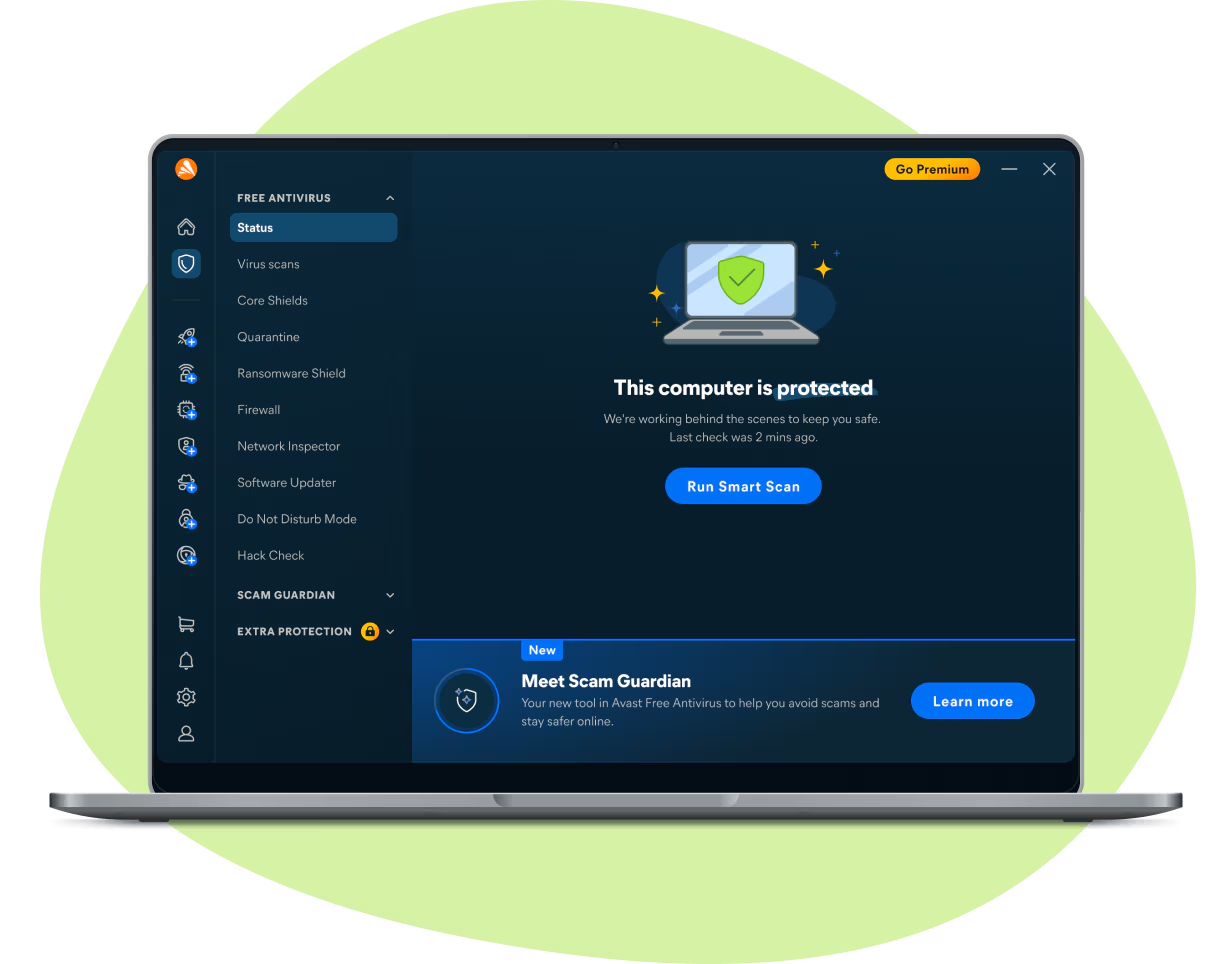
If you want enhanced protection or features that Windows Defender lacks but refuse to pay an annual subscription, Avast One stands out as a leading free alternative. Its modern interface makes system maintenance and threat scanning straightforward for absolute beginners.
Key Features Beyond Basic Antivirus
- Free Ransomware Shield: Protects user folders against unauthorized encryption attempts right out of the box.
- Built-in Device Cleanup Tools: Identifies junk files, browser cache clutter, and obsolete registry items to help speed up sluggish computers.
- Wi-Fi Inspector: Scans your home network routers for weak passwords, unauthorized connected devices, and potential gateway vulnerabilities.
- Do Not Disturb / Game Mode: Automatically silences pop-up notifications and postpones scheduled scans whenever you launch full-screen games or media streaming apps.
Windows Defender vs. Avast One
Windows Defender is completely native and ad-free, whereas free third-party solutions like Avast include upsell prompts encouraging upgrades to their paid suites. However, Avast One offers a more intuitive central dashboard, integrated system cleanup utilities, and flexible tools that appeal to budget-conscious users.
4. McAfee+: Best for Large Households and Multi-Device Coverage
Why McAfee Stands Out
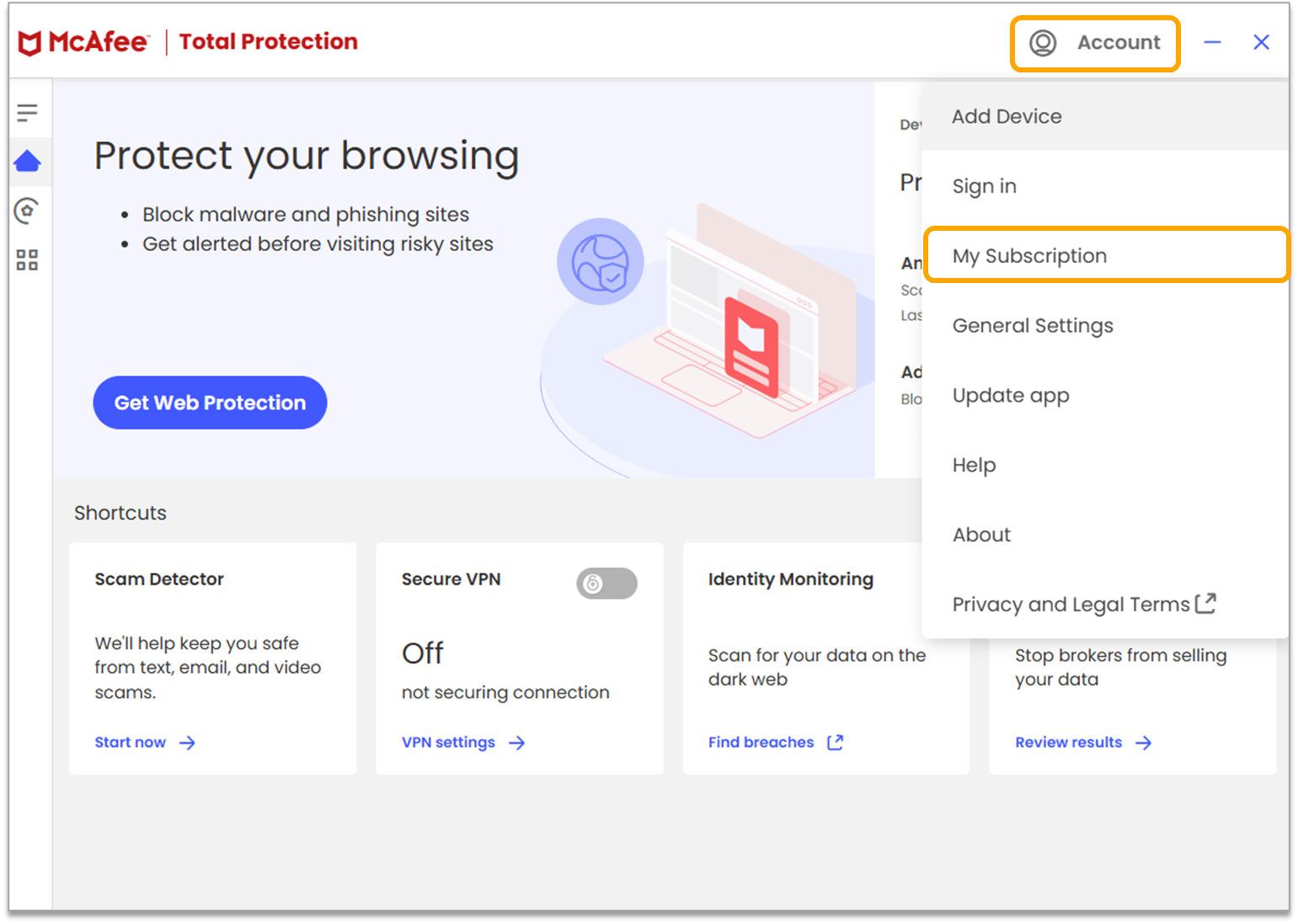
In modern households, a single user rarely owns just one computer. Families juggle Windows laptops, MacBooks, Android tablets, and iPhones. McAfee+ addresses this multi-device reality by offering unlimited device protection plans under a single straightforward subscription.
Key Features Beyond Basic Antivirus
- Unlimited Device Licensing: Protects every PC, Mac, smartphone, and tablet in your household simultaneously.
- Data Broker Cleanup: Scans legal data broker lists that buy and sell your personal home address, phone number, and email, helping you request data removal.
- Scam Protection & Text Shield: Automatically analyzes incoming text messages and email links on mobile devices to block smishing (SMS phishing) scams.
- Personalized Security Score: Evaluates your overall digital hygiene and provides step-by-step guidance on how to strengthen your online privacy.
Windows Defender vs. McAfee+
Windows Defender protects only the Windows device it is installed on. If you manage a family network with diverse operating systems and require dedicated anti-scam, identity monitoring, and unlimited device coverage, McAfee+ provides comprehensive protection that Defender cannot replicate.
5. ESET Security Ultimate: Best for Tech-Savvy Users and Advanced Defense

Why ESET Stands Out
ESET has built a legendary reputation among IT professionals and advanced power users. Known for its microscopic system footprint and lightning-fast scanning engines, ESET focuses heavily on proactive defense against sophisticated cyber threats rather than relying solely on reactive signature databases.
Key Features Beyond Basic Antivirus
- Host-Based Intrusion Prevention System (HIPS): Allows advanced users to customize deep rules for system behavior, registry modifications, and process execution.
- Advanced Exploit Blocker: Specifically engineered to intercept targeted attacks, ransomware exploits, and zero-day vulnerabilities in web browsers, PDF readers, and office software before they execute.
- Comprehensive Device Control: Restricts unauthorized USB drives, external hard drives, Bluetooth peripherals, and optical media from connecting to your workstation.
- SysInspector Diagnostic Utility: Generates deep diagnostic reports detailing running processes, network connections, and startup items for deep troubleshooting.
Windows Defender vs. ESET Security Ultimate
Windows Defender prioritizes set-and-forget simplicity for everyday consumers. ESET, on the other hand, gives power users granular control over their operating environment, offering superior protection against sophisticated targeted intrusions and malicious hardware.
Head-to-Head Comparison Matrix
To summarize how these top contenders stack up against Microsoft Defender across key performance indicators, review the comparison table below:
| Security Solution | Cost Structure | AV-Test Score | System Impact | Standout Extra Features | Best Suited For |
|---|---|---|---|---|---|
| Microsoft Defender | Free (Built-in) | 17.5 / 18 | Very Light | SmartScreen, Core Isolation | Minimalist users with cautious browsing habits |
| Norton 360 | Paid Subscription | 18 / 18 | Moderate | VPN, Cloud Backup, Dark Web Monitoring | Comprehensive privacy & identity protection |
| Bitdefender Total Security | Paid Subscription | 18 / 18 | Extremely Light | Safepay Browser, Ransomware Rollback | Older PCs & performance-focused gamers |
| Avast One | Free & Paid Tiers | 18 / 18 | Light | Wi-Fi Inspector, PC Cleanup Tools | Budget-conscious users wanting free extras |
| McAfee+ | Paid Subscription | 18 / 18 | Light | Unlimited Devices, Data Broker Cleanup | Multi-device family households |
| ESET Security Ultimate | Paid Subscription | 18 / 18 | Extremely Light | HIPS, Advanced Exploit Blocker | Tech-savvy users & advanced power users |
Which One Should You Choose?
Deciding between Windows Defender and a third-party antivirus application ultimately depends on your online habits, your technical expertise, and what you store on your computer:
- Stick with Windows Defender if: You practice excellent cyber hygiene (never clicking unknown links or downloading cracked software), keep your operating system updated regularly, back up your critical files to external drives or cloud storage independently, and only use a single Windows PC.
- Upgrade to a Paid Third-Party Suite if: You share your computer with children, handle sensitive financial transactions regularly, require cross-platform protection across phones and laptops, or want the peace of mind that comes with automated cloud backups, secure VPNs, and identity theft monitoring.
By matching your security choice to your daily digital lifestyle, you can browse the internet with absolute confidence knowing your data is shielded against emerging cyber threats.