What App Permissions Should You Never Ignore?
Learn which app permissions deserve your attention before tapping "Allow"
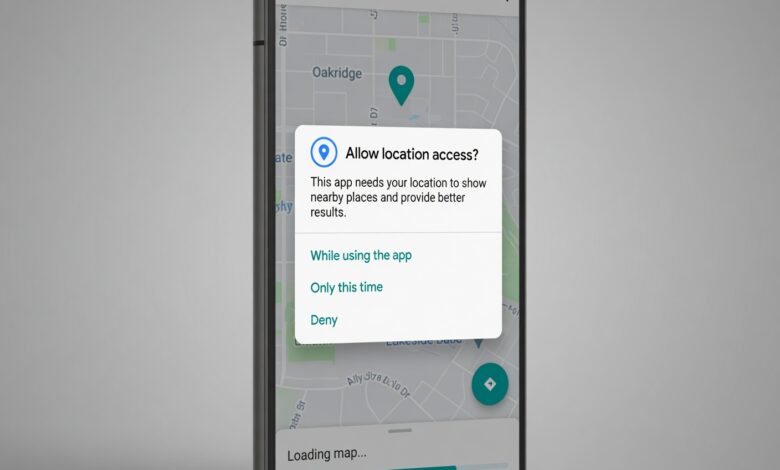
Every day, we download apps that promise to make our lives easier, more organized, or more entertaining. But during the installation process, a familiar screen pops up asking for permission to access different parts of your device. Most people tap “Allow” without a second thought just to get the app running.
This simple tap can be a major security mistake.
Mobile applications are no longer just software; they are powerful gateways to your personal life. They hold the keys to your financial data, your physical whereabouts, your private conversations, and your memories. Ignoring what these apps request can expose you to identity theft, financial fraud, intrusive corporate tracking, and stalkerware.
If you want to protect your digital life, you need to understand which access requests require absolute caution. This comprehensive guide covers the high-risk mobile app permissions you should never ignore, how to identify sneaky data traps, and step-by-step methods to reclaim your privacy today.
Why App Permissions Are the New Battleground for Personal Cybersecurity
In the early days of smartphones, apps operated with relatively broad freedom. Today, both Android and iOS have built robust security sandboxes. This means an application cannot look at your photos, listen to your microphone, or track your location unless you explicitly give it permission to do so.
Unfortunately, cybercriminals and aggressive advertising networks have adapted. Instead of trying to bypass the phone’s security systems, they simply trick you into handing over the keys voluntarily.
The Golden Rule of Privacy: If an application requests access to a feature that has absolutely nothing to do with its core function—like a simple calculator app demanding access to your contacts or location—deny it immediately.
When you grant unnecessary access, your data rarely stays on your device. It is frequently uploaded to external servers, compiled into advertising profiles, or leaked in corporate data breaches. In the worst-case scenarios, malicious apps use these privileges to steal two-factor authentication (2FA) codes directly from your screen or drain your banking accounts.
1. Accessibility Services: The Highest Risk Mobile Privilege You Can Grant
If there is one permission that requires extreme caution, it is Accessibility Services (often labeled as “Accessibility” or “Installed Services” in your settings).
What It Is Designed For
This feature was created by operating system developers to help individuals with physical limitations, visual impairments, or hearing difficulties. It allows legitimate tools to read text aloud, translate screen content, or automate touches to make the device easier to navigate.
Why It Is Highly Dangerous
To help users with disabilities, the Accessibility API must have total visibility over the operating system. When you grant this access to an app, you are giving it permission to:
-
Read absolutely everything displayed on your screen, including encrypted WhatsApp messages, passwords as you type them, and bank account balances.
-
Track every keystroke you make (functioning as a keylogger).
-
Click buttons, approve financial transactions, or modify system settings silently in the background without your consent.
The Security Threat
Malicious developers love this feature. Many modern mobile banking Trojans are wrapper applications designed specifically to trick users into enabling Accessibility Services. Once activated, the malware can intercept your temporary one-time SMS passwords, log into your banking app, and transfer funds while you are asleep. Google and Apple regularly update their operating systems to block apps that abuse this feature, but bad actors constantly find creative ways to bypass these checks.
2. Location Tracking: The Invisible Eye Monitoring Your Daily Movements
We live in a world where spatial data is incredibly valuable. Advertisers, data brokers, and tech giants want to know exactly where you live, where you work, where you shop, and who you spend time with.
What It Is Designed For
Location permissions allow maps, ride-sharing applications, and food delivery services to pinpoint your location to provide accurate services.
Why It Is Highly Dangerous
There are two levels of tracking available on modern devices: Coarse Location (approximate, using cell towers and Wi-Fi networks) and Fine Location (highly precise, using GPS data).
When an app has constant access to your precise location, it builds an intimate profile of your daily life.
-
The Background Privacy Trap: The biggest danger is “Always Allow” or background location tracking. An app with this privilege tracks your movements even when your phone is in your pocket and the app is closed.
-
Data Monetization: Many free apps—like weather trackers, casual games, and flashlight apps—exist primarily to collect user location data and sell it to third-party data aggregators.
How to Stay Safe
Always choose the “Only While Using the App” option for tools that genuinely need your location. If an app doesn’t require your exact coordinate to function (like a local news or shopping app), deny the permission entirely or restrict it to approximate tracking.
3. Microphone and Camera Access: Preventing Unauthorized Audio and Video Recording
The idea that our phones are constantly listening to us to serve targeted ads is a common concern. While major tech platforms use sophisticated tracking algorithms based on browsing habits, unauthorized microphone and camera access remains a major security vulnerability.
What It Is Designed For
This allows video conferencing tools, social media apps, and voice recorders to capture audio and video when you want to create or share content.
Why It Is Highly Dangerous
An app with unrestricted access to your microphone and camera can turn your smartphone into a remote surveillance device.
-
Malicious apps or compromised software can activate your camera in the background without opening the camera interface.
-
Audio can be recorded silently, capturing private business meetings, personal conversations, or confidential financial discussions.
The Modern Safeguards You Should Look For
Fortunately, modern operating systems include visual indicators to protect you. Both iOS and Android display a bright green dot or icon in the top corner of your screen whenever an application is actively using your camera or microphone. If you see this dot light up when you aren’t actively taking a photo or recording a voice note, an application is spying on you in the background.
4. SMS and Call Logs: The Master Key to Your Financial Accounts
Many consumers view SMS messages as old-fashioned, but they remain a critical component of global digital security infrastructure.
What It Is Designed For
Alternative texting apps or contact management tools use this access to display your messages, organize your inbox, or make calls directly from the app interface.
Why It Is Highly Dangerous
Your SMS inbox is the primary delivery destination for Two-Factor Authentication (2FA) verification codes sent by banks, email providers, and social media platforms.
-
If a malicious app gains permission to read your SMS messages (
READ_SMS), it can intercept these temporary security codes instantly. -
The app can read the code, send it to a hacker’s server, and delete the notification before you ever realize it arrived.
Furthermore, access to your call logs allows applications to see exactly who you talk to, how long you speak, and how frequently you communicate, which provides bad actors with perfect data to orchestrate highly targeted phishing scams against your friends and family members.
5. Contacts and Calendar: Protecting the Privacy of Your Social Circle
When you download a new app, it often asks to scan your address book to “help you find friends.” While this sounds helpful, it represents a significant privacy trade-off for everyone stored in your phone.
What It Is Designed For
Social media networks, messaging platforms, and email clients use this data to sync your existing real-world relationships with their digital services.
Why It Is Highly Dangerous
When you tap “Allow” on a contact access request, you aren’t just sharing your own data; you are exporting the private information of your friends, family, and professional colleagues without their permission. This data includes:
-
Full names and nicknames.
-
Private phone numbers.
-
Personal and professional email addresses.
-
Physical home addresses and job titles.
Data brokers scrape this information to build massive, interconnected relationship graphs. If a scammer hacks an app that has harvested your contact list, they can send highly convincing phishing text messages to your contacts pretending to be you.
6. Storage and Media Library Access: Keeping Your Personal Photos Secure
Our photo galleries contain a detailed visual timeline of our lives, including family vacations, legal documents, work screenshots, and personal moments.
What It Is Designed For
Photo editors, messaging platforms, and cloud backup services require access to your file system to upload, modify, or save media files.
Why It Is Highly Dangerous
Older versions of mobile operating systems granted blanket access to your entire internal storage whenever an app requested file permissions. This meant an app could read every single document, PDF, and image stored on your phone.
Malware can exploit this access to scan your storage for sensitive information, such as written-down passwords, pictures of credit cards, tax forms, or identification documents.
How to Use the Partial Access Feature
Modern smartphone updates introduce Limited Photo Library Access. When an app requests your photos, you no longer have to choose between all or nothing. You can manually select specific images the app is allowed to see, keeping the rest of your gallery completely hidden and secure.
7. Display Over Other Apps (Overlay Permission): The Deceptive Visual Trap
This specialized permission goes by several names, including “Draw over other apps,” “Appear on top,” or “Display pop-up windows” depending on your device brand.
What It Is Designed For
This permission allows an application to place a visual element over the top of whatever other app you are currently viewing. Legitimate examples include the floating bubble chats used by Facebook Messenger or the minimized picture-in-picture window used by video players.
Why It Is Highly Dangerous
The overlay feature can be easily exploited to execute Clickjacking attacks.
-
A malicious application can create a completely transparent visual layer that sits directly on top of your legitimate banking app or system settings screen.
-
When you think you are tapping a secure login button or approving a standard prompt, you are actually tapping a hidden button on the transparent layer beneath it.
-
This trick can fool users into granting advanced permissions, downloading secondary malware payloads, or confirming unauthorized financial transactions.
8. Install Unknown Apps: The Gateway to Unchecked Malware Infections
By default, mobile devices are configured to only allow software installations from verified storefronts like the Google Play Store or Apple App Store. The Install Unknown Apps privilege removes this essential safety barrier.
What It Is Designed For
This option allows advanced users to manually install applications via APK files downloaded directly from web browsers, alternative application marketplaces, or developer tools.
Why It Is Highly Dangerous
Enabling this option leaves your phone vulnerable to drive-by downloads and automated malware installations.
-
If a rogue application or compromised web browser gains this permission, it can silently download and install secondary malicious software in the background without your knowledge.
-
This bypasses the security scans performed by official app marketplaces, making it easy for adware, ransomware, or spyware to compromise your device.
Technical Audit: How to Check and Revoke Dangerous Permissions Right Now
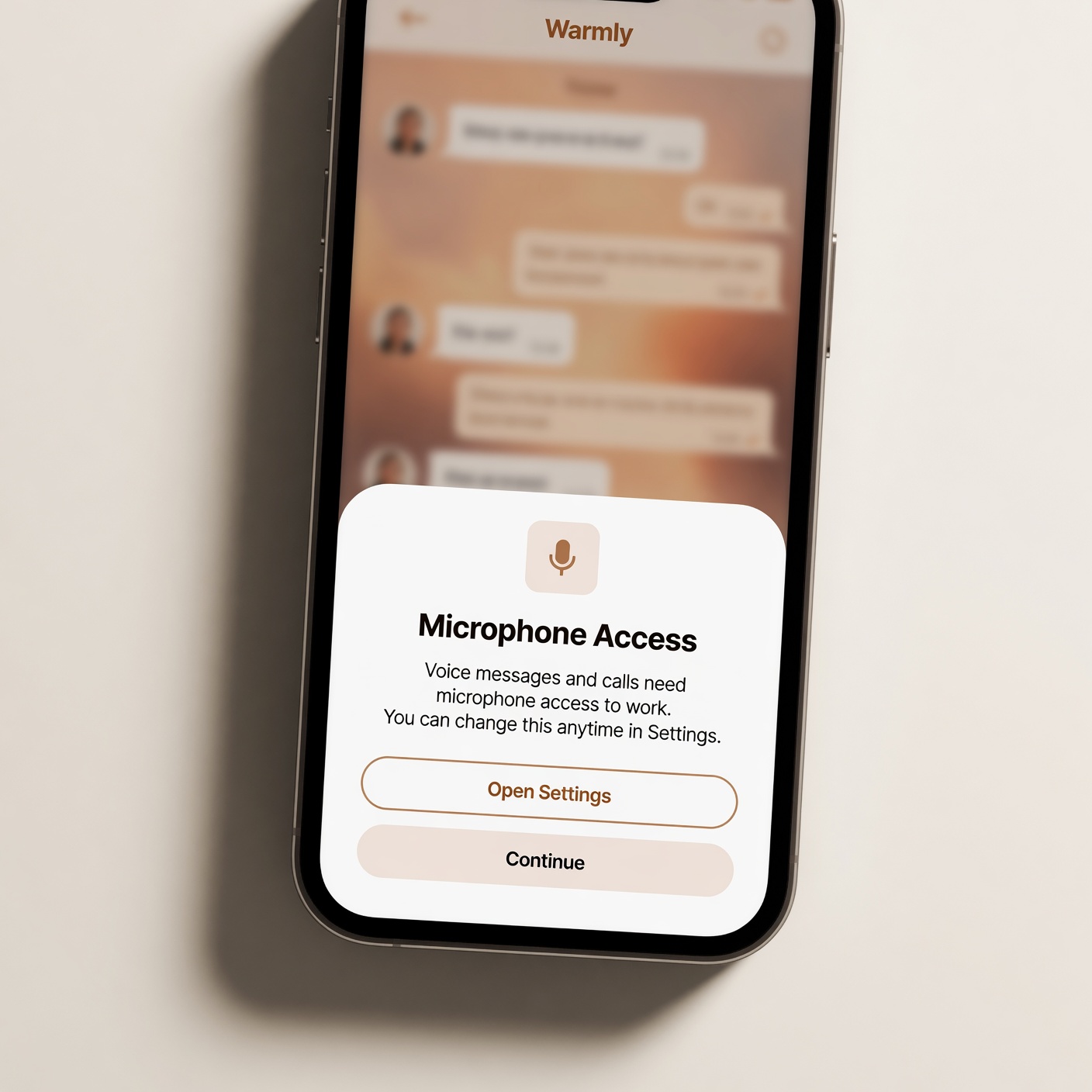
Now that you know which settings pose the greatest risk, it is time to perform a manual privacy audit on your device. You should review these settings every few months to ensure new updates haven’t altered your preferences.
For Android Users
-
Open the main Settings menu on your device.
-
Scroll down and tap on Privacy or Security & Privacy.
-
Select Permission Manager.
-
Here, you will see a clean list categorized by feature (Microphone, Location, Camera, etc.).
-
Tap on any category to view exactly which apps have access. Select an app to change its status to “Don’t Allow” or “Ask Every Time.”
For iPhone & iPad Users
-
Launch the Settings application.
-
Scroll down and choose Privacy & Security.
-
Review the individual categories listed (Contacts, Calendar, Microphone, Camera).
-
Tap into each category and toggle off the green switch next to any application that does not strictly require that information to run.
Summary Comparison: Permissions at a Glance
| Permission Category | Risk Level | Primary Exploitation Method | Best Practice Setting |
| Accessibility Services | Critical | Captures keystrokes, steals passwords, automates bank transfers | Deny completely for all standard apps |
| SMS / Call Logs | High | Intercepts 2FA verification codes, maps social circles | Deny unless using an official default texting app |
| Precise Location | High | Tracks daily movements, sells background data to brokers | Set to “Only While Using” or use Coarse Location |
| Microphone & Camera | Medium to High | Silent ambient recording, unauthorized photo/video capture | Set to “Ask Every Time” or “Only While Using” |
| Display Over Other Apps | Medium | Clickjacking, transparent phishing overlay layers | Disable for everything except trusted chat/video tools |
Proactive Mobile Security Strategies to Keep Your Data Safe
Managing permissions is an excellent first step, but comprehensive mobile security requires maintaining good digital hygiene habits.
1. Leverage Built-In Operating System Defenses
Modern versions of iOS and Android include built-in features like Permission Auto-Reset. If you download an app for a one-time task and don’t open it for several months, the operating system will automatically strip away its permissions. Make sure this feature is enabled in your app settings menu. Additionally, ensure that real-time security systems like Google Play Protect are active and running regular device scans.
2. Practice Regular App Audits
We often download apps for temporary use—such as a specific event app, a travel guide for a past vacation, or a game we no longer play—and leave them forgotten on our devices. Even if you don’t open them, old apps can still collect information or become security vulnerabilities if their developers abandon them. Take 10 minutes every month to delete applications you no longer use.
3. Read the App Store Privacy Labels Before Downloading
Before hitting the download button, check the Data Safety section on the Google Play Store or the App Privacy nutrition labels on the Apple App Store. Developers are legally required to state exactly what data they collect and whether that data is linked to your identity or sold to third parties. If a basic utility app lists pages of tracked data, look for a more privacy-focused alternative.
4. Be Skeptical of Social Login Options
Many apps allow you to create an account instantly using a “Sign in with Facebook” or “Sign in with Google” button. While convenient, this often links your app usage patterns back to your primary social media profiles, giving those platforms even more tracking data. Whenever possible, create a separate account using a unique email address or use Apple’s “Hide My Email” feature to protect your identity.
Reclaiming Control of Your Digital Privacy
Your smartphone is an extension of your personal and professional identity. While mobile developers want you to believe that giving up your personal data is a necessary requirement for modern convenience, it rarely is.
By paying close attention to app permissions, challenging unnecessary data requests, and removing unneeded access privileges, you turn your mobile device from an open target into a secure digital environment. Take control of your phone settings today—your personal data belongs to you, not to the apps you download.