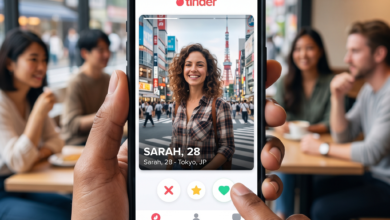
How to Restart Your Dating App Profile From Zero
Step-by-step guide to starting fresh on dating apps
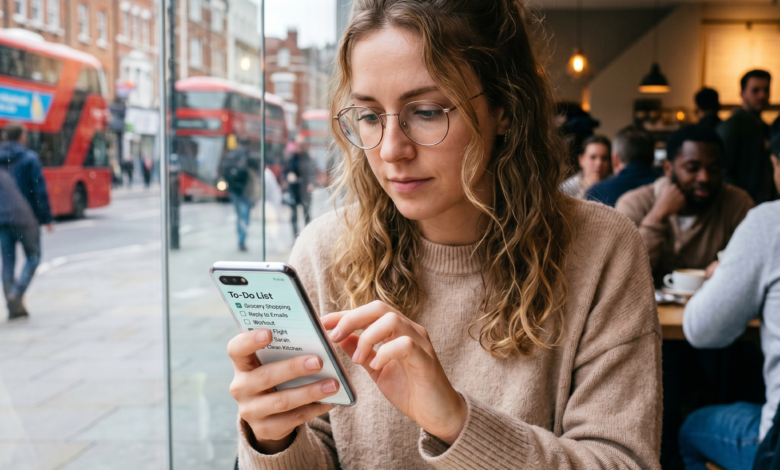
Let’s be real: we’ve all been there. You’ve been swiping for weeks, maybe months, and your feed has started to look like a digital desert. The same profiles keep popping up, your match queue is a ghost town, and you’re starting to think the “end of the internet” is actually a real place located somewhere between a blurry gym selfie and a photo of someone holding a fish.
In 2026, the dating app landscape is smarter than ever. Algorithms aren’t just looking at who you like; they’re analyzing your behavior, your photo quality, and even how fast you respond to messages to determine your “score.” If you’ve hit a wall, it’s not necessarily you—it’s your digital footprint.
Sometimes, the only way forward is to burn it all down and start from scratch. Here is your master manual on how to execute a perfect “hard reset” and reclaim that new-user energy.
Why Your Current Profile is Failing: The Science of “Algorithm Fatigue”

Before we get to the “how,” we need to understand the “why.” Every major app—Tinder, Bumble, Hinge, and even the niche players—assigns you a hidden internal rating. In the early days, this was called an “Elo score,” but today’s AI is much more sophisticated.
The Death Spiral of a Low Rating
If you swipe right on everyone (signals bot behavior), get reported (even for minor things), or have a low “conversion rate” (people see your profile but swipe left), the app’s algorithm begins to deprioritize you. You aren’t banned, but you are “shadow-weighted.” Your profile is pushed to the bottom of the stack where only a fraction of users will ever see it.
The “Dead Account” Syndrome
If you’ve had the same account for years, the algorithm has “pigeonholed” you. It think it knows exactly who you are and what you like, often limiting your exposure to the same small pool of people. A fresh start tells the AI: “Forget everything you know. I’m a new person with a new story.”
Step 1: The Nuclear Option – How to Properly Delete Your Account
Uninstalling the app from your phone is like throwing away your TV because you don’t like the show. It does absolutely nothing to your account data. To truly restart, you must delete the account from within the app’s database.
How to Delete for Each Major App:
-
Tinder: Go to Settings > Scroll to the bottom > Delete Account. Confirm the deletion. Do not just “pause” or “hide” your profile.
-
Bumble: Tap the Profile Icon > Gear Icon > Delete Account. You will often have to type the word “delete” to confirm.
-
Hinge: Tap your Profile Icon > Settings > Delete Account.
The 90-Day Data Retention Window
Here’s the catch: in 2026, dating apps are required to hold onto your data for roughly 90 days for safety and legal reasons. If you delete your account and recreate it 10 minutes later using the same phone number, the app will instantly link the two. You’ll be right back where you started with the same low internal score. To get a true reset, you either need to wait three months or follow the technical steps below.
Step 2: The Technical Overhaul – New Identity, New Results
If you don’t want to wait 90 days, you have to convince the app that you are a completely new user. This requires changing the “identifiers” the app uses to track you.
New Phone Number and Email
Your phone number is your primary ID. Using the same number will result in an immediate “re-link.”
-
The Pro Tip: Use a fresh SIM card or a dedicated VoIP service that provides a “real” mobile number (apps are getting better at detecting “burner” numbers, so be careful).
-
Email: Create a brand new Gmail or iCloud account specifically for this.
Device IDs and Apple/Google Accounts
In 2026, apps can see if you are using the same Apple ID or Google Play account. If you’ve previously purchased a premium subscription (like Tinder Gold or Hinge+), do not use the “Restore Purchase” button. This is a tracker that will link your new account to your old, failed one.
-
The Reset: If possible, use a different device. If you can’t, a factory reset of your phone is often the only way to clear deep-cached hardware identifiers.
Step 3: The 2026 Visual Strategy – Photos That Hack the AI
In 2026, dating apps use AI to “tag” your photos. The algorithm knows if you’re at a beach, a gym, or in a messy bedroom. It also knows if you’re using a photo you’ve used before.
No More “Recycled” Photos
If you re-upload the exact same photo files, the app’s “hashing” technology will recognize them instantly.
-
The Fix: You need new photos. If you must use old ones, you have to edit them significantly. Change the brightness, crop them differently, or run them through a filter that changes the metadata (EXIF data). However, for a 100% success rate, a fresh photoshoot is the only way.
The “Three Cs” of High-Performing Photos
-
Color: Wear bold colors. In a sea of grey hoodies and black t-shirts, a person in a vibrant red or blue shirt stands out to both the human eye and the algorithm.
-
Context: Your photos should tell a story. One “social” shot (with friends), one “activity” shot (a hobby), and one “lifestyle” shot (traveling or at a cool venue).
-
Clarity: Use the back camera of your phone, not the selfie camera. High-resolution photos with natural lighting are prioritized by the app’s quality filters.
The “No-Selfie” Rule
Selfies are the #1 match-killer in 2026. They signal a lack of social effort. Use a tripod or ask a friend. A candid shot of you laughing in a park is worth ten “mirror selfies” in a bathroom.
Step 4: Crafting a “Clear-Coding” Bio
The era of the “witty one-liner” is over. In 2026, the biggest trend is Clear-Coding—boldly stating exactly who you are and what you want.
Show, Don’t Tell
Instead of saying “I love to travel,” say “Looking for someone to join me on my next backpacking trip through the Azores.” Instead of “I like music,” say “Current obsession: Vinyl nights and 90s underground hip-hop.”
-
Specifics create hooks. Hooks create messages.
The “Hot Take” Strategy
Use a prompt to share a slightly controversial (but harmless) opinion. “Unpopular opinion: Pineapple belongs on pizza, but only if there’s jalapeño.” This gives people an easy “in” to start a conversation, even if it’s just to tell you you’re wrong.
Step 5: Launch Day – Maximizing the “New User Boost”
When you first create an account, the app wants to “hook” you. They give you a temporary visibility boost, showing your profile to the most active and “attractive” users in your area. This is your most critical window.
Don’t Swipe Yet!
Once your profile is live, stop. Don’t start swiping like a madman. Let the profile sit for an hour. Let the “boost” kick in.
The Quality Swipe Strategy
In the first 48 hours, the algorithm is watching your behavior. If you swipe right on every single person, the AI marks you as “low-value” or a “bot.” Be selective. Only swipe right on the top 20–30% of profiles that truly interest you. This tells the algorithm that you are a “high-value” user with standards, which in turn keeps your visibility high.
Maintaining Your “New Account” Score: Swiping Without Penalties
Once you’ve successfully restarted, you need to play by the rules to keep that score high.
Avoid the “Spam” Swipe
Never swipe while you’re distracted or bored (like watching TV). If you swipe 100 times in 5 minutes, you will be penalized. Quality over quantity.
Respond Faster
In 2026, “Response Time” is a major metric. If you match with someone and wait three days to respond, the app thinks you aren’t a “serious” user and will stop showing you to active people. Try to respond within 24 hours to maintain your momentum.
FAQ: Everything You’re Still Worried About
1. Will I get banned for resetting?
If you do it once every six months, no. If you do it every week, yes. Frequent resets are a major “Bot Signal.”
2. Can I use a VPN to hide my location?
No. In 2026, most apps will flag or shadowban you immediately for using a VPN. They want to verify you are a real person in a real location.
3. Should I buy a subscription immediately?
Wait at least 24 hours. Let the algorithm “place” you first. Buying a subscription immediately can sometimes look like a “scammer” move to the AI filters.
4. What if I still get no matches after a reset?
Check your photos. If the technical reset was done correctly, the only remaining variable is your content. Ask a trusted friend for a “brutally honest” review of your photos.
A New Chapter in Your Dating Life
Restarting from zero isn’t just about a technical trick; it’s about a psychological reset. It’s an opportunity to look at how you present yourself to the world and refine that image. In the 2026 dating world, authenticity and intentionality are the new currency.
By following this guide, you’re not just resetting an app—you’re setting yourself up for a version of online dating that is more efficient, more successful, and, frankly, much more fun.