How to Protect Your Smartphone from Hackers
Discover the best ways to protect your phone and personal data
We carry our entire lives in our pockets. Today’s smartphones are infinitely more powerful than the computers that sent humanity to the moon, serving as our primary bank branches, personal photo albums, communication hubs, GPS navigators, and work portals. Because these compact devices hold the keys to our financial and personal identities, they have become the absolute number one target for cybercriminals worldwide.
Many people falsely believe that smartphones are inherently secure, assuming that Apple’s “walled garden” or Google’s advanced cloud security makes them immune to attacks. This misconception is exactly what hackers exploit. Mobile security threats are growing in both frequency and sophistication, transitioning from loud, obvious viruses to silent, invisible background operations designed to steal your data without ever raising an eyebrow.
Protecting your smartphone does not require deep technical expertise. By understanding how mobile vulnerabilities work and adopting a few proactive digital habits, you can effectively lock down your device against unauthorized access. This comprehensive guide breaks down everything you need to know to secure your mobile device from modern cyber threats.
Why Malicious Apps Bypass Security and How to Check If Your Phone Is Hacked
The most common way a smartphone gets compromised is through the installation of malicious software, commonly referred to as malware. While both Apple and Google employ massive, automated scanning systems to vet applications before they hit their respective stores, clever developers constantly find sophisticated ways to slip through the cracks.
The Danger of the “Trojan Horse” App
Cybercriminals frequently upload seemingly innocent applications to official app stores—such as basic puzzle games, QR code scanners, flashlight utilities, or photo-editing tools. Once the app passes the initial security review and gets downloaded by thousands of users, the creators trigger a remote update or activate hidden code that transforms the application into a malicious data-harvesting tool.
On Android devices, this risk increases exponentially if you enable sideloading—the practice of downloading and installing app files (APKs) from third-party websites or unverified alternative marketplaces. Without the protective barrier of a centralized app store’s automated review, sideloaded apps are a primary delivery system for aggressive spyware and banking trojans.
Common Signs Your Smartphone Has Been Compromised
Because modern mobile malware is designed to be stealthy, you need to watch out for subtle performance changes in your device. If your phone exhibits any of the following symptoms, it may be running unauthorized background software:
-
Unexplained Battery Drain: If your phone’s battery life suddenly plummets, and your device feels hot to the touch even when you aren’t actively using it, malicious code may be processing data heavily in the background.
-
Massive Spikes in Data Usage: Spyware needs to transmit your stolen photos, passwords, and location logs back to the hacker’s server. Keep a close eye on your monthly cellular data consumption for unexpected anomalies.
-
Mysterious Pop-Ups and Ad Behavior: Random advertisements appearing directly on your home screen or browser redirects to strange websites are clear indicators of adware or malware infections.
-
Unfamiliar Apps on Your Dashboard: Periodically scroll through your complete applications list. If you see an app you don’t remember installing, treat it as a critical security threat.
Managing Dangerous App Permissions to Stop Hidden Spyware and Data Leaks
When you download a new application, it will inevitably request permission to access specific hardware components or software directories on your phone. Many users suffer from “permission fatigue,” blindly clicking “Allow” on every single pop-up just to get the app running as quickly as possible. This habit is an open invitation for privacy invasions and data leaks.
Evaluating the Logic of Permission Requests
A legitimate application only requires permissions that directly map to its core functionality. You must become a strict gatekeeper of your phone’s capabilities.
[ New App Installed ] ---> Ask: Does a weather app need my microphone?
                                   │
                                   ├──► NO  ---> Deny Permission / Uninstall App
                                   │
                                   └──► YES ---> Allow Only While Using App
Before granting a permission, stop and ask yourself if the request makes practical sense:
-
An audio recording app needs access to your Microphone.
-
A ridesharing or navigation app needs access to your Location.
-
A standalone flashlight app or a basic calculator requires access to your contacts, camera, microphone, and text messages? Absolutely not.
The Most Abused Mobile Permissions Explained
Certain permissions give applications deep, structural control over your device’s operating system. Pay hyper-focused attention to these specific requests:
| Dangerous Permission | What It Allows | The Risk |
| Accessibility Services (Android) | Allows apps to read text on the screen, interact with other apps, and mimic physical touches. | Designed for users with disabilities, but heavily abused by banking trojans to log keystrokes, steal 2FA codes, and click buttons automatically. |
| Contacts & Call Logs | Gives the app a complete map of your social, professional, and family networks. | Used by malicious apps to scrape phone numbers and email addresses to fuel secondary phishing and spam campaigns. |
| Background Location | Tracks your exact physical coordinates 24/7, even when the application is completely closed. | Builds a highly invasive profile of your daily routines, home address, workplace, and personal habits, which is often sold to data brokers. |
| SMS/Text Messages | Allows the app to read, send, and intercept incoming text messages. | Allows malware to silently intercept and read multi-factor authentication (MFA) codes sent by your bank, giving hackers total account access. |
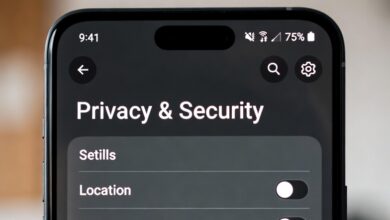
Pro Tip: Both iOS and Android now feature centralized privacy dashboards. Once a month, navigate to your device’s settings menu, look for “Privacy & Security,” and review exactly which apps have access to your camera, microphone, and location data. Strip away permissions from any app that doesn’t strictly require them.
The Real Danger of Delaying Android and iOS System Updates
We are all familiar with the recurring notification announcing that a brand-new system update is ready to install. Because these updates frequently take several minutes to download and require restarting your phone, it is incredibly easy to hit “Remind Me Later” and ignore them for months. This single delay is one of the most severe security mistakes a smartphone user can make.
Why System Updates Are Critical
Many users believe that system updates are purely cosmetic, offering new emojis, minor visual tweaks, or battery performance optimizations. While that is sometimes true, the vast majority of updates contain critical security patches designed to fix newly discovered code vulnerabilities.
Software code is incredibly complex, and cybercriminals spend day and night looking for coding errors (vulnerabilities) that allow them to bypass a phone’s security entirely. When a vulnerability is discovered before the software developer knows about it, it is called a Zero-Day exploit.
Once the developer discovers the flaw, they rush to write a fix and deploy it as a security update. The moment that update goes public, hackers analyze the code patch to see exactly how the vulnerability worked. If you delay installing the update, you are essentially leaving your digital front door wide open to an exploit that hackers now know exactly how to use.
The Trap of End-of-Life (EOL) Devices
Smartphone manufacturers do not support older devices forever. Eventually, older models reach what is known as “End-of-Life” (EOL) status, meaning the manufacturer will no longer develop or release security patches for that specific hardware.
If you are using a smartphone that is more than five or six years old, check the manufacturer’s official support page to see if it still receives regular security updates. If your phone is completely cut off from security patches, it becomes increasingly vulnerable to automated web exploits over time. Upgrading to a newer, supported device is an essential step in maintaining robust personal mobile security.
How Hackers Intercept Mobile Traffic on Public Wi-Fi Networks

Free public Wi-Fi networks at coffee shops, luxury hotels, crowded airports, and public transport hubs are incredibly convenient. They keep us connected on the go without eating into our cellular data caps. However, these networks are fundamentally insecure, acting as playground environments for intercepting personal information.
The Mechanics of a Man-in-the-Middle (MitM) Attack
Because public Wi-Fi networks do not require complex authentication to join, anyone can connect to them—including bad actors. A hacker sitting in the same coffee shop can run free, readily available network-scanning software to position their computer between your smartphone and the wireless router. This setup is called a Man-in-the-Middle (MitM) attack.
[ Your Smartphone ] ───( Encrypted or Raw Data )───► [ Hacker's Laptop ] ───► [ Public Wi-Fi Router ]
When you browse the web or open apps on an unencrypted public network, the hacker can intercept every packet of data leaving your phone. If you type in your bank login details, check your email, or enter your credit card information on an unsecured page, that data can be read clearly by the attacker.
The Threat of “Evil Twin” Hotspots
Hackers don’t always just sit on legitimate public networks; frequently, they broadcast their own fake wireless signals using names that sound completely official, such as Airport_Free_HighSpeed_WiFi or Starbucks_Guest_Secure.
When your phone automatically connects to these open signals, you are passing all your internet traffic directly through the cybercriminal’s hardware. They can manipulate the pages you see, redirecting you to fake, convincing lookalikes of popular login portals to harvest your passwords.
Two Rules for Navigating Public Spaces Safely
-
Rely on Cellular Data Whenever Possible: Modern 4G, 5G, and LTE networks feature incredibly robust built-in encryption that is highly resistant to local interception. If you have an unlimited or generous data plan, turn off your Wi-Fi setting entirely when out in public.
-
Use a Premium Virtual Private Network (VPN): If you absolutely must connect to a public Wi-Fi network, launch a trusted mobile VPN application first. A VPN creates a completely encrypted digital tunnel for all your smartphone’s inbound and outbound traffic. Even if a hacker successfully intercepts your data packets, they will only see completely unreadable, randomized cryptographic strings.
Protecting Your Smartphone From Physical Theft and SIM Swapping Attacks
Mobile security isn’t just about fighting off remote hackers via software; it also involves securing your physical device and your cellular carrier account. If an attacker gains physical control of your unlocked phone, or successfully hijacks your phone number, your entire digital life can fall like dominoes.
Hardening Your Physical Lock Screen
Your lock screen is your immediate line of defense. Many people use weak protection methods like simple 4-digit PINs (e.g., 1234, 0000, or their birth year) or easy-to-guess geometric pattern swipes.
-
Avoid Pattern Locks: Pattern swipes leave clear, oily smudges on your phone’s glass screen. A thief who steals your phone can simply hold the device up to the light to see the exact pattern you used to unlock it.
-
Opt for 6-Digit PINs or Passcodes: Switch your security settings to requiring an alphanumeric password or a complex 6-digit PIN.
-
Utilize Biometrics Safely: Enable fingerprint scanning or advanced facial recognition (like Apple’s FaceID). Biometrics provide exceptional convenience and stop “shoulder surfers” from copying down your PIN while watching you type it over your shoulder on a bus or train.
The Nightmare of SIM Swapping Scams
Your phone number is an incredibly valuable asset. It acts as the primary recovery mechanism for your email accounts, cryptocurrency wallets, and banking profiles via SMS-based two-factor authentication codes. In a SIM swapping attack, a hacker doesn’t actually touch your physical phone.
Instead, the attacker uses social engineering to contact your cellular service provider (e.g., Verizon, T-Mobile, AT&T). They pretend to be you, claiming they lost their phone or damaged their SIM card. Using leaked personal information harvested from data breaches, they convince the customer support representative to port your phone number over to a brand-new SIM card inside the hacker’s device.
Hacker gathers your leaked info ──► Tricks carrier support ──► Your phone loses signal ──► Hacker gets your 2FA texts
The moment the transfer occurs, your physical phone will completely lose cellular signal. The hacker will begin requesting password resets for your financial accounts, intercepting the confirmation codes sent via text message to compromise your profiles instantly.
Defending Against SIM Swaps
-
Contact Your Cellular Carrier: Call your mobile provider or log into your online account portal to request an explicit “Account PIN” or “Port-Out Lock.” This ensures that your phone number cannot be moved to a new device or carrier unless someone provides a secondary, highly secure verbal password that you created.
-
Lock Down Your Physical SIM Card: In your phone’s security settings, turn on the “SIM PIN” feature. This requires you to enter a 4-digit code whenever your phone restarts. If a thief pulls the physical SIM card out of your stolen phone and drops it into their own device to steal your text messages, the card will remain completely locked without that PIN.
Spotting Smishing Scams: How to Avoid Fake Text Messages and Malicious Links
As email spam filters become highly effective at blocking traditional phishing messages, cybercriminals have shifted their focus to a more direct, intimate communication channel: text messaging. Phishing executed via SMS text messages is formally known as Smishing.
Smishing scams are exceptionally dangerous because people naturally tend to trust text messages more than emails. Cybercriminals exploit this psychological trust by sending highly convincing, urgent alerts designed to make you act impulsively without verifying the source.
Anatomy of a Smishing Attack
Smishing messages almost always create a high-stress scenario requiring immediate action. Some of the most widespread mobile text scams include:
-
The Missed Delivery Scam: “USPS Alert: Your package could not be delivered due to an incomplete address. Please update your delivery details within 12 hours at
usps-package-tracking-portal.com.” -
The Bank Fraud Alert: “CHASE BANK: Unusual activity detected on your debit card. Your account has been temporarily restricted. Verify your identity immediately at this secure link.”
-
The Unpaid Public Toll Scam: “Our records show an outstanding toll balance of $4.50 on your vehicle. Failure to pay today will result in a $50 late fee. Pay now at
state-toll-collection.org.”
> **Real-World Security Warning:** Legitimate government agencies, postal services, and major financial institutions will **never** send you an unexpected text message containing a direct link to log into your account or pay a balance. Treat all text-based hyperlinks with immediate suspicion.
How to Respond to Suspicious Texts
If you receive an alarming text message containing a link, follow these steps:
-
Do Not Click the Link: Even if you think there is a slight chance it might be real, do not touch the URL.
-
Do Not Reply: Avoid replying with words like “STOP” or “NO.” Replying confirms to the hacker’s automated system that your phone number is active and monitored by a real person, which will drastically increase the volume of spam calls and texts you receive in the future.
-
Verify Independently: If you are genuinely worried about an unpaid toll, a blocked bank card, or a missing delivery, open a completely separate browser window. Manually type in the official website of the company or service, log into your profile safely, and look for alerts within your secure user dashboard.
What is Juice Jacking? Uncovering the Risks of Public Charging Stations
We have all experienced the anxiety of watching our smartphone battery drop into the single digits while away from home. In moments of desperation, stumbling across a free public charging kiosk at an airport terminal, hotel lobby, or convention center feels like a lifesaver. However, plugging your phone into an unknown USB port introduces a specialized security risk known as Juice Jacking.
The Dual-Purpose Design of USB Connections
To understand juice jacking, you must look at how a standard USB cable functions. A USB cable features multiple internal wires wrapped in a single protective sleeve:
-
Some wires are dedicated strictly to transferring electrical power to charge your battery.
-
Other wires are designed exclusively to transfer data between devices (such as syncing photos from your phone to your computer).
When you plug your phone into a standard electrical outlet using your personal wall adapter block, only power is transferred. However, when you plug your raw USB cord directly into a public USB charging port embedded in a wall or kiosk, you have no way of knowing what is on the other side of that port.
If a hacker has compromised that public kiosk, they can use the data-transfer wires in the USB connection to silently install malicious spyware onto your device, bypass your lock screen security, or clone your phone’s local storage files while your phone charges.
Simple Steps to Charge Safely on the Go
You do not have to let your phone die to stay secure. Use these highly effective alternatives to keep your device powered up safely:
-
Carry Your Personal Wall Block: Always pack your own physical AC power adapter along with your charging cable. Plugging your own brick directly into a standard wall electrical outlet eliminates the data transfer pathway completely, making juice jacking impossible.
-
Invest in a “USB Data Blocker”: Often referred to colloquially in the tech community as a “USB condom,” a USB data blocker is a small, inexpensive adapter that sits between your charging cord and a public USB port. This device physically severs the internal data-transfer connections within the connection while allowing electrical current to pass through completely unimpeded.
[ Public USB Port ] ──► [ USB Data Blocker (Data Wires Severed) ] ──► [ Your Cable ] ──► Safe Charging!
-
Use a Portable Power Bank: Carry a personal external battery pack in your bag. Charge your power bank using public outlets, and then use the power bank to charge your smartphone safely throughout the day.
Disabling Vulnerable Wireless Settings: Bluetooth, NFC, and AirDrop Security Risks
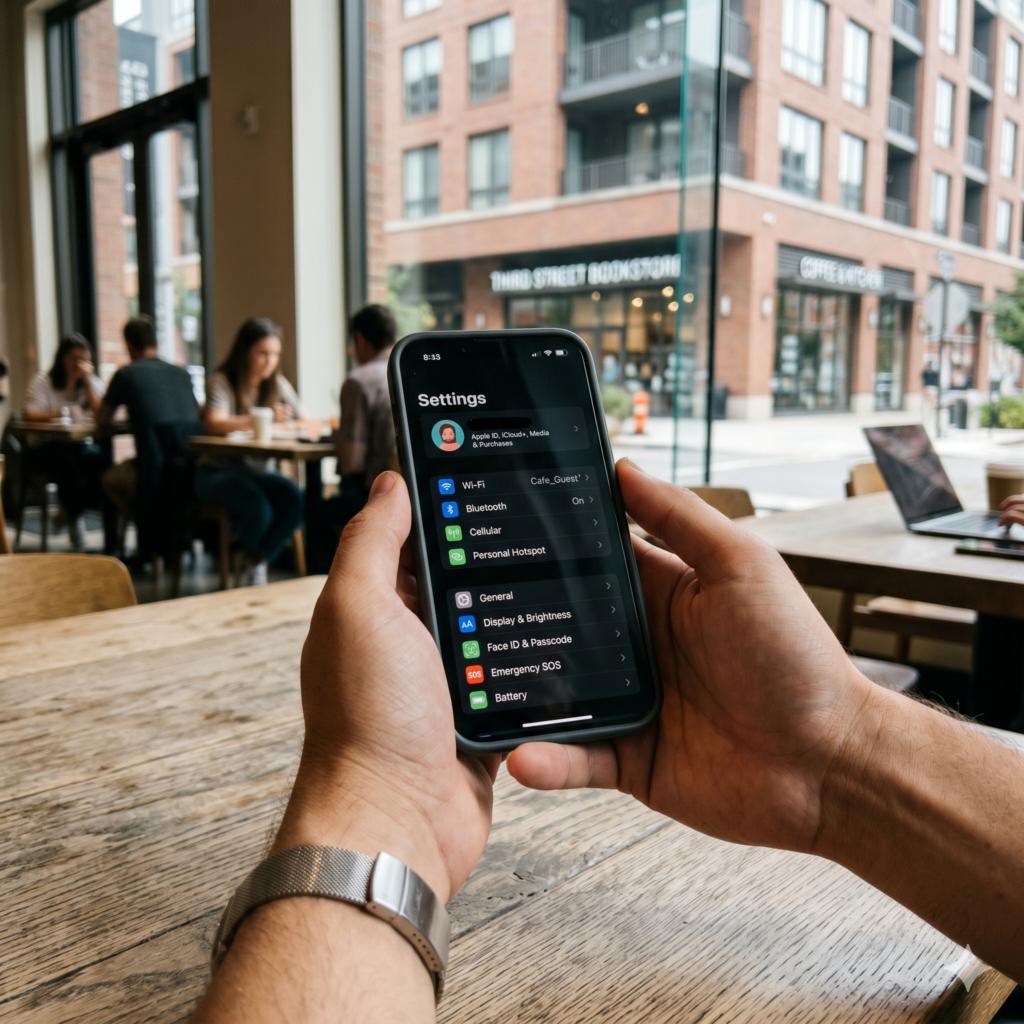
Modern smartphones are packed with a suite of short-range wireless communication chips designed to make our lives seamless. Features like Bluetooth headphones, contactless mobile payments (Apple Pay/Google Wallet), and instant wireless file sharing (AirDrop/Quick Share) are brilliant conveniences. However, leaving these wireless connections active and completely open 24/7 gives hackers an invisible target to exploit.
Bluetooth Exploits: Bluejacking and Bluesnarfing
Bluetooth is an incredibly common vector for local attacks. If you leave your smartphone’s Bluetooth setting constantly turned on and set to “Discoverable,” an attacker within physical proximity (up to 30 feet away) can attempt to connect to your device.
-
Bluejacking: Attackers send unsolicited messages, annoying pop-ups, or offensive media files directly to your smartphone screen.
-
Bluesnarfing: A far more severe attack where a hacker uses specialized software to exploit outdated Bluetooth firmware protocols to silently copy your phone contacts, email data, private messages, and photos.
Keeping Local File Sharing Under Tight Control
Apple’s AirDrop and Android’s Quick Share use a combination of Wi-Fi and Bluetooth to send large files between nearby devices effortlessly. If you leave your file-sharing settings configured to receive files from “Everyone,” you open yourself up to digital harassment and potential exploit payloads.
Bad actors in crowded public spaces—such as subway cars, airplanes, or university lecture halls—frequently broadcast inappropriate images or malicious files to random phones within range. Always adjust your sharing preferences to “Contacts Only” or turn the feature off completely when you aren’t actively using it.
The Truth About NFC (Near Field Communication) Skimming
NFC is the technology that powers contactless payments when you tap your smartphone against a retail register terminal. A common security myth is that a hacker can walk past you in a crowded room with a hidden terminal and silently “skim” the credit card numbers right out of your phone.
In reality, mobile NFC architecture is remarkably secure. Unlike older plastic credit cards with static magnetic strips, mobile payment systems use a process called Tokenization.
When you tap your phone to pay, the device transmits a one-time-use cryptographic token rather than your actual credit card number. Furthermore, your phone will not broadcast an NFC signal unless the screen is completely unlocked and you have authenticated the payment via biometrics or a PIN. While NFC skimming is a minimal real-world risk, turning off NFC when traveling internationally adds an extra layer of peace of mind.
The Ultimate Step-by-Step Smartphone Hardening Checklist for Android and iPhone
To make this extensive guide easy to execute, here is an actionable, high-priority checklist you can use to transform your smartphone into a digital fortress:
-
[ ] Audit Your Apps: Scroll through your app list and completely delete any application you have not opened or used within the last 90 days.
-
[ ] Review Permissions: Access your privacy settings dashboard and strip away location, microphone, and contact permissions from apps that don’t strictly require them to function.
-
[ ] Set Up Automatic Updates: Turn on auto-updates for your smartphone’s core operating system (iOS or Android) to ensure security patches install overnight.
-
[ ] Upgrade Your Lock Screen PIN: Change your basic 4-digit lock screen PIN to a complex 6-digit passcode or an alphanumeric password. Turn on biometric authentication.
-
[ ] Secure Your Mobile Carrier: Contact your cell phone provider and request a “Port-Out Lock” or set an account-level security PIN to prevent SIM swapping attacks.
-
[ ] Lock Your Physical SIM: Enable the built-in “SIM PIN” feature in your phone settings to prevent thieves from hijacking your text messages on external devices.
-
[ ] Manage Wireless Connections: Turn off Bluetooth and cellular hotspots when they aren’t actively in use, and restrict file-sharing settings (AirDrop/Quick Share) to “Contacts Only.”
-
[ ] Deploy a Mobile VPN: Install a premium, verified virtual private network application to encrypt your web traffic whenever you rely on public Wi-Fi networks.
-
[ ] Protect Against Juice Jacking: Purchase a dedicated USB data blocker to carry on your keychain for safe emergency charging at public kiosks.
-
[ ] Activate Remote Tracking: Verify that Apple’s “Find My” or Google’s “Find My Device” is fully operational, and ensure the “Remote Device Wipe” feature is switched on.
Frequently Asked Questions About Mobile Security and Smartphone Hacking
1. Can an iPhone get hacked or infected with malware?
Yes, iPhones can absolutely be hacked. While Apple’s operating system (iOS) employs a highly secure framework known as “sandboxing”—which prevents applications from modifying or reading data from other applications—it is not completely infallible. Highly sophisticated spyware strains (such as Pegasus) have historically bypassed iPhone security via Zero-Day flaws in messaging applications. Furthermore, iPhones are fully vulnerable to phishing sites, smishing scams, and network-level interception.
2. Is it safe to use biometrics like FaceID or fingerprint scanners?
Yes, using biometric authentication is highly recommended and dramatically safer than relying on standard lock patterns or basic PINs. Your biometric data is not uploaded to cloud servers or accessible by applications; instead, it is stored locally within an isolated, hardware-encrypted microchip inside your phone (known as the Secure Enclave on Apple devices or the Titan M chip on Google devices). Biometric security prevents thieves from memorizing your passcode by watching you type it in public spaces.
3. Should I install a dedicated antivirus application on my smartphone?
If you are an Android user, a reputable mobile security application (such as Bitdefender, Malwarebytes, or Kaspersky) can provide immense value by automatically scanning newly downloaded files, analyzing sideloaded APK files for malware, and blocking malicious web links. For iOS users, traditional antivirus applications do not exist because Apple’s sandboxing rules prevent apps from scanning other files on the device. Instead, iOS security apps focus primarily on network protection, web filtering, and identifying data breaches.
4. What should I do immediately if my phone is lost or stolen?
Act quickly. Use a secondary device (like a laptop or a family member’s phone) to log into Apple’s iCloud portal or Google’s Find My Device hub. Check the live map to locate your device. If the phone is completely unrecoverable or clearly stolen, trigger the “Erase Device” or “Remote Wipe” command. This will instantly delete all your personal photos, banking details, passwords, and data from the internal storage, rendering the phone completely useless to the thief.
5. Are free mobile VPN applications safe to use?
Generally, no. Maintaining a global network of high-speed encrypted servers is incredibly expensive. If a mobile VPN provider offers their app completely for free with no bandwidth limits or advertisements, they must generate revenue through alternative methods. In most cases, free VPN providers log your personal browsing behavior, track your location data, and sell those detailed logs to advertising conglomerates, completely defeating the purpose of using a privacy application in the first place. Stick to heavily audited, premium, paid VPN solutions.