Is it worth having a password manager?
Learn what a password manager is and how it works
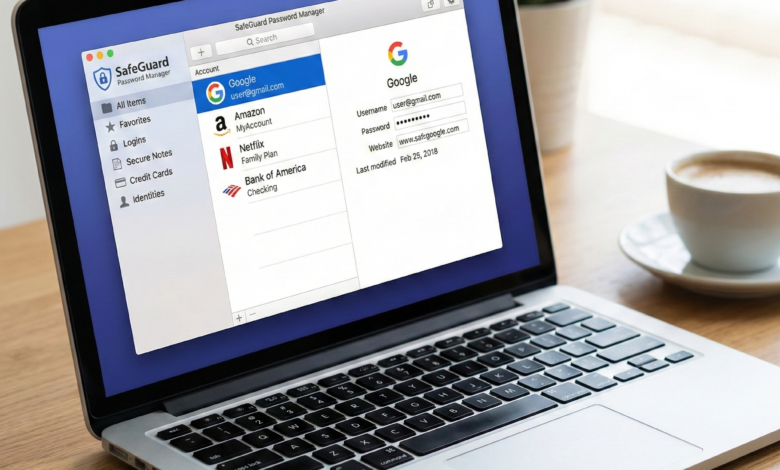
In the early days of the internet, having a handful of simple passwords was enough to get by. You had one for your email, one for your favorite forum, and maybe one for a nascent shopping site. Fast forward to 2026, and the average internet user manages between 80 and 150 different accounts. From banking and healthcare to streaming services and smart home devices, our lives are gated by credentials.
This explosion of digital accounts has led to a phenomenon known as “password fatigue.” To cope, most people resort to dangerous habits: using the same password everywhere, making slight variations of a single word, or—worse—writing them down on a sticky note attached to their monitor.
If you’ve ever wondered, “Is a password manager worth it?” the answer is a resounding yes. In fact, it might be the single most important tool in your digital arsenal. In this guide, we will explore why these tools are essential, how they work, and how they protect you from the sophisticated threats of the modern web.
The Problem with Modern Passwords: Why Your Brain Isn’t Enough

The human brain is excellent at many things, but generating and remembering 100 random, 20-character strings of gibberish is not one of them. This biological limitation creates a massive security gap.
The Danger of Password Reuse
Cybercriminals use a technique called Credential Stuffing. When a small, poorly secured website suffers a data breach, hackers take the list of emails and passwords and “stuff” them into the login pages of major sites like Amazon, PayPal, or Gmail. If you use the same password for your local pizza shop as you do for your primary email, a breach at the pizza shop gives hackers the keys to your entire life.
Complexity vs. Entropy
Many people think P@ssw0rd123! is a strong password because it has symbols and numbers. In reality, it is incredibly easy for a computer to “brute force.” Modern security experts focus on entropy—the unpredictability of a password. A long string of random words like correct-battery-staple-horse is much harder for a computer to crack than a short, complex one, but even those are hard to manage without help.
What Exactly is a Password Manager and How Does it Work?
A password manager is a software application designed to store and manage your digital credentials in an encrypted “vault.” Instead of remembering 100 passwords, you only have to remember one: your Master Password.
The Zero-Knowledge Architecture
The most important technical concept to understand is Zero-Knowledge Encryption. High-quality password managers are built so that your data is encrypted on your device before it is ever sent to their servers.
When you type your master password, your device uses it as a key to “unlock” the vault locally. The company providing the service never sees your master password and cannot see the data inside your vault. This means that even if the password manager company itself gets hacked, your data remains useless scrambled code to the attackers.
Top Benefits of Using a Password Manager for Personal Use
Beyond just “remembering things,” these tools provide a suite of features that drastically improve your quality of life and security.
-
Instant Password Generation: When you sign up for a new site, the manager can generate a completely random, high-entropy password (e.g.,
4k#Lp9!zQ&2mNV*7xT) with one click. -
Auto-Fill Convenience: You no longer need to type. When you visit a login page, the manager recognizes the site and fills in your username and password automatically. This also protects you from phishing, as the manager won’t auto-fill on a fake website with a slightly different URL.
-
Digital Legacy Planning: Many managers allow you to set up an “Emergency Access” contact. If something happens to you, a trusted family member can request access to your vault after a predetermined waiting period.
-
Secure Note Storage: You can store more than just passwords. You can save secure notes for Wi-Fi codes, alarm PINs, passport numbers, and encrypted scans of important documents.
Security Breakdown: Is Putting All Your Eggs in One Basket Safe?

The most common argument against password managers is: “But if someone gets into my vault, they have everything!” This is a logical concern, but it’s important to weigh the risks.
The “Eggs in One Basket” Myth
It is true that your vault is a high-value target. However, it is much easier to protect one “basket” with extreme security than it is to protect 100 different baskets scattered across the internet.
When you use a password manager, you protect that single vault with:
-
A long, unique Master Password.
-
Two-Factor Authentication (2FA), such as a physical security key or an authenticator app.
-
Biometric locks (FaceID or Fingerprint).
Compared to the alternative—using weak, reused passwords across 100 sites—the “one basket” approach is statistically much safer.
Must-Have Features: What to Look for in a Password Management Tool
If you are ready to choose a tool, don’t just pick the first one you see. Ensure it has these essential features:
-
Cross-Platform Syncing: You need your passwords on your phone, your laptop, and your tablet.
-
Security Auditing: A feature that scans your vault and tells you which passwords are weak, reused, or have appeared in known data breaches.
-
Dark Web Monitoring: The tool should alert you if your email or credentials appear on the dark web.
-
Passkey Support: As we move toward a “passwordless” future, your manager should be able to store and manage Passkeys.
-
Offline Access: You should be able to access your vault even if you don’t have an internet connection.
Free vs. Paid Password Managers: Which Should You Choose?
Many of the top-tier services (like Bitwarden, 1Password, or Dashlane) offer both free and paid versions.
| Feature | Free Version | Paid Version |
| Core Password Storage | Unlimited | Unlimited |
| Syncing | Often limited to one device type | Unlimited devices |
| Security Auditing | Basic | Advanced (Dark Web monitoring) |
| File Storage | Usually none | 1GB+ encrypted storage |
| Family Sharing | Rare | Includes up to 5-6 users |
| Customer Support | Community forums | Priority email/chat |
Is the paid version worth it? For most people, the $3 to $5 per month is a small price to pay for the peace of mind of family sharing and advanced security alerts. However, a free version of a reputable manager is still 100 times better than not using one at all.
The Dangers of Browser-Based Password Saving vs. Dedicated Apps
You’ve likely seen Chrome, Safari, or Edge ask, “Would you like to save this password?” While convenient, browser-based managers are generally less secure than dedicated apps.
-
The “Logged In” Risk: If someone sits down at your computer while you are logged into your browser, they can often see all your passwords in plain text without needing a master password.
-
Lack of Portability: Chrome’s manager works great in Chrome, but what if you need to log into an app on your phone or use a different browser? Dedicated apps work across the entire operating system.
-
Limited Features: Browsers rarely offer dark web monitoring, security auditing, or secure file storage.
Step-by-Step: How to Transition to a Password Manager Safely
Moving your digital life into a vault can feel overwhelming. Don’t try to do it all in one day. Follow this stress-free plan:
-
Choose Your Tool: Research Bitwarden (great for open-source fans), 1Password (great for families and UI), or Dashlane.
-
Create a Strong Master Password: Use a “passphrase”—four or five random words joined by hyphens. Write it down and hide it in a safe place until you have it memorized.
-
Install the Extension and App: Put the extension on your computer browser and the app on your phone.
-
Import Existing Passwords: If you have passwords saved in Chrome or Safari, you can export them to a
.csvfile and import them into your new manager. Delete the.csvfile immediately after. -
Change Passwords Gradually: Every time you log into a site, let the manager save the credentials. If the manager tells you the password is weak or reused, take 60 seconds to “Change Password” and let the manager generate a new, random one. Within a month, your most important accounts will be fully secured.
Investing in Your Digital Peace of Mind
In 2026, cybersecurity is no longer just for IT professionals; it is a basic life skill. A password manager is more than just a utility; it is a shield that protects your identity, your finances, and your privacy.
While there is a small learning curve, the benefits of never having to remember a password again—and the security of knowing you are protected against credential stuffing—make it one of the best investments you can make in your digital life.